





















THE MIND BEHIND IT
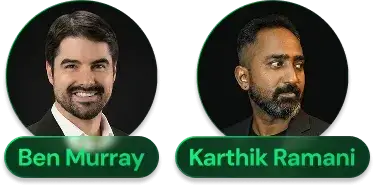
GuruOS was invented by Ben Murray and Karthik Ramani, two creators with a strong background in online marketing, product launches, and software tools.
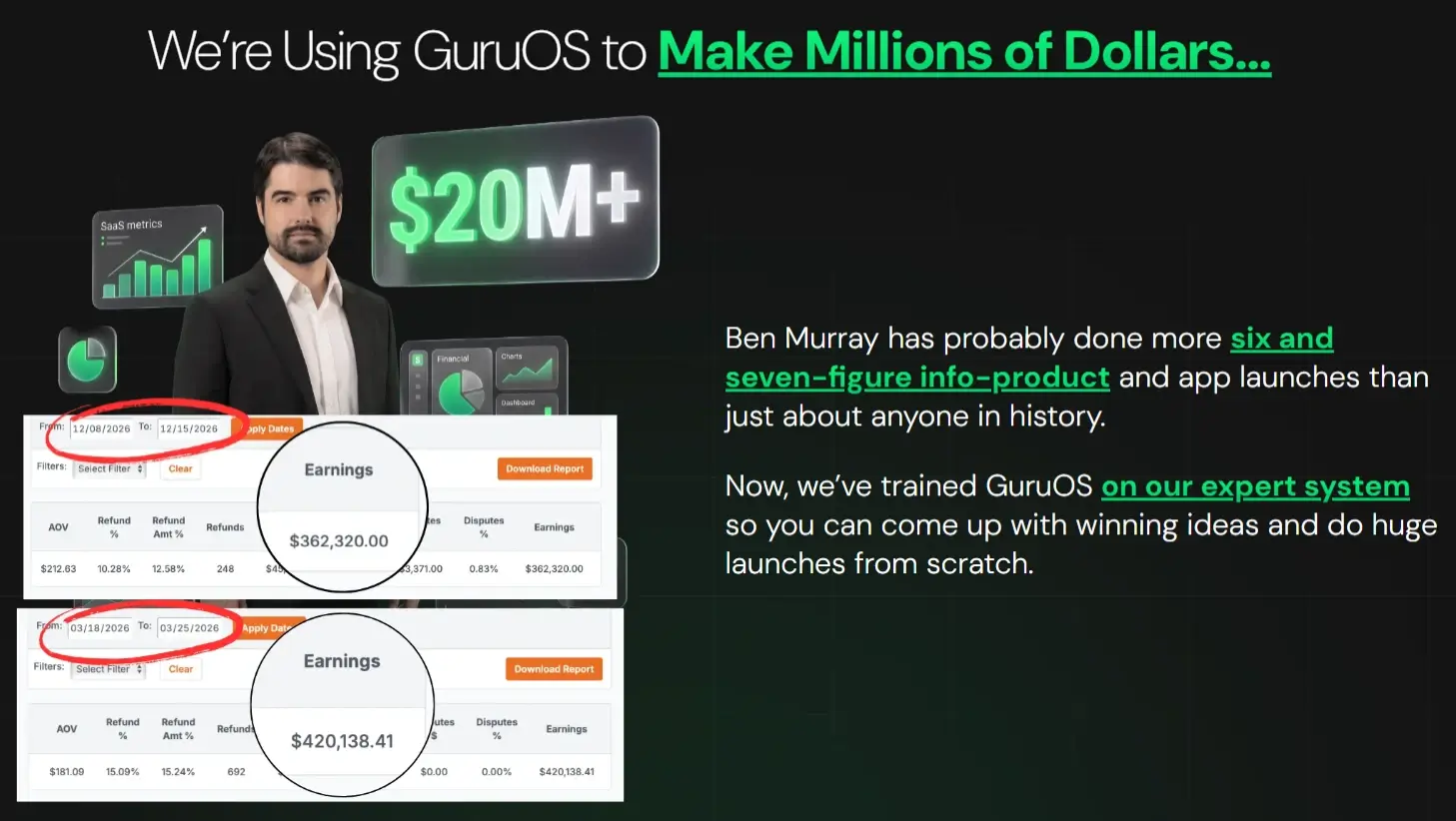
Ben Murray has been around the digital marketing space for years and has generated over $20 million from product launches. He’s known for creating practical tools around SEO, traffic, and online business growth, so he brings a lot of real launch experience to the table.
Karthik Ramani adds the software and automation side. He has created easy-to-use marketing tools that help businesses with lead generation, automation, and smoother workflows.
Together, Ben and Karthik bring a useful mix: Ben understands what sells in the information product market, while Karthik knows how to turn those ideas into tools people can actually use.
Every Feature Included In The System
GuruOS comes with a wide range of features that help you create courses, set up memberships, grow communities, collect leads, and sell information products with AI agents.
❤︎ Train Your Agents And Create In-Depth Courses:
✅ Train Your AI Operating System On Your Business.
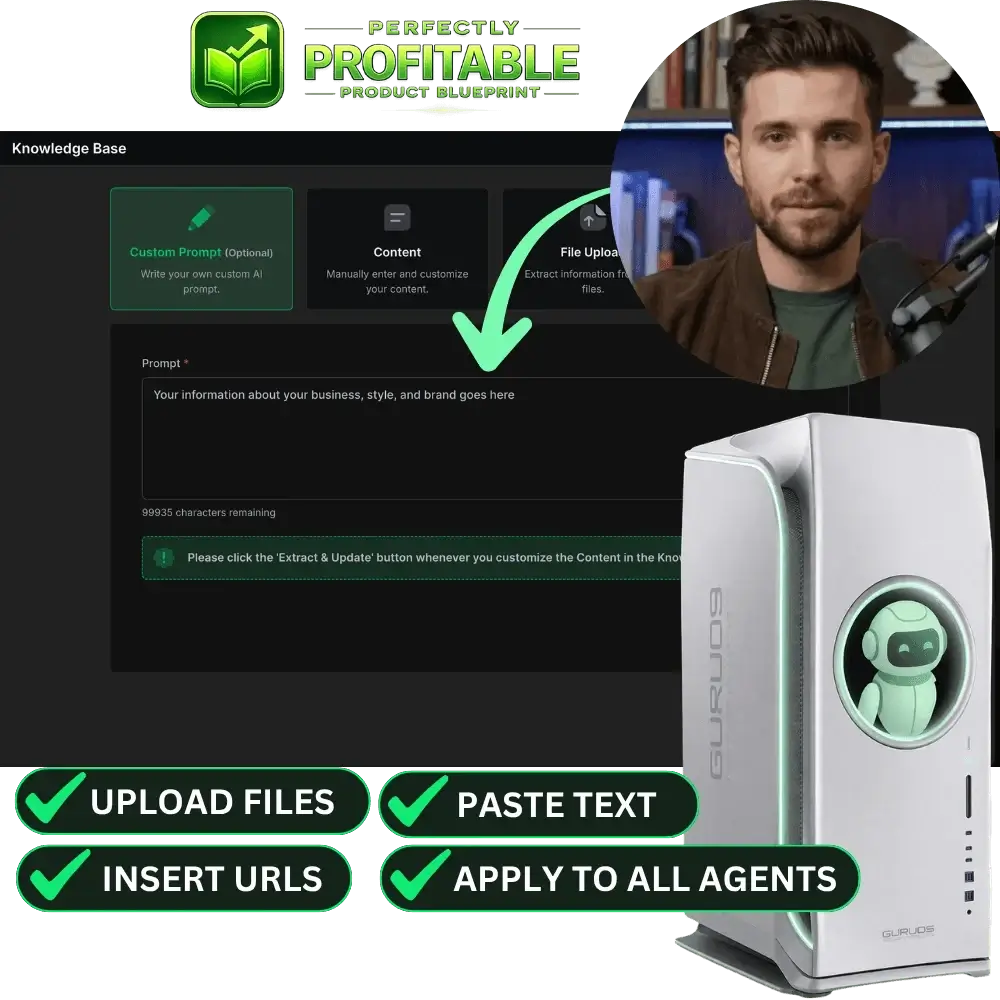
GuruOS lets you create your own workspace and upload materials such as PDFs, documents, URLs, notes, and other resources. The system studies these materials to better understand your business.
It learns your voice, tone, stories, expertise, and brand identity. As a result, the content it creates feels more personal to your brand, from courses and lessons to marketing assets and community content.
✅ Pick From Multiple Types Of Agents.
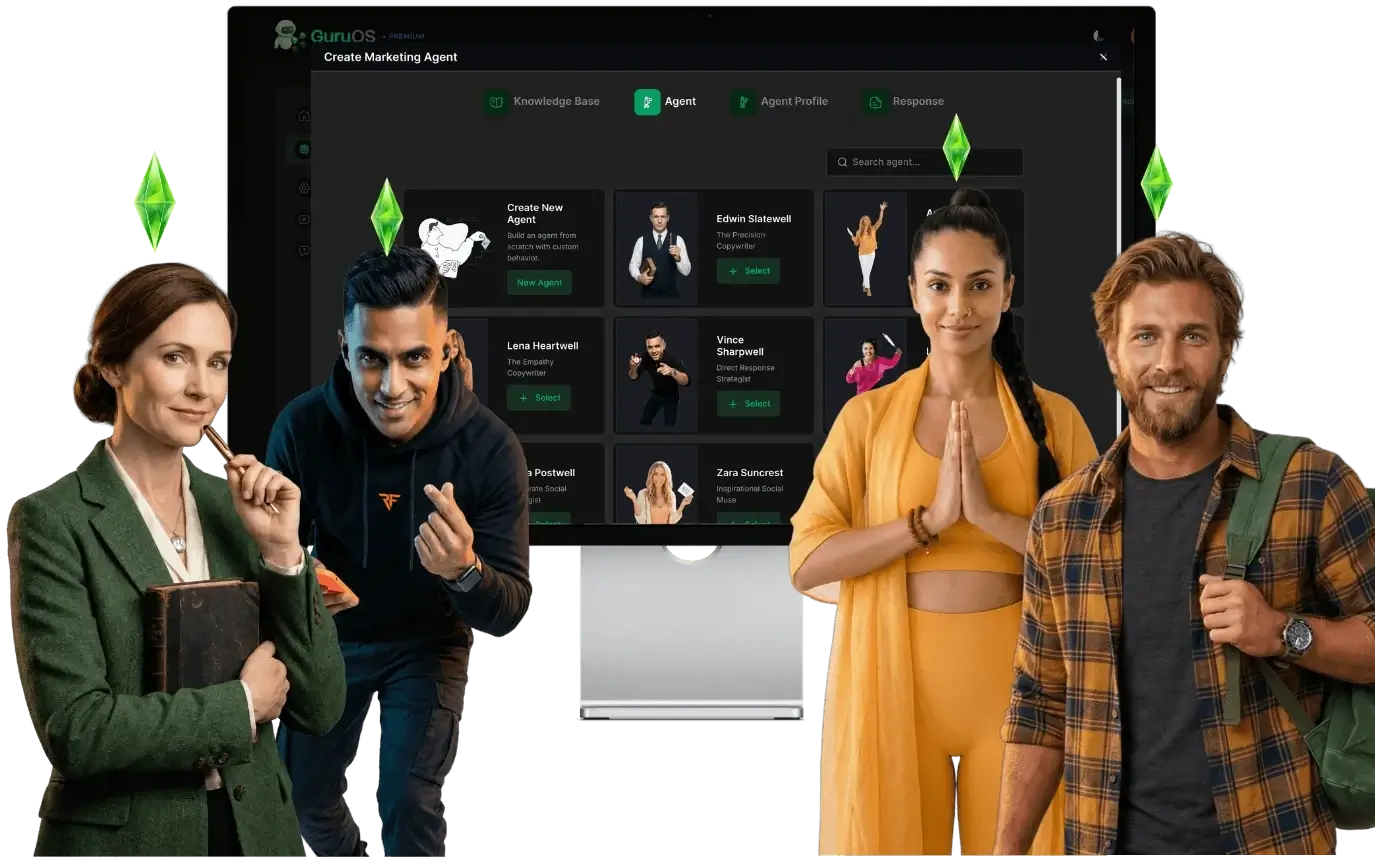
Inside your workspace, you can choose from several types of AI agents. Each one has its own role, and they all work together as a team for your information business.
GuruOS includes:
- Course Agents.
- Chat & Lead Agents.
- Traffic Agents.
- Coaching Agents.
Course Agents help create premium programs. Coaching Agents guide your members. Chat & Lead Agents talk with visitors and help collect leads. Traffic Agents help plan and launch marketing campaigns.
✅ Customize And Fine-Tune Every Agent.
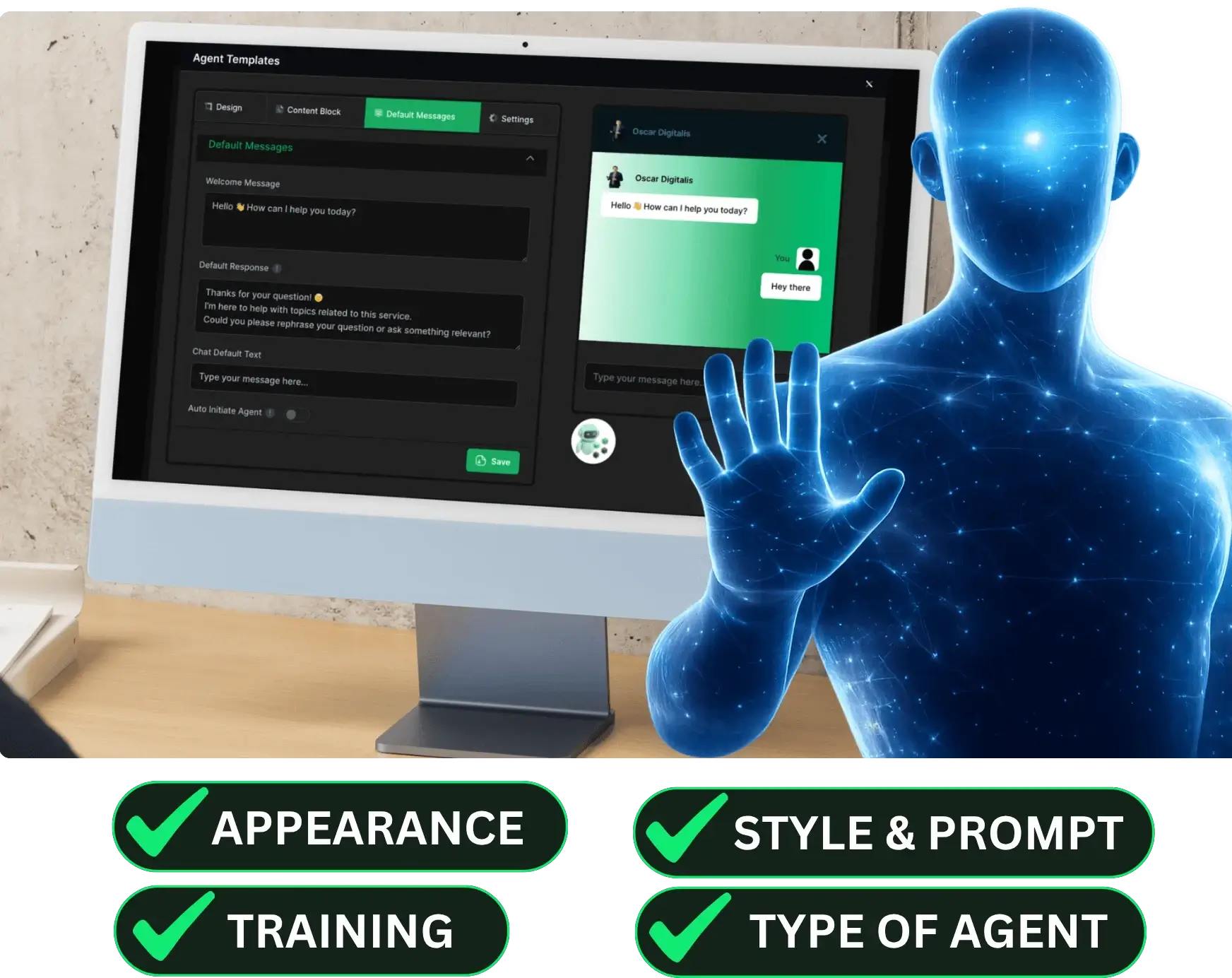
GuruOS also gives you control over how each agent works. You can rename agents, retrain them, and refine their instructions with your own prompts.
You can also change the agent visuals, choose their functions, and decide how they appear on your site. They can show up inline, as a pop-up, or as an embedded chat anywhere you need them.
The chat windows and interfaces can also match your brand style, so the experience feels cleaner and more professional for visitors and members.
✅ Clone Yourself Or Anyone Into Multiple Types Of Agents.
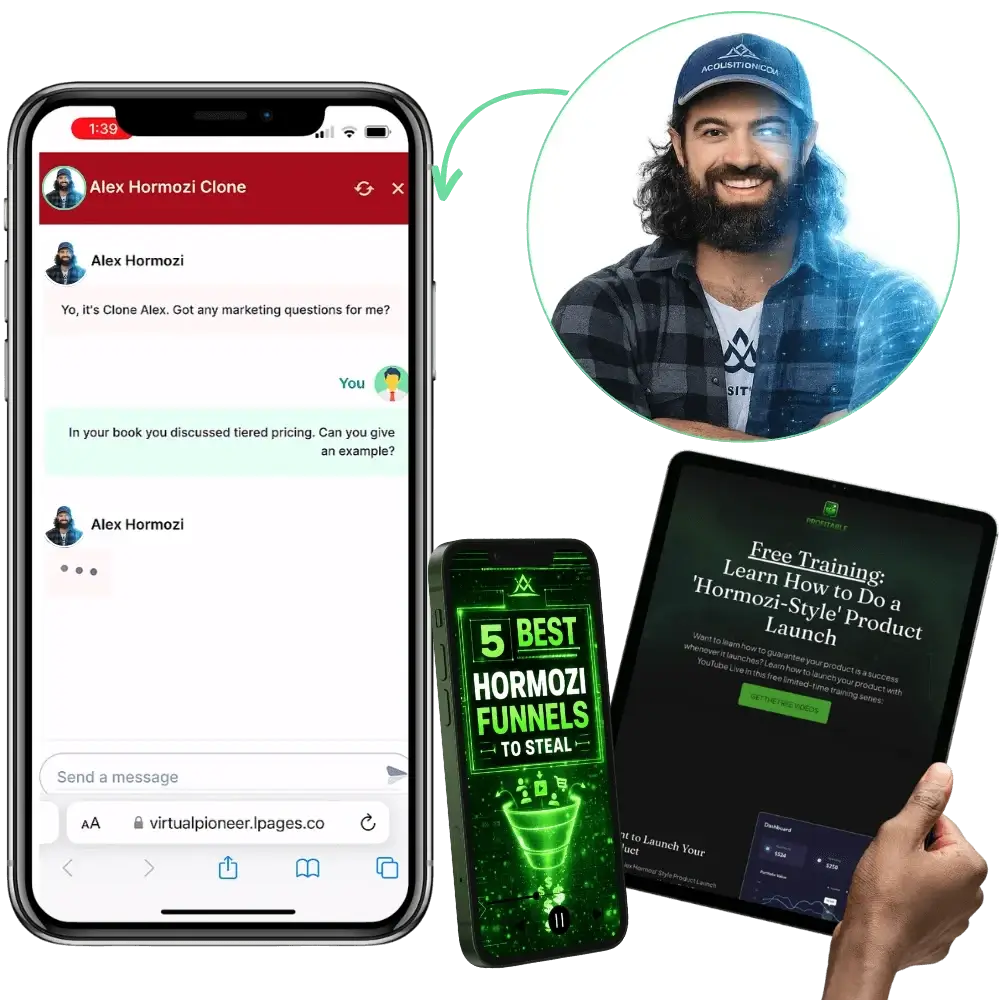
GuruOS lets you create AI chatbot avatars based on yourself, a public expert, or even an institution.
You can use this to learn from an expert-style chatbot without paying expensive consulting fees. You can also sell a similar setup to a business that wants an AI agent to speak with leads and clients 24/7.
✅ Course Agents Create Structured, In-Depth Video Courses.
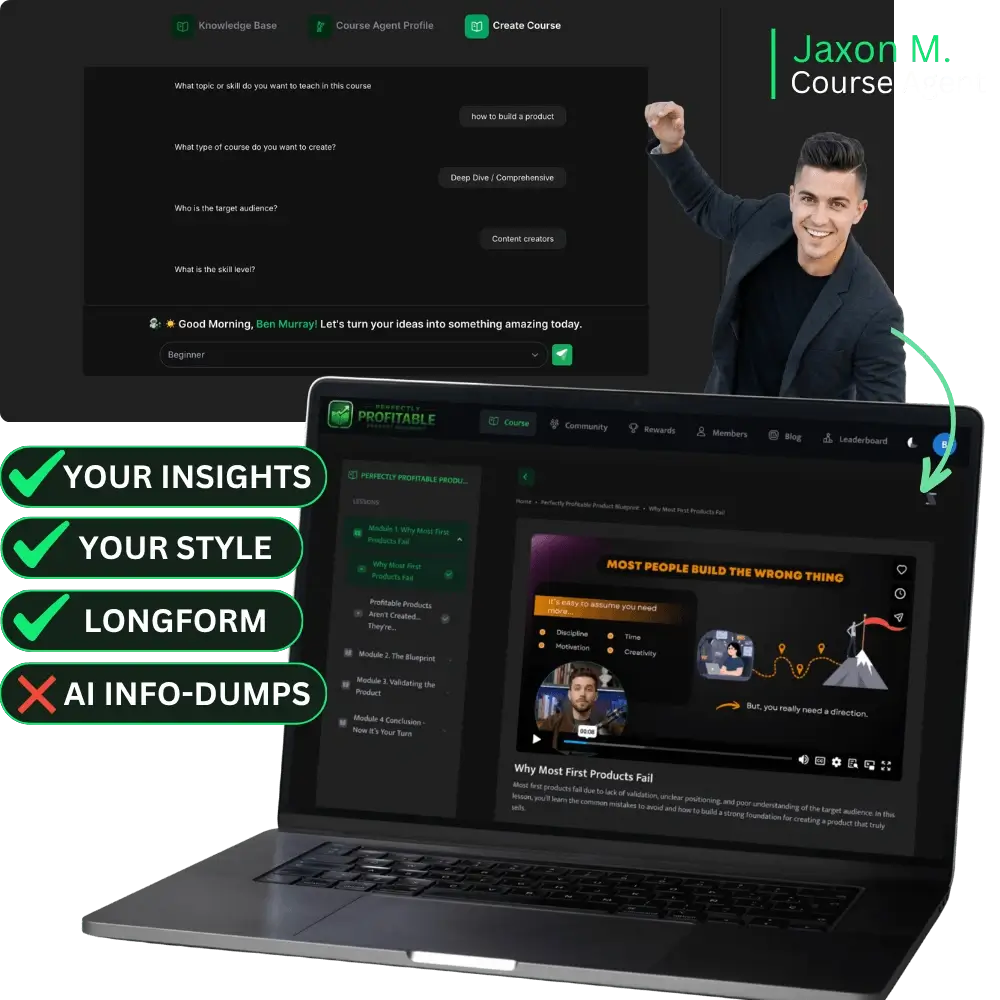
The Course Agents can turn your ideas, knowledge, or niche into full video courses. They help organize the course into modules, lessons, and clear learning outcomes.
These agents can also create professional slides, infographics, charts, exercises, and other visuals. This helps your course feel more polished and easier for students to follow.
✅ Agents Create Unique eBook Courses Complete With DFY Visual Templates.
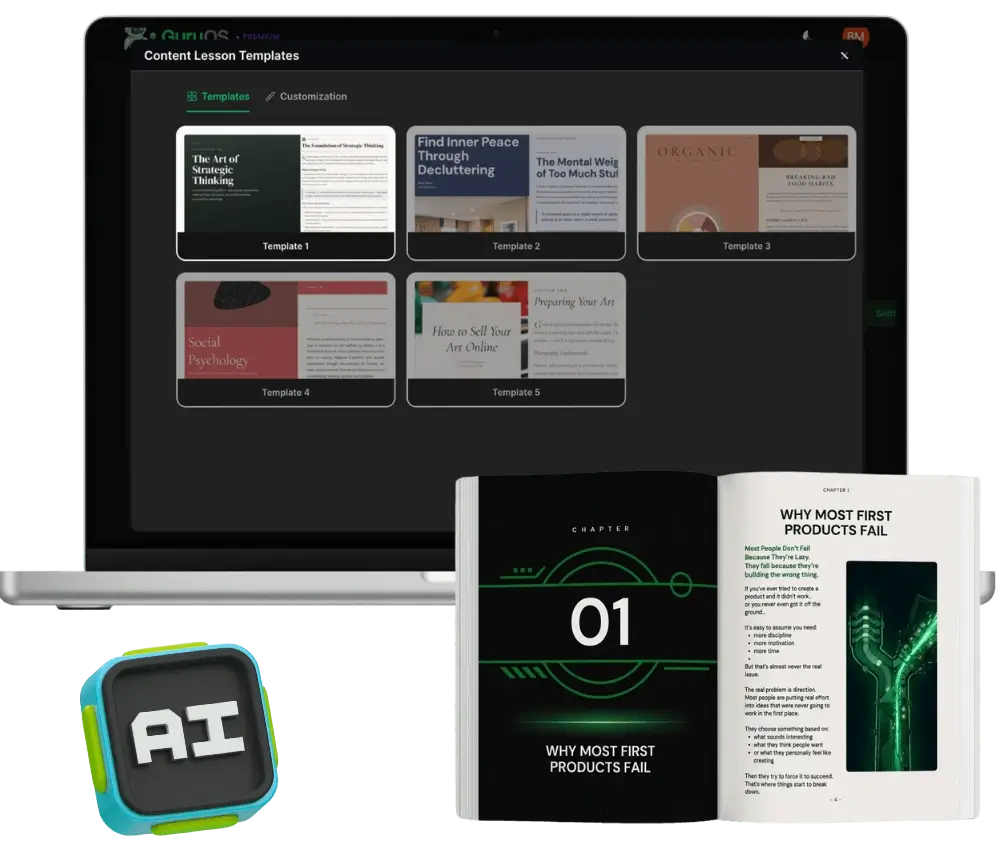
GuruOS can also help you create eBook-style courses. The Course Agents can organize the content into chapters, lessons, and a clear learning path.
After that, you can choose from premium lesson design templates, add your own images, and download the lessons as a colorful eBook. You can sell it, use it as a lead magnet, or share it with your audience.
✅ Let Coaching Agents Work With Clients 24/7.
The Coaching Agents can support your students or members around the clock. They can answer questions, guide users through your content, and help people stay on track.
Since these agents train on your content, frameworks, and voice, they can provide a more personal coaching experience without requiring you to answer every question yourself.
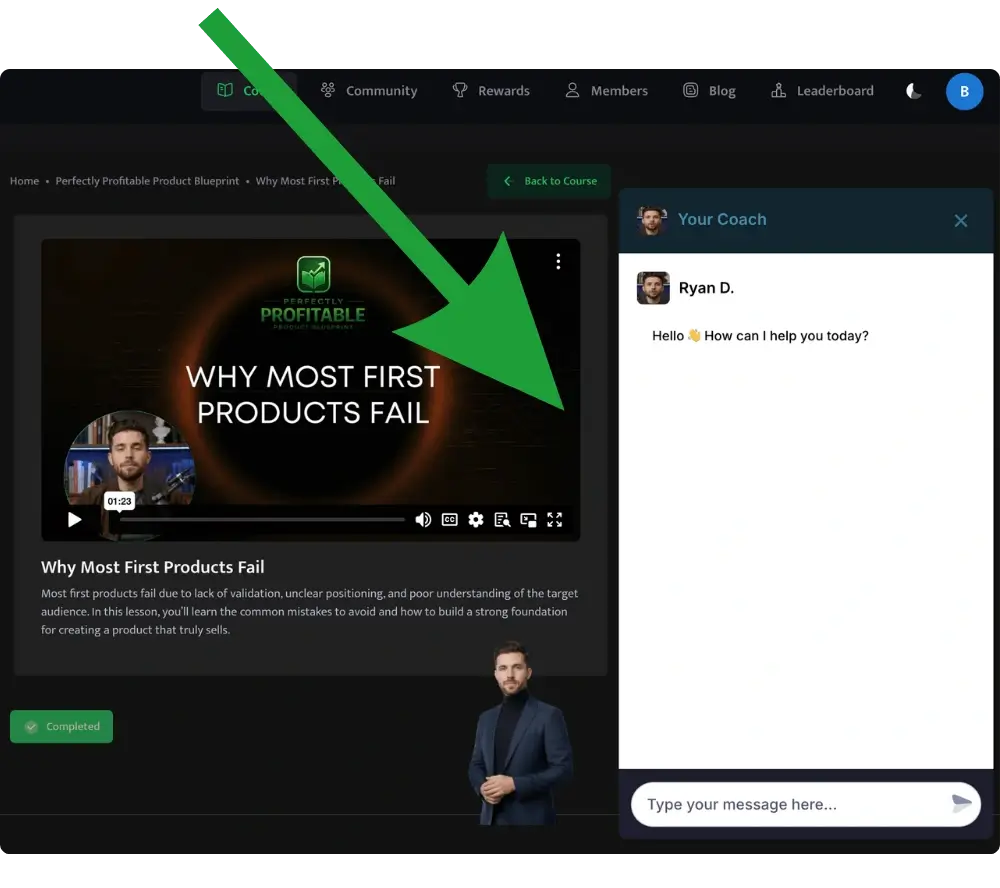
❤︎ Set Up AI Memberships And Communities:
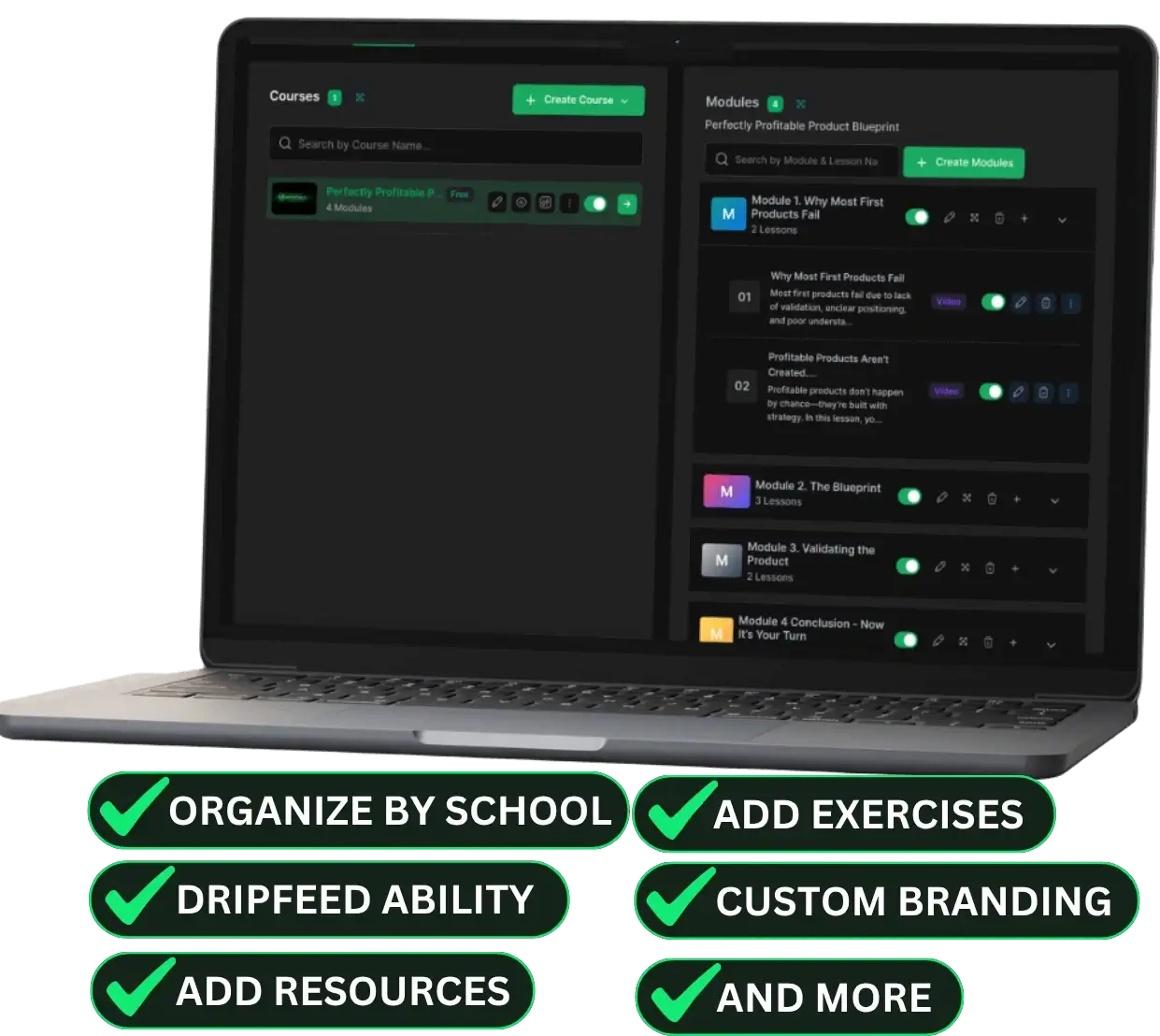
✅ Host Your Courses With Drip-Feed Membership Portals.
GuruOS lets you create education portals where students can access courses, lessons, coaching programs, and other learning resources.
You can organize multiple courses in one place, manage members and admins, and create a learning environment that feels like a proper online academy.
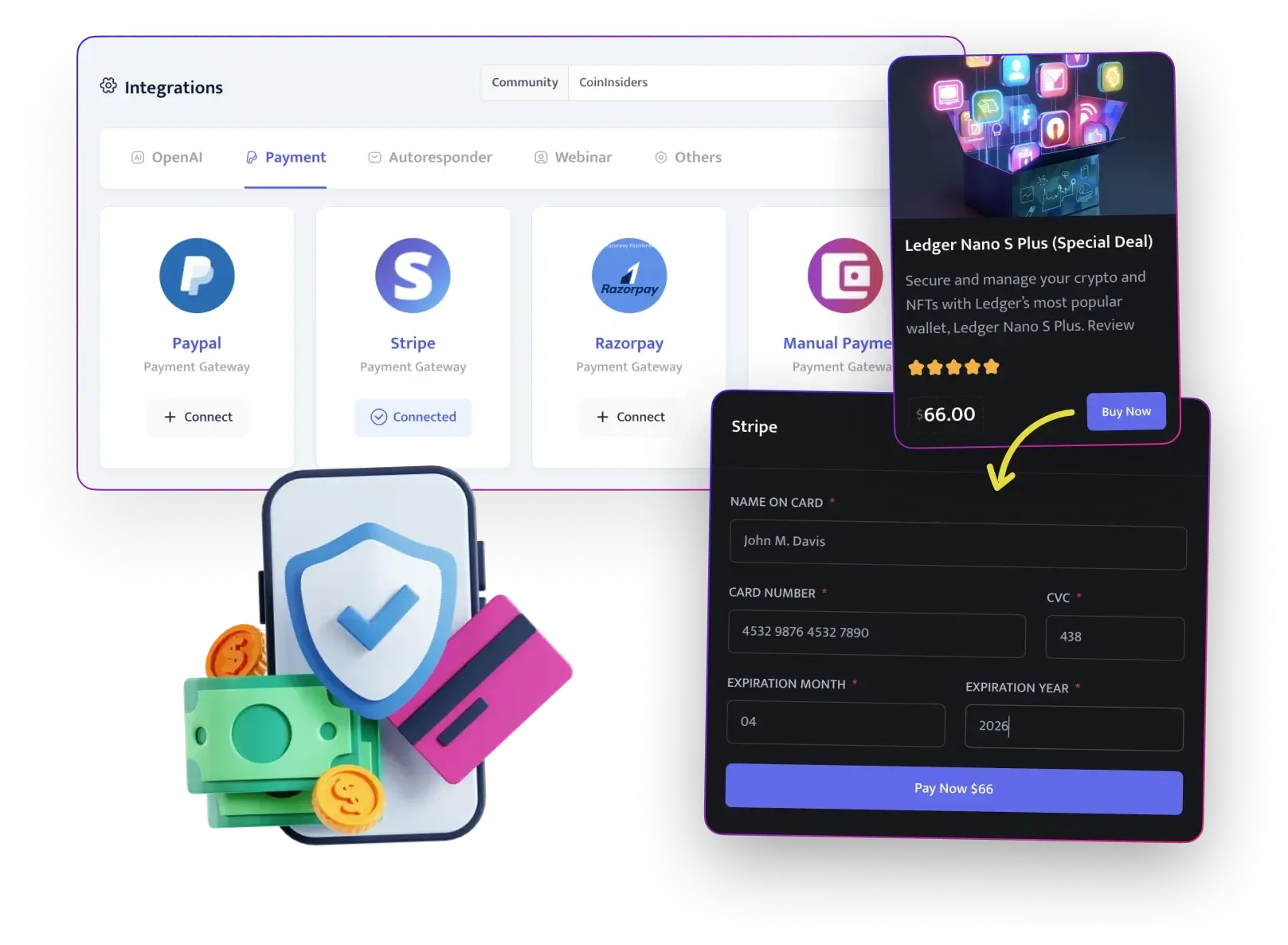
✅ Sell Multiple Types Of Products With Payment Checkout.
GuruOS includes payment integrations with major providers such as Stripe, Razorpay, and PayPal.
You can sell more than courses, too. The platform lets you list consultations, physical products, agency services, and other offers inside your communities.
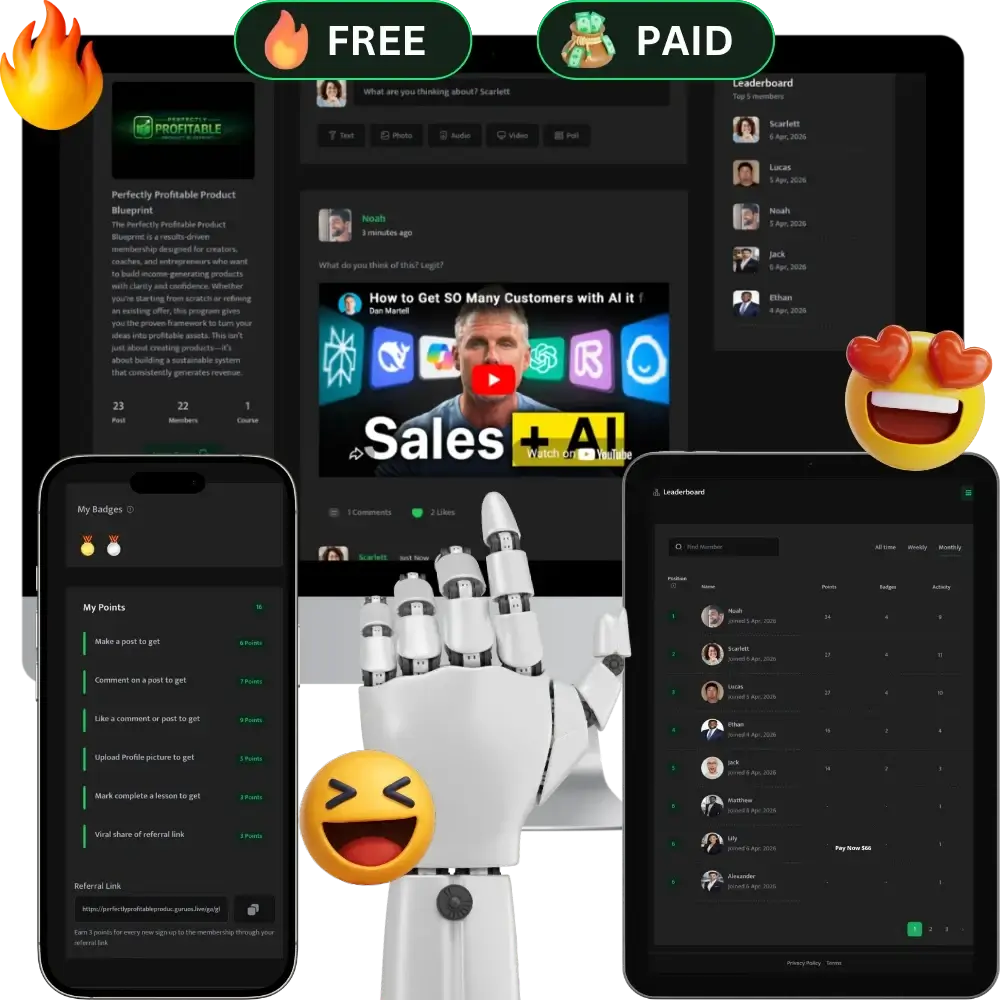
✅ Build Traffic-Sucking AI Communities.
GuruOS helps you create interactive communities where members can discuss lessons, connect, and engage with your content.
You also get templates to set up these communities faster. The goal is to support learning while also helping you attract leads and promote your courses through natural discussions.
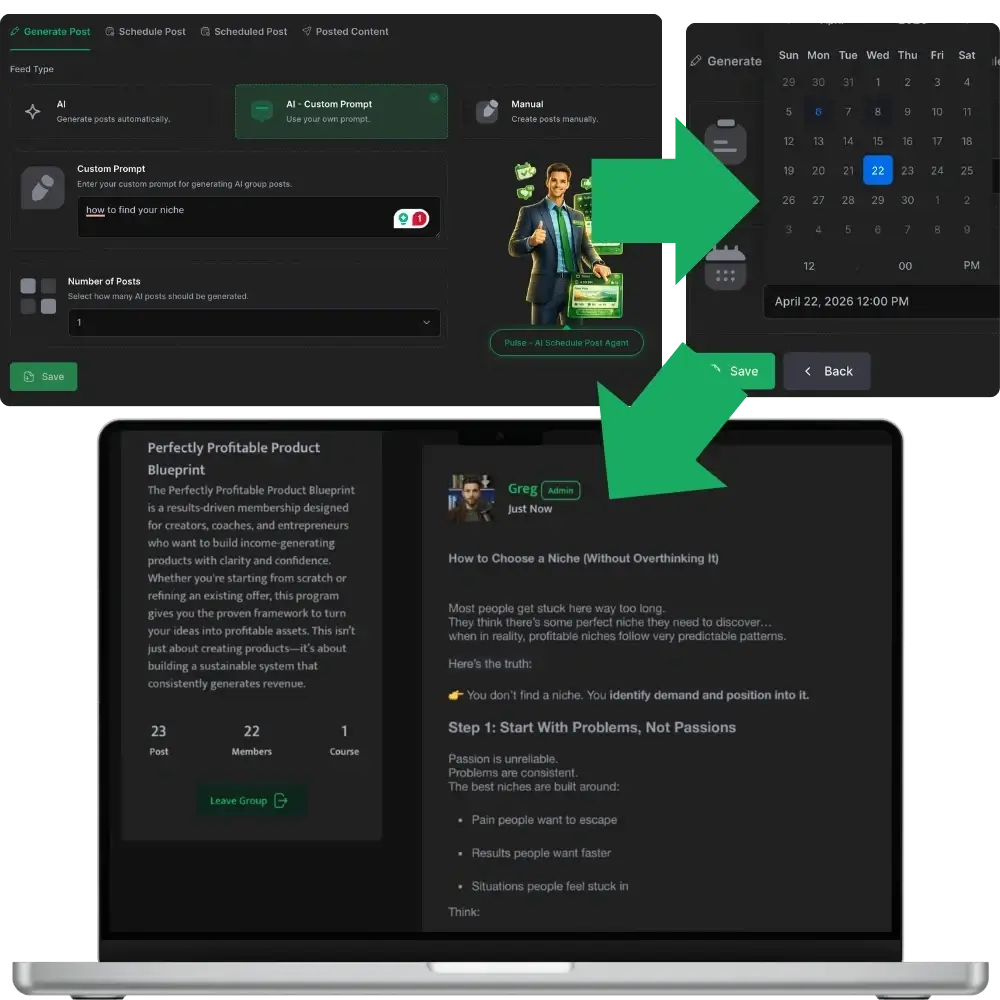
✅ AI + Scheduling Auto-Grows Your Communities.
GuruOS can generate discussion threads and schedule content for your community.
You can set posts to go out hourly, daily, weekly, or monthly. This helps your community stay active even during times when you are not personally posting.
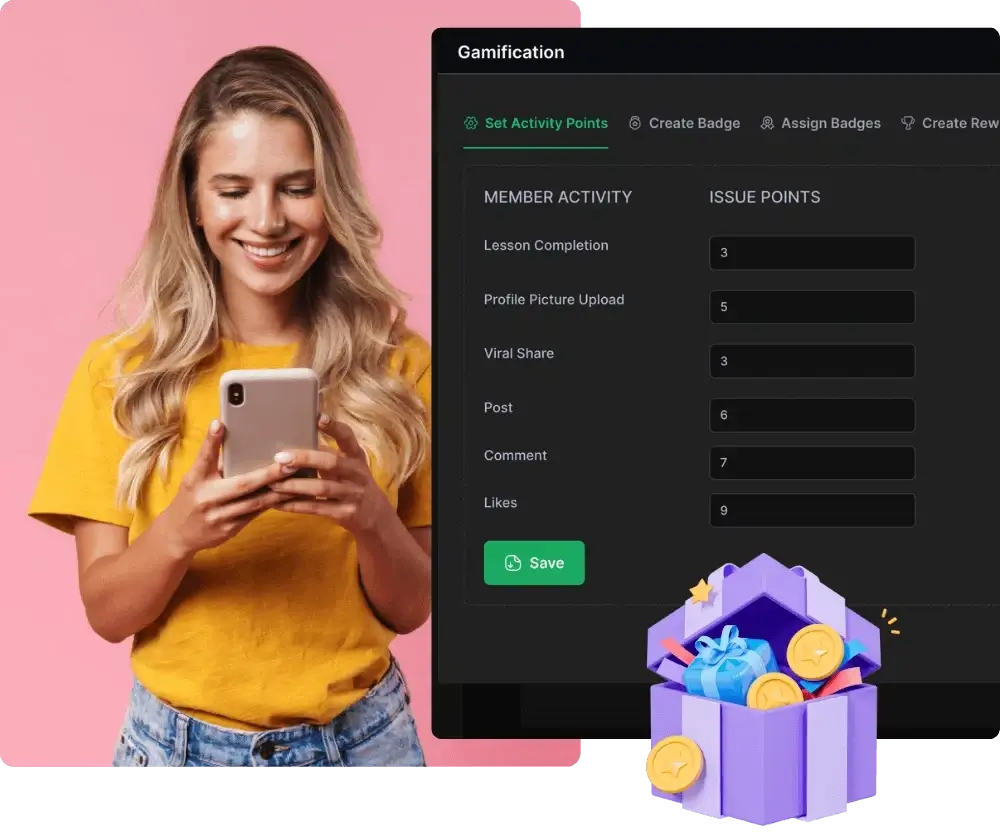
✅ Custom Gamification Points And Settings.
GuruOS includes gamification features that reward members for taking action.
Members can earn points for completing lessons, joining discussions, sharing content, or inviting new people. These rewards can encourage more activity and keep members involved.
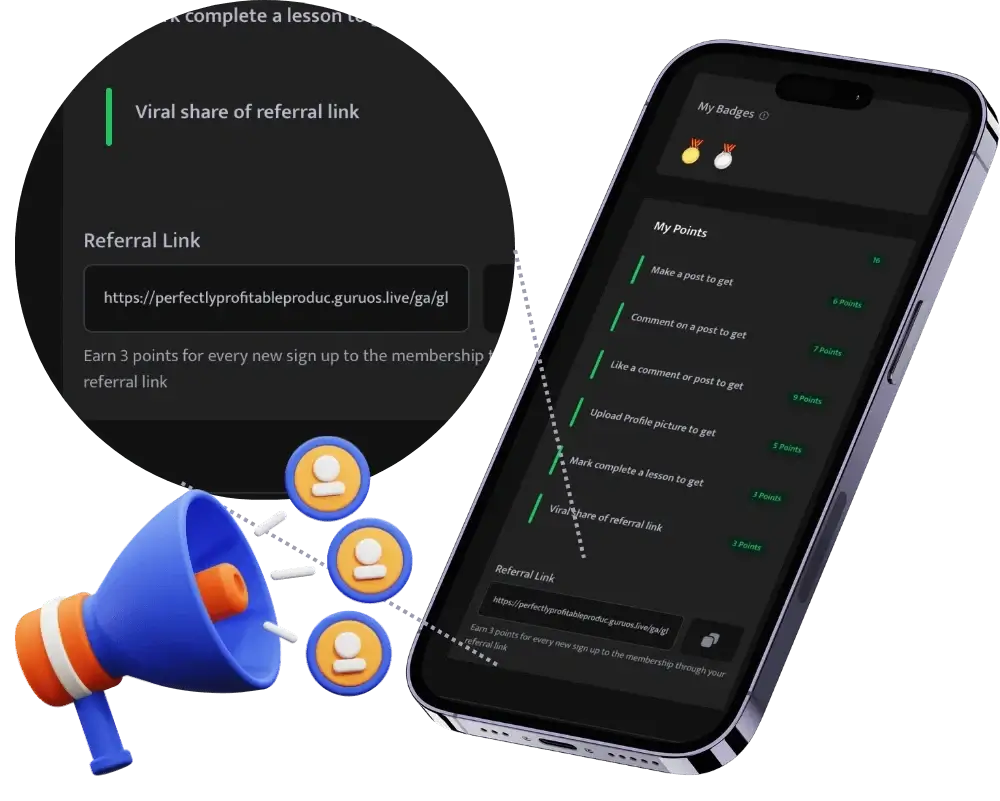
✅ Viral Referral Link Technology.
Each member can receive a unique referral link. They can use it to invite others to your community or courses.
When someone joins through that link, the referring member can earn points or rewards. This gives your members a reason to help grow your community.
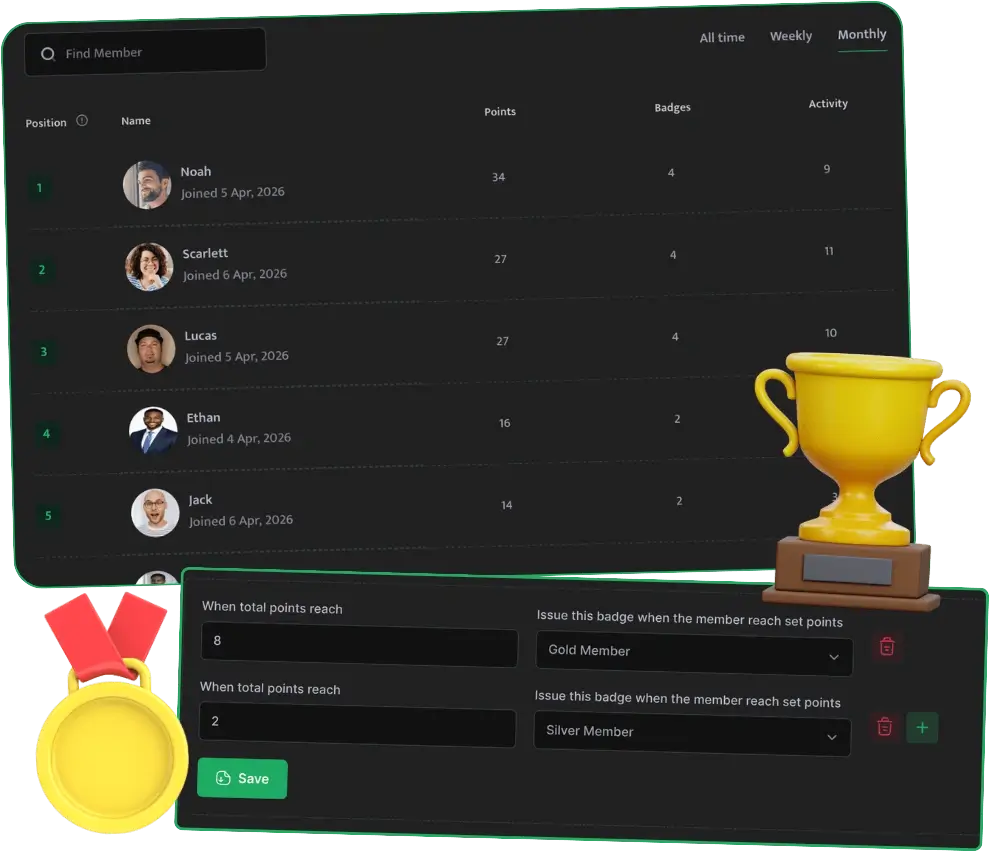
✅ Different Types Of Leaderboards And Badges.
GuruOS lets you highlight active members through leaderboards and badges.
You can recognize people based on engagement, referrals, lesson completion, or other actions. This adds a competitive element and gives top contributors more visibility.
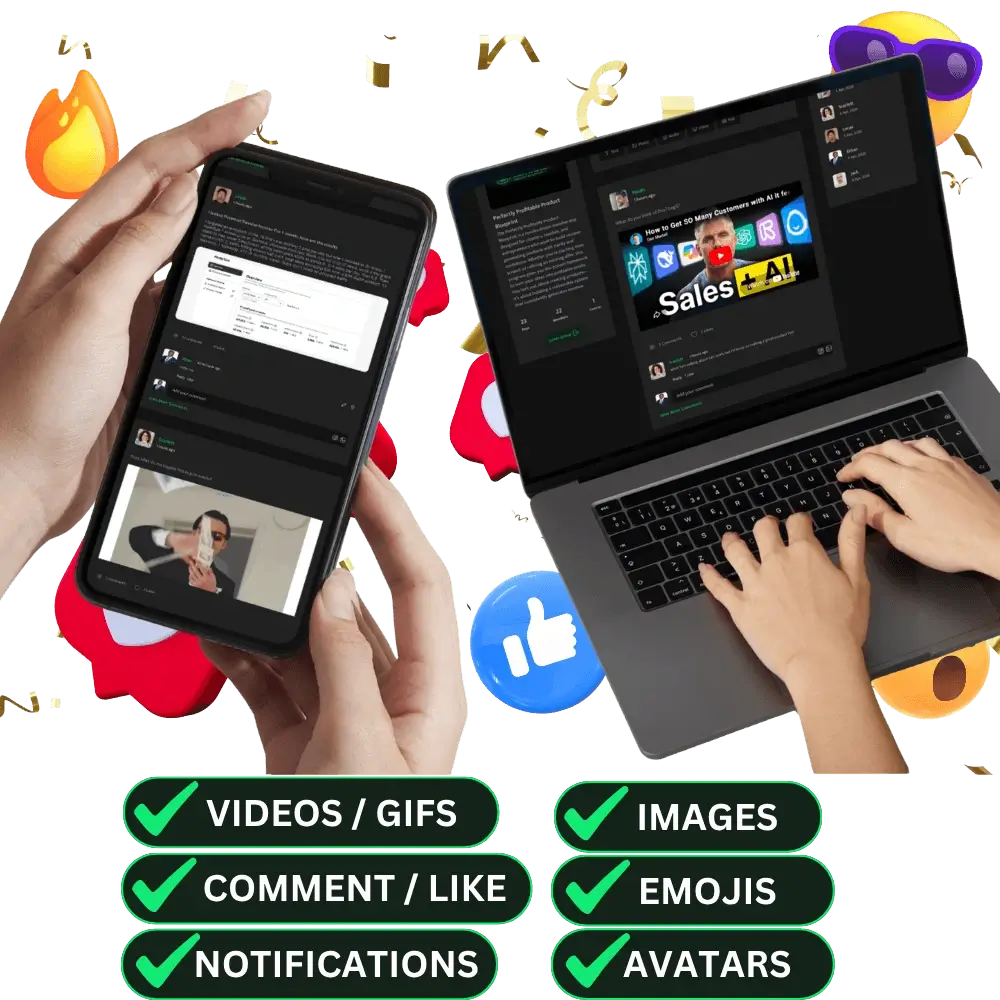
✅ Rich Engagement Technology.
GuruOS also includes community tools that make the member experience more interactive.
Members can create avatars, react with emojis, share videos and content, receive notifications, and interact with each other in real time.
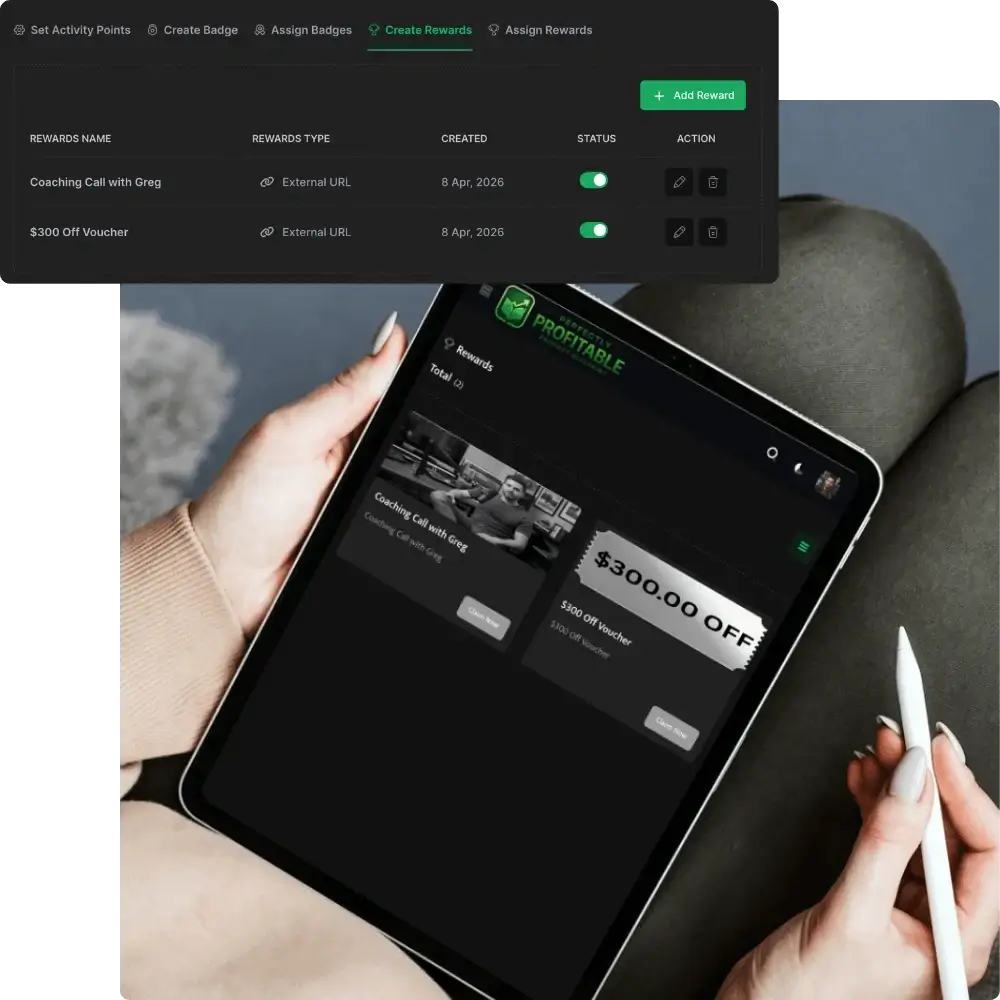
✅ Add Rewards Users Can Unlock.
You can create rewards that members unlock with points.
For example, you can assign a specific number of points to a reward or give prizes to leaderboard winners during a certain time period. This gives members another reason to participate and compete.
❤︎ Auto-Get Traffic, Leads, And Sales:
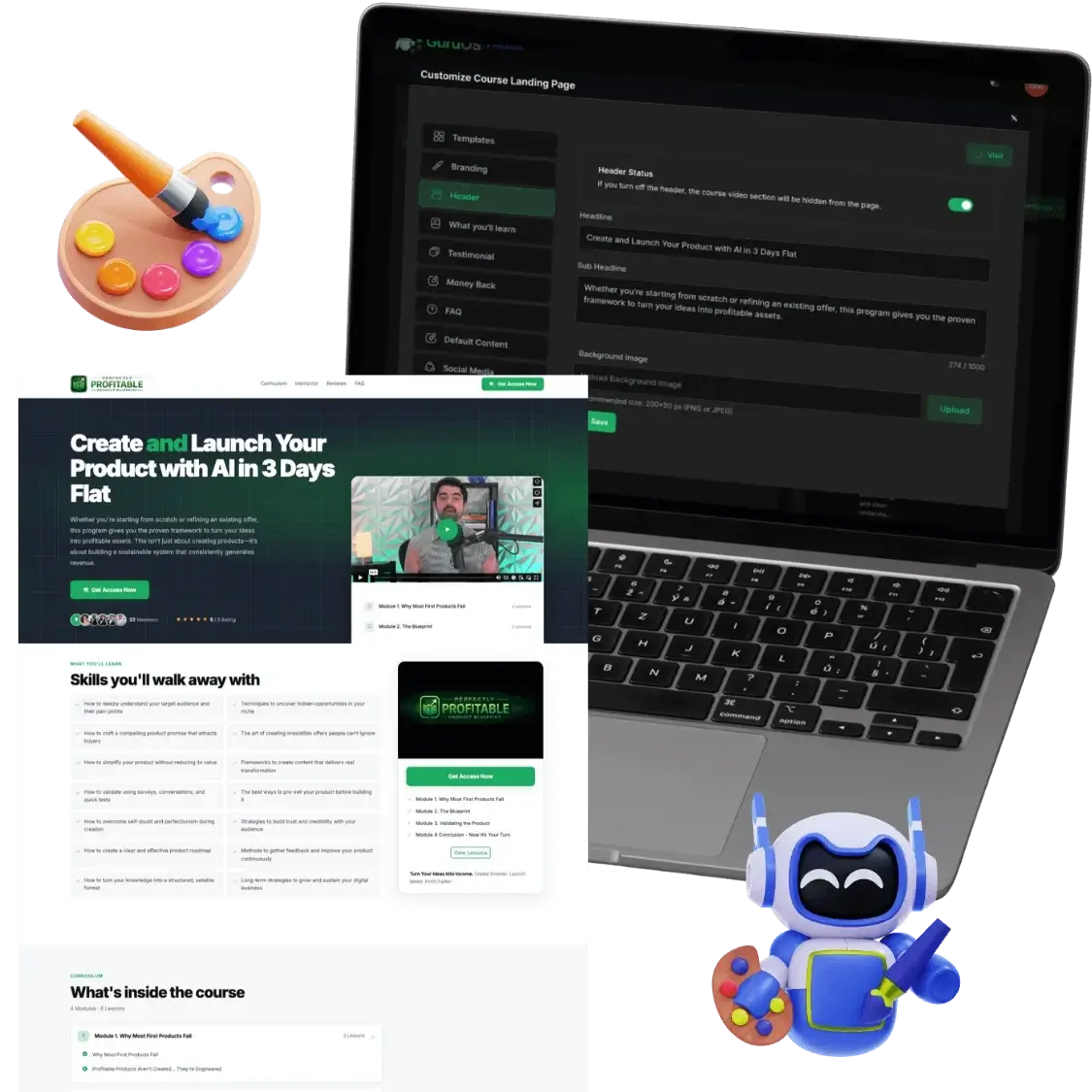
✅ High-Converting Landing Page Builder.
GuruOS includes a drag-and-drop landing page builder for creating sales pages, upsell pages, and community showcase pages.
You can customize the layout, content, and design without needing technical skills.
✅ Write High-Converting Sales Copy Based On A Proven Formula.
GuruOS uses AI agents trained on proven copy frameworks to help create sales copy for your funnel.
It can generate headlines, hooks, sales pages, emails, and launch campaign messages. The content follows a structure meant to capture attention, create interest, and encourage people to take action.
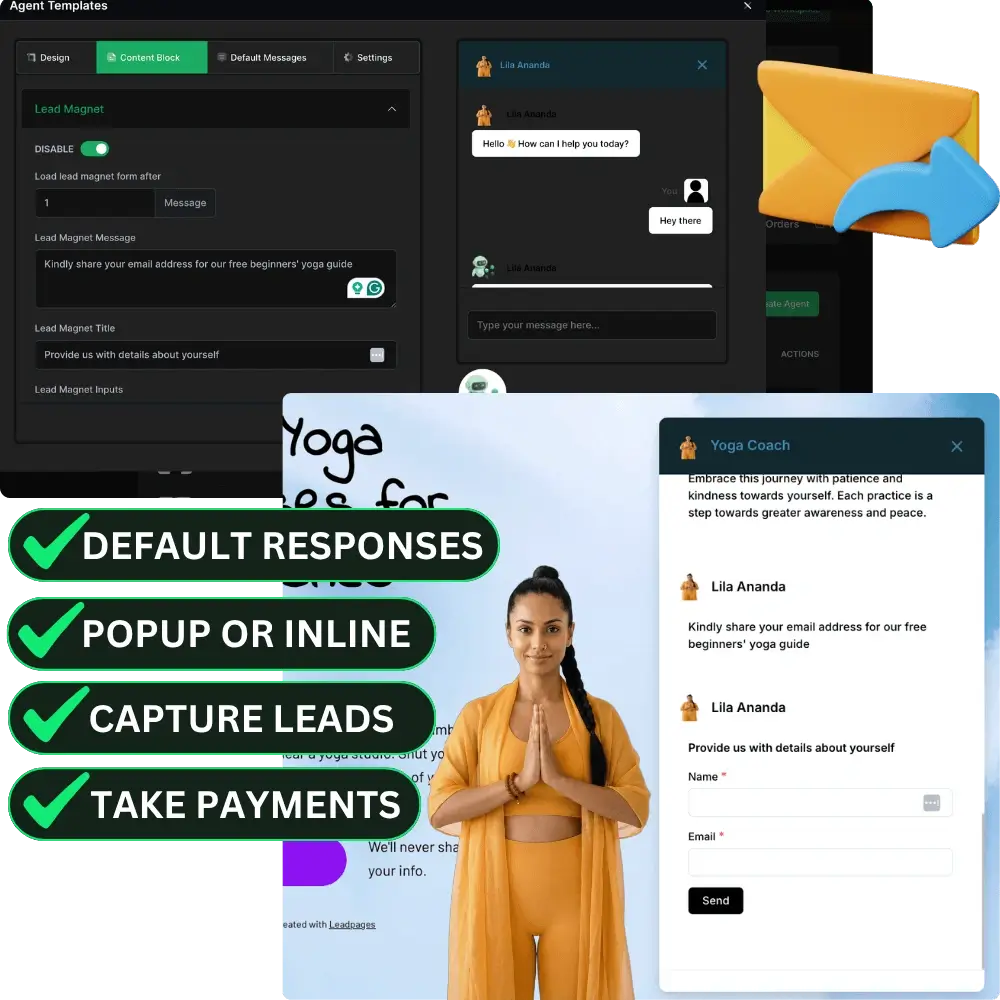
✅ Lead Generation And Chatbot Agents.
You can embed AI chat agents on your pages so they can automatically speak with visitors.
These agents can explain your programs, answer common questions, collect email addresses, and guide visitors toward webinars or sales pages.
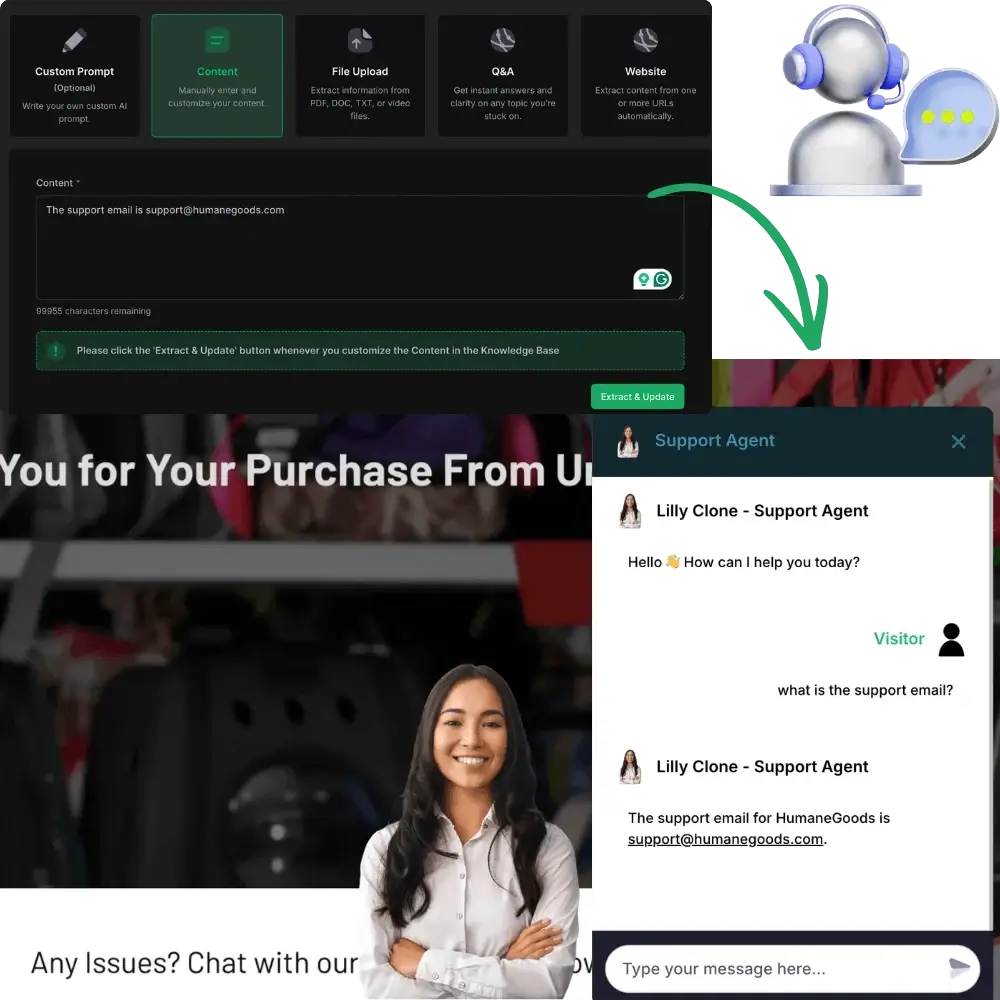
✅ Custom Support Agents.
GuruOS lets you create AI support agents trained on your business and courses.
These agents can answer student questions, help customers with common issues, and provide instant support. This can reduce the amount of manual customer service you need to handle.
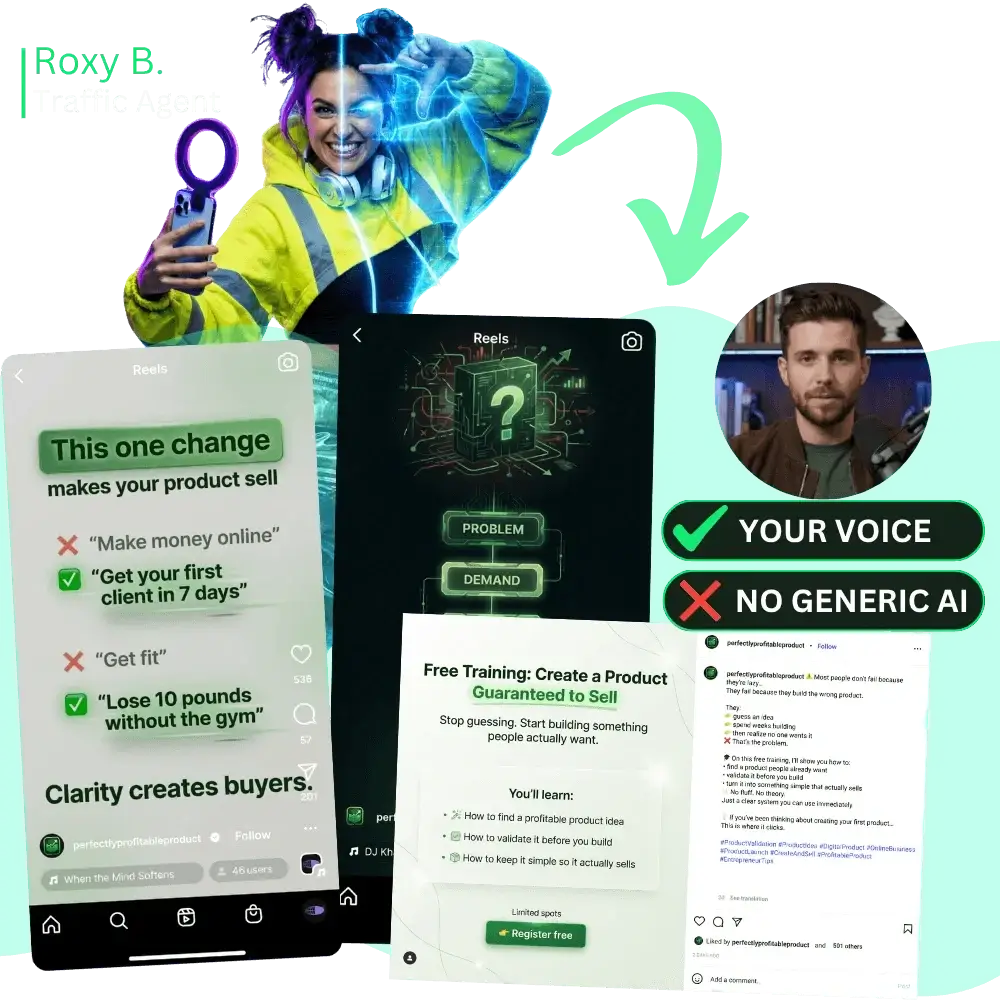
✅ Generate Traffic And Social Content For Your Launch.
Traffic Agents can create branded marketing content for your launch and share it across major social media platforms.
Once the content has been generated, GuruOS can schedule and distribute it for you. This helps keep your promotion active without requiring constant manual posting.
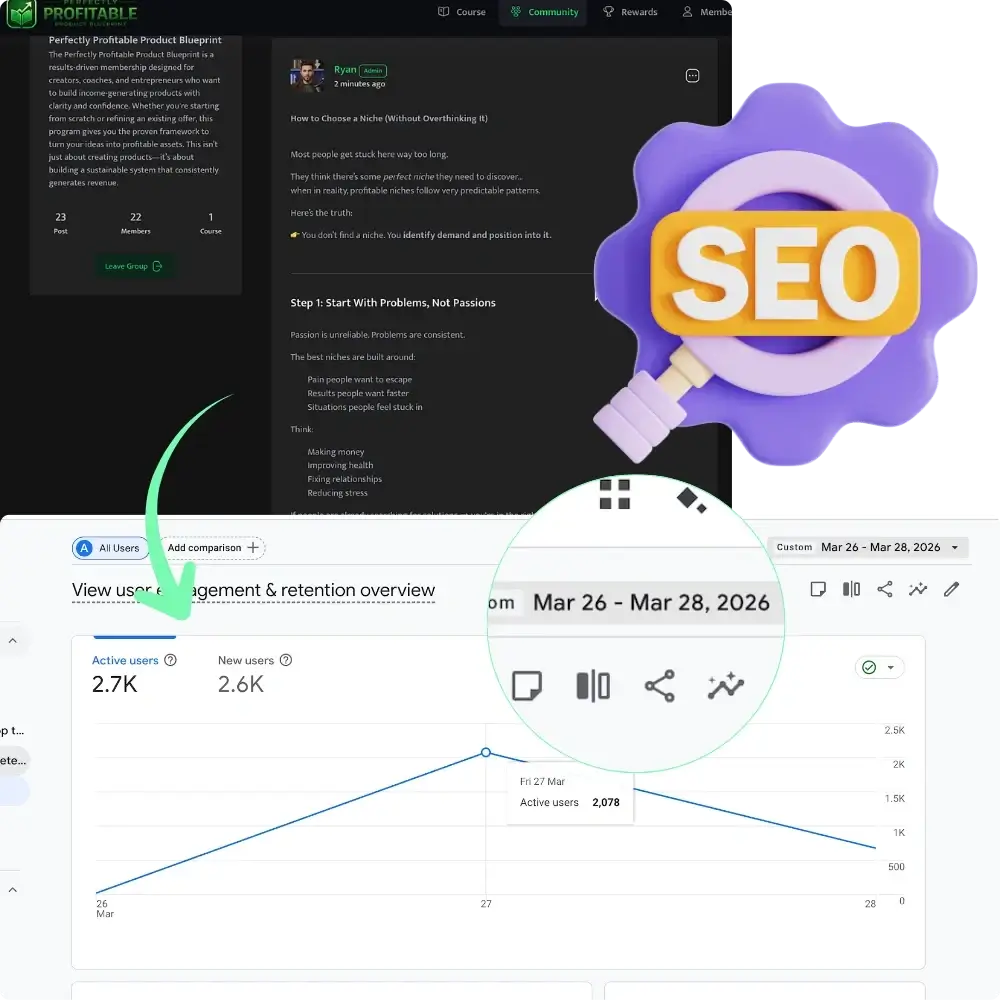
✅ Rank In Search Engines With 1000s Of Threads.
GuruOS includes SEO features that help your community threads and discussion posts get indexed by search engines and AI-suggested results.
This works similarly to Reddit-style content, where posts can rank in Google and attract visitors over time. These indexed threads can help drive leads back to your site.
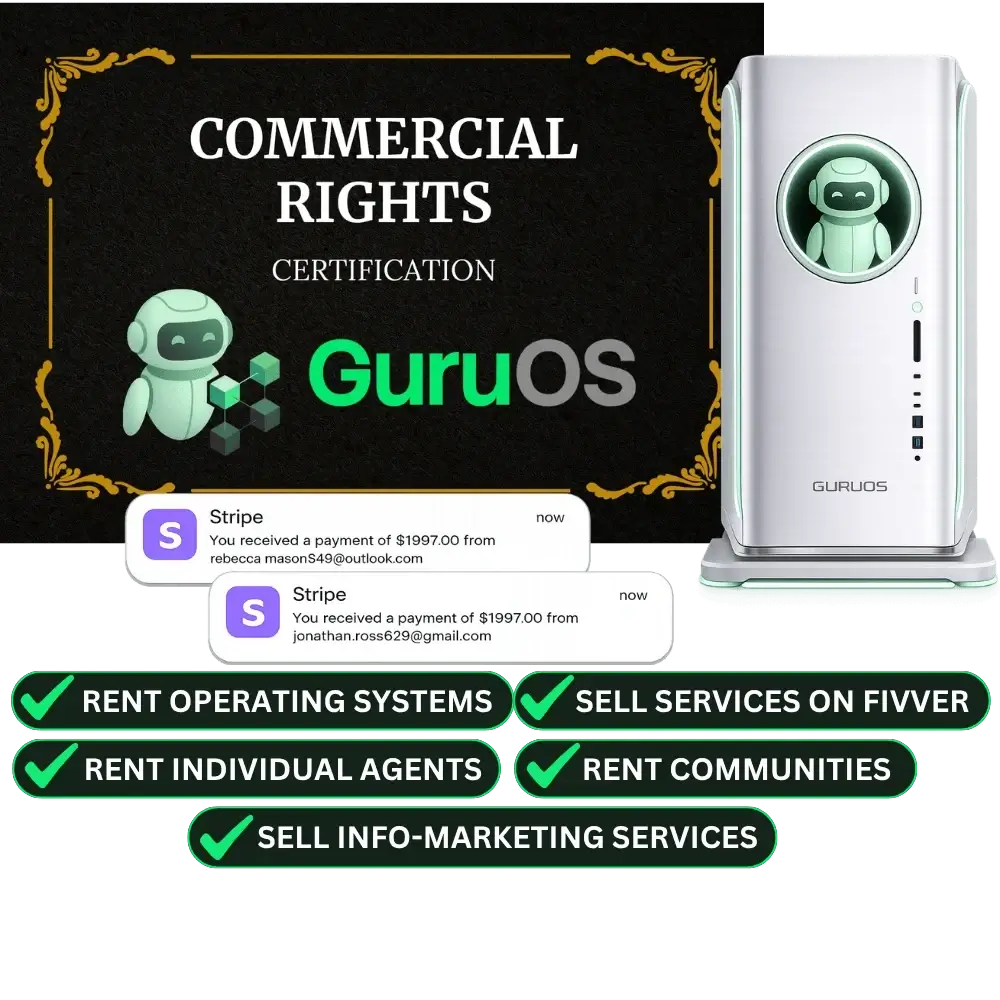
✅ Commercial Rights: Sell Info-Product Services Or Rent Out Agents.
GuruOS also comes with commercial rights.
You can use it to create courses for influencers, set up communities for brands, sell education portals as a service, or package AI coaching systems for clients. You can also rent out agents as part of your own service offer.
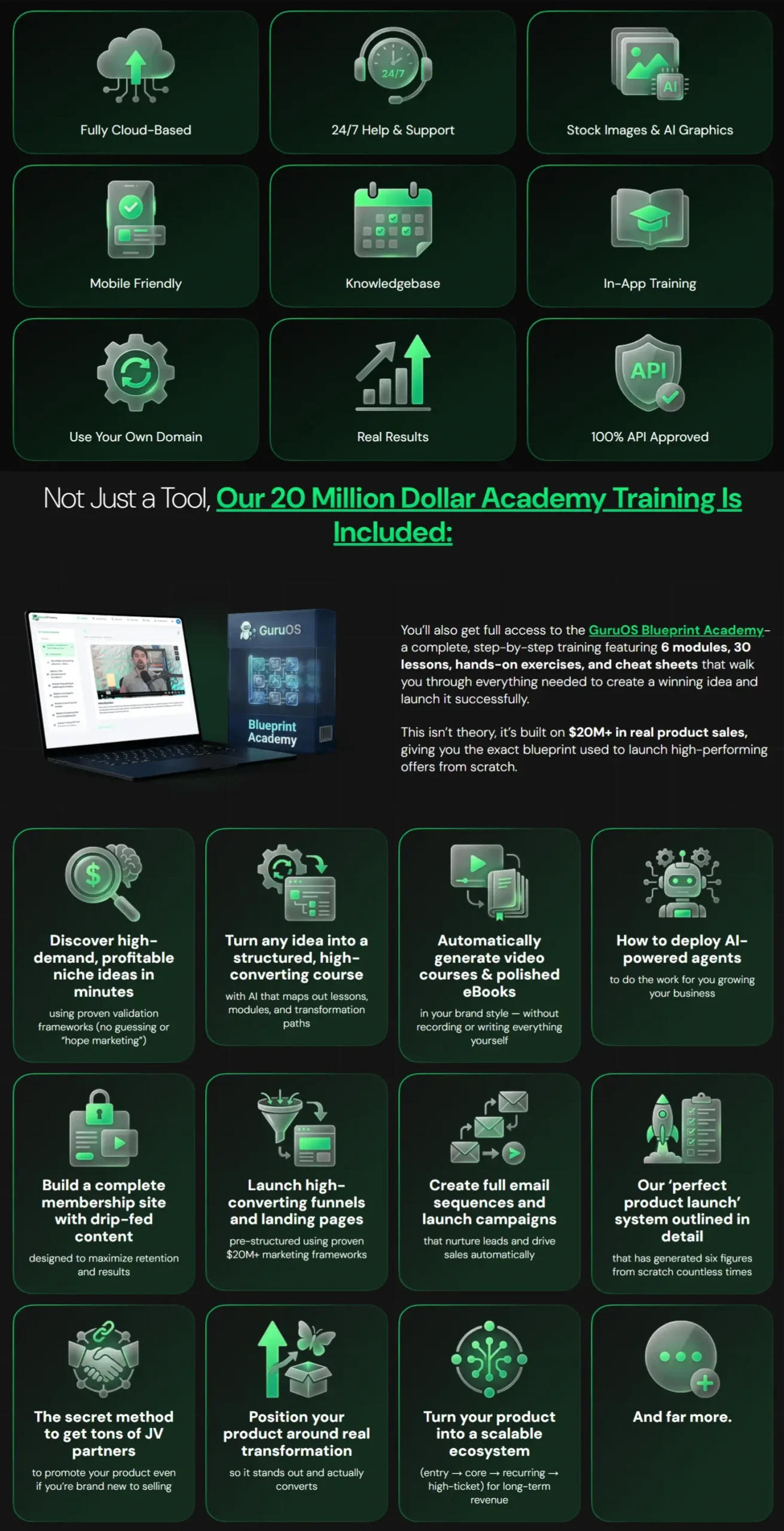
On top of that, you will get to explore these extra features:
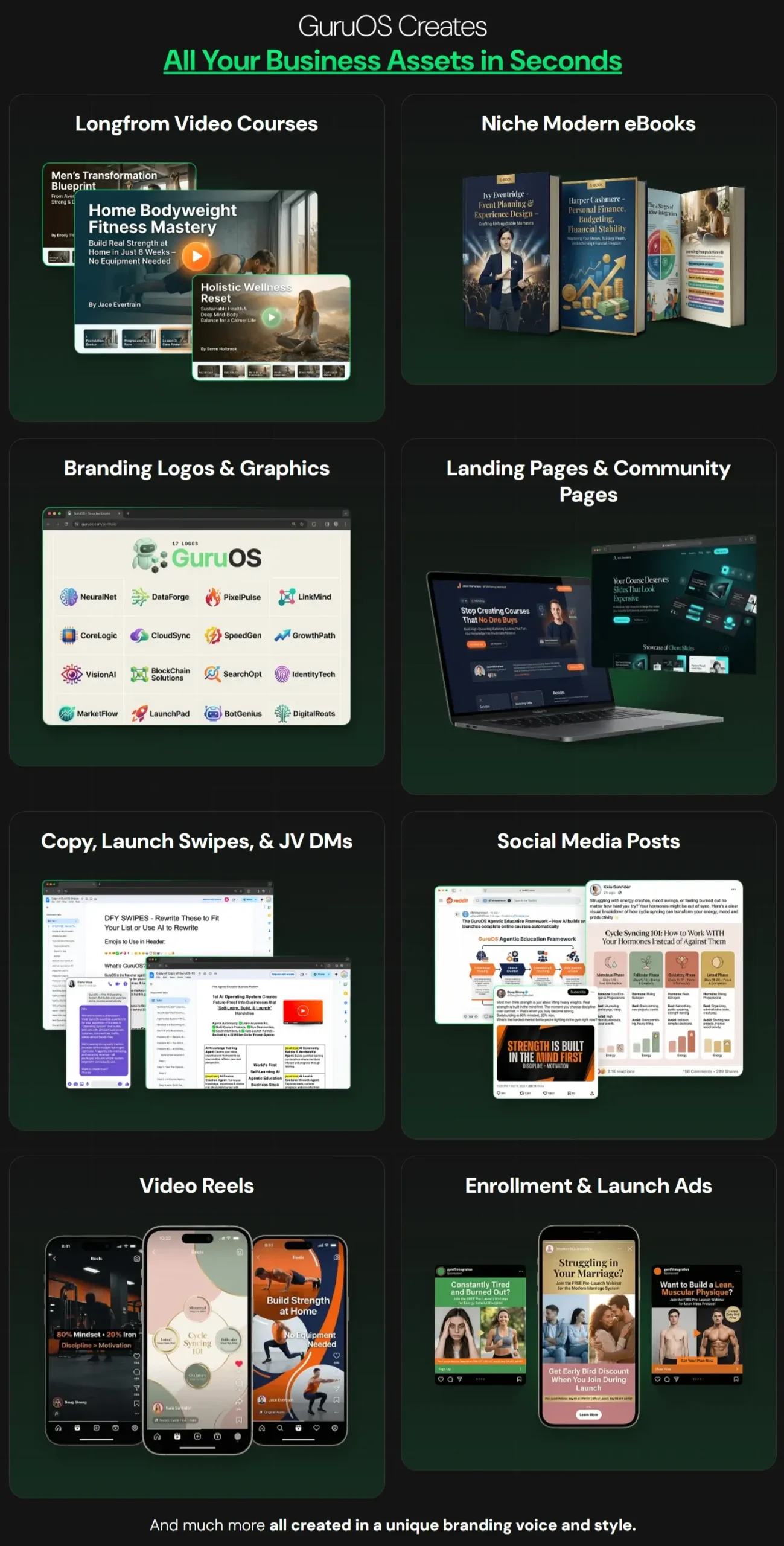
Take a closer look at the examples of what you can make using GuruOS:
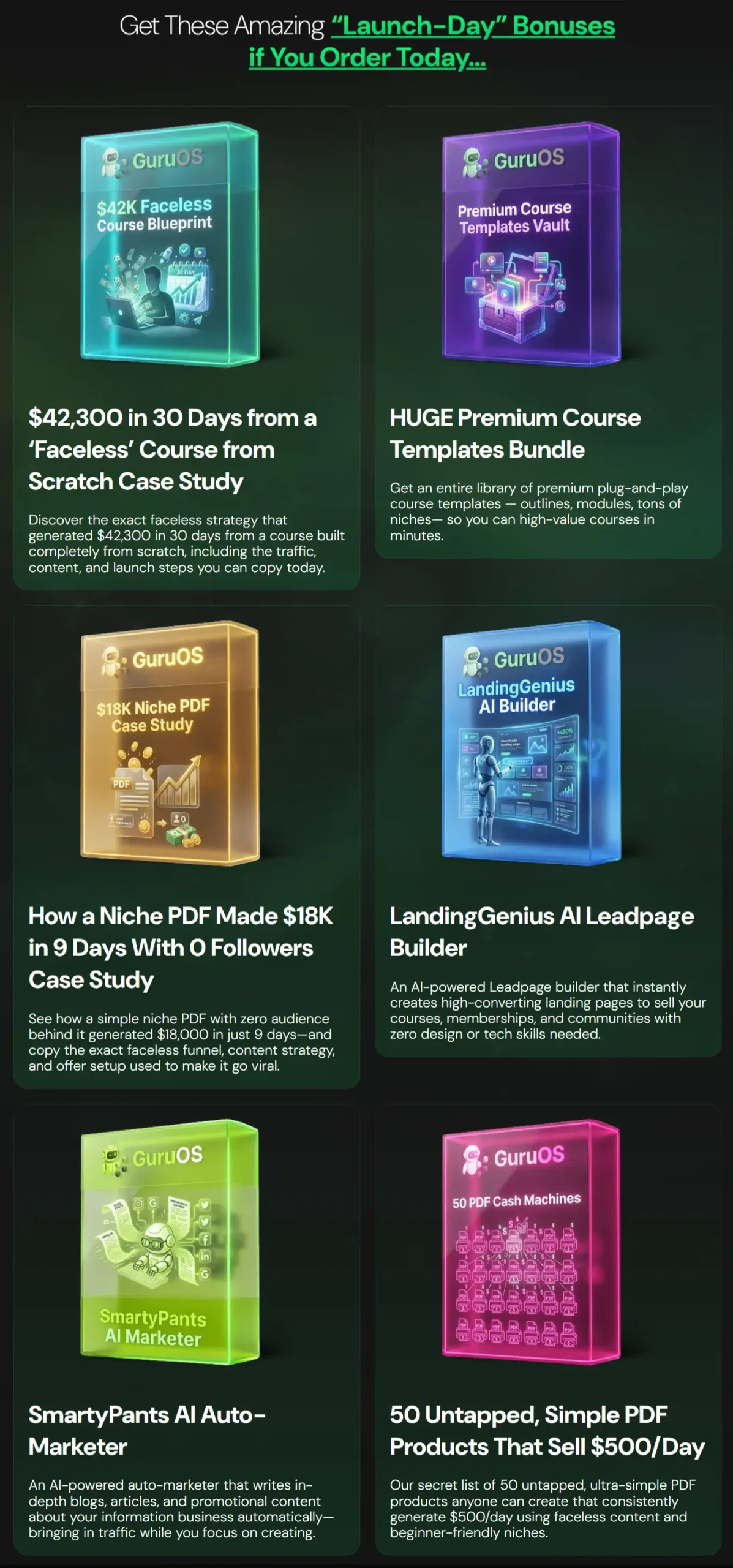
Secure your access today so that you can receive these interesting bonuses:

How to Use GuruOS to Build a Full AI-Powered Platform
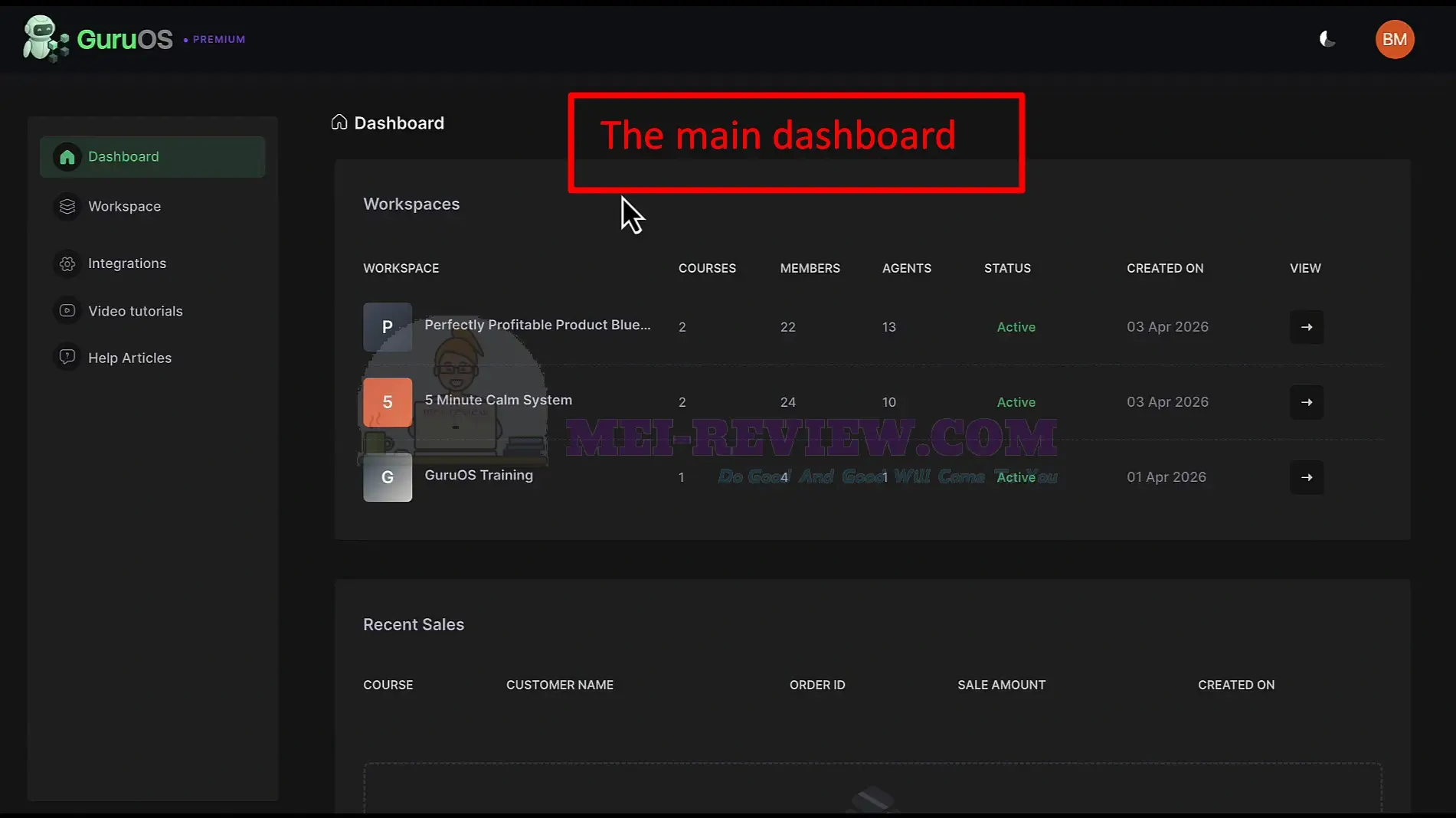
After you log in, the main dashboard shows your workspaces, courses, members, and AI agents in one place:
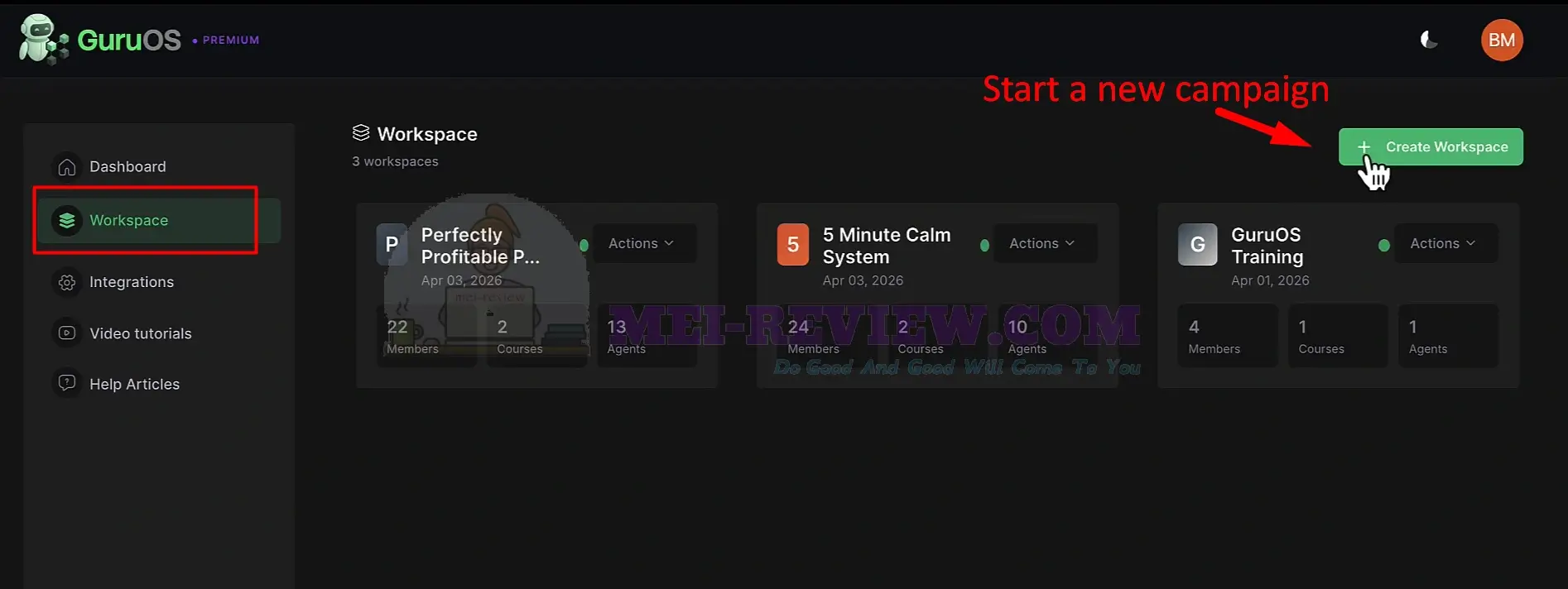
To begin, open Workspace from the left menu, then click Create Workspace to set up a new project:
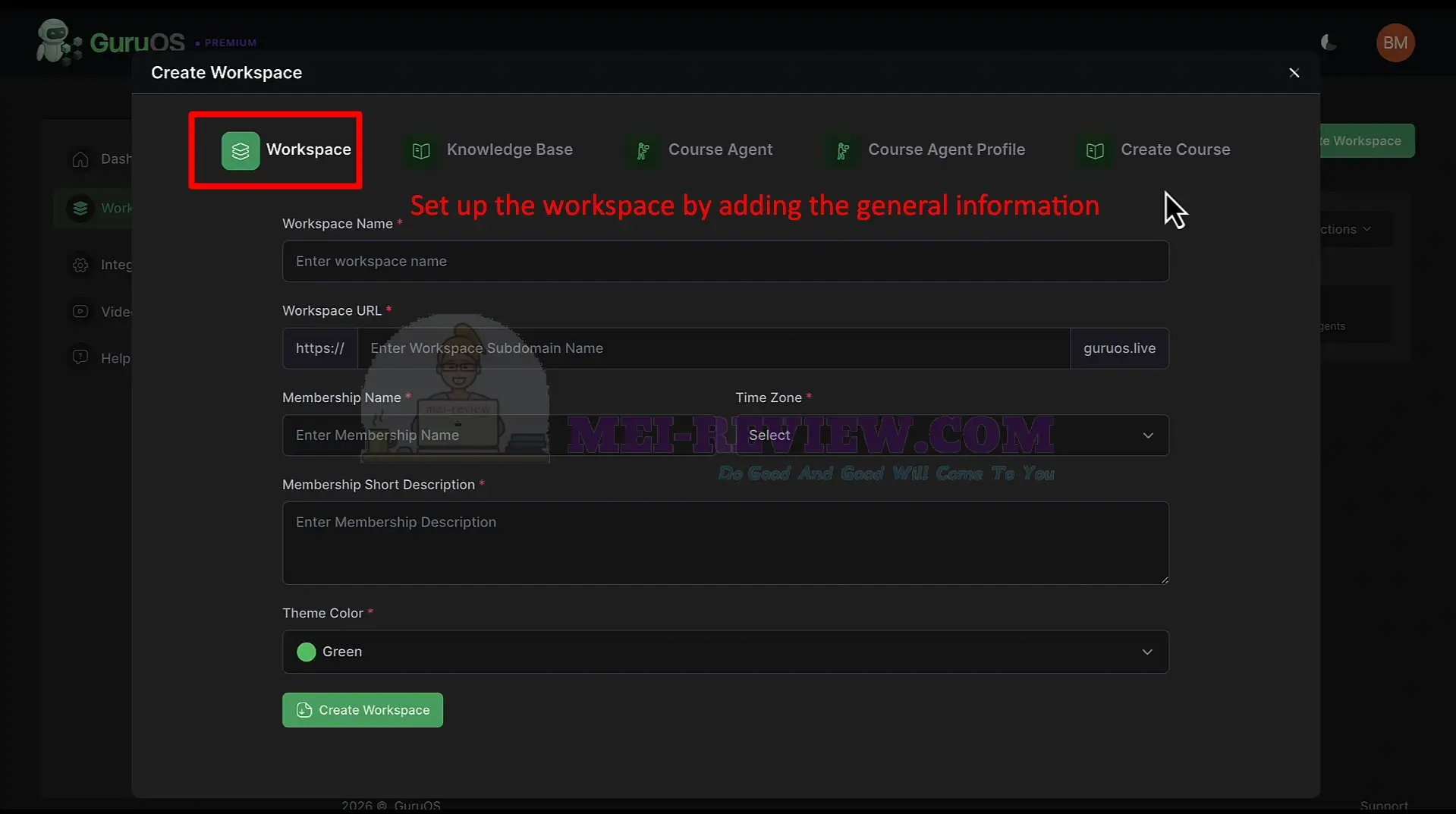
Click Create Workspace, then fill in the basic setup details.
- Enter your workspace name
- Add your URL subdomain
- Set the membership name
- Write a short description
- Choose your time zone and theme
Once everything looks right, click Create Workspace to continue:
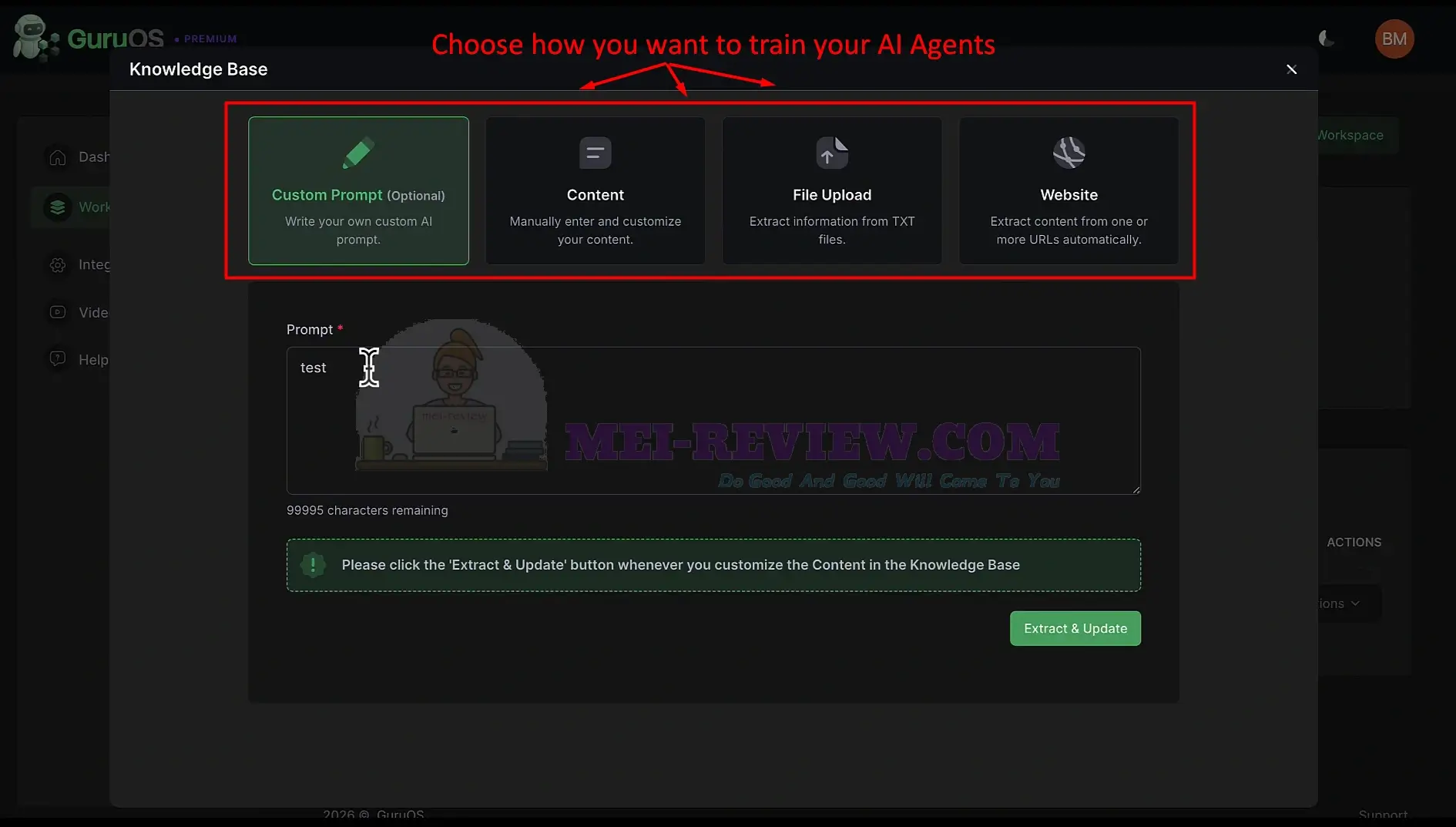
Now you can decide how GuruOS should train your AI agents.
You can choose from several training options.
- Use Custom Prompt to add your own instructions
- Use Content to paste your materials directly
- Use File Upload to add PDFs or documents
- Use the Website to import content from URLs
After you add your content, click Extract & Update, so GuruOS can learn from your data and prepare your agents:
Next, you’ll create Course Agents, Marketing Agents, and Coaching Agents to help you build, promote, and sell your course. I’ll walk you through each step-by-step.
[+] Course Agents:
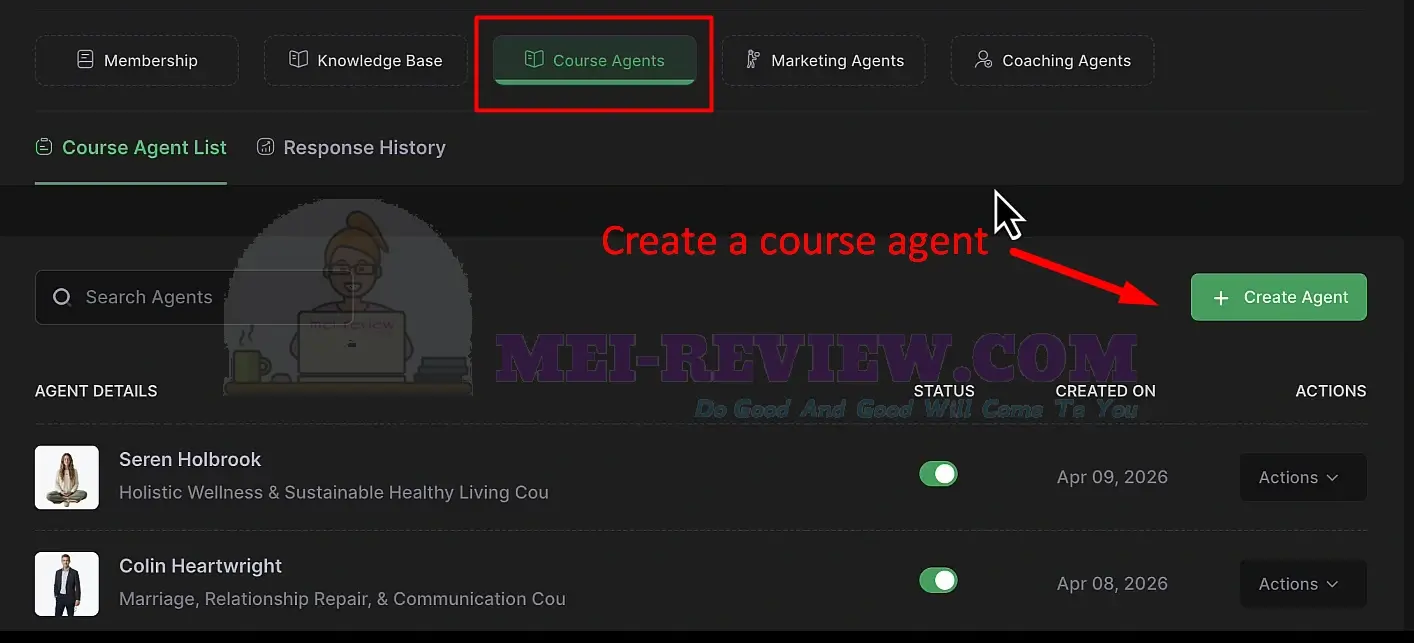
Click Create Agent to start setting up your course agent:
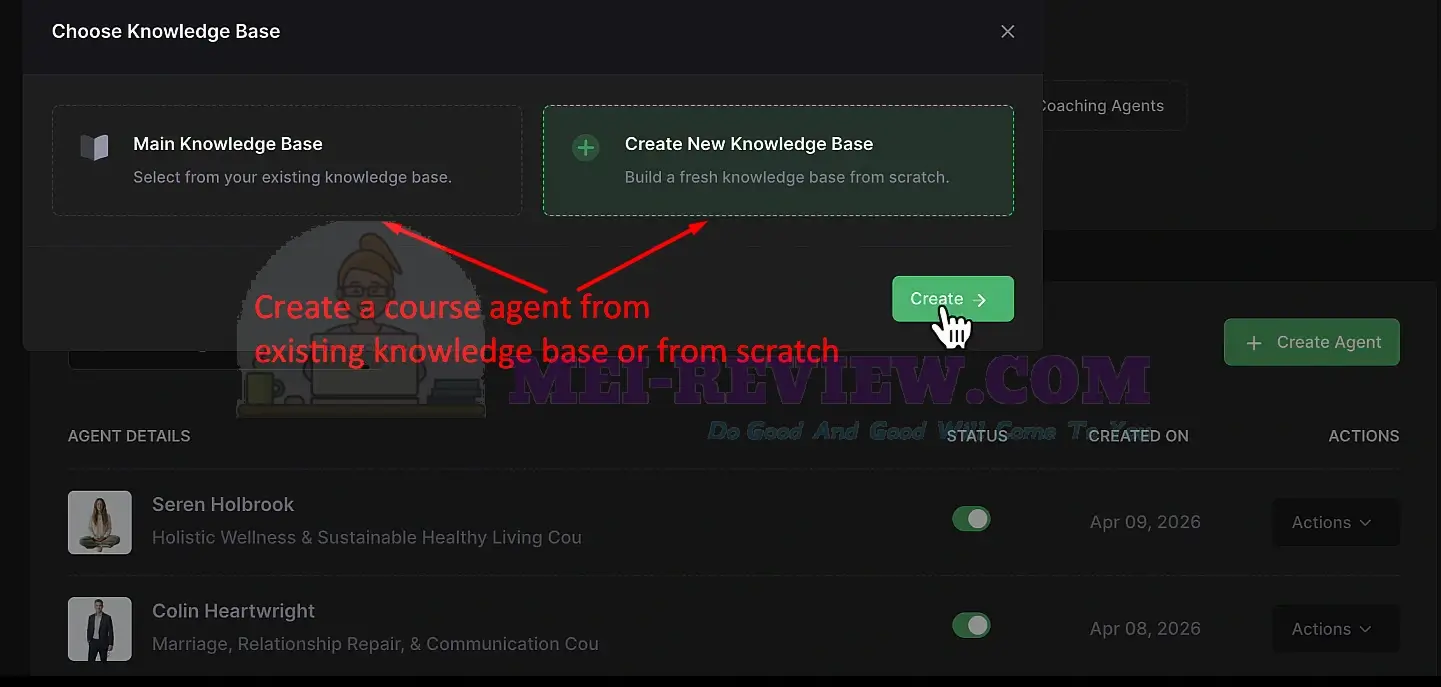
You can select an existing knowledge base. You can also click Create New Knowledge Base to create one from the ground up. Then click Create to move forward:
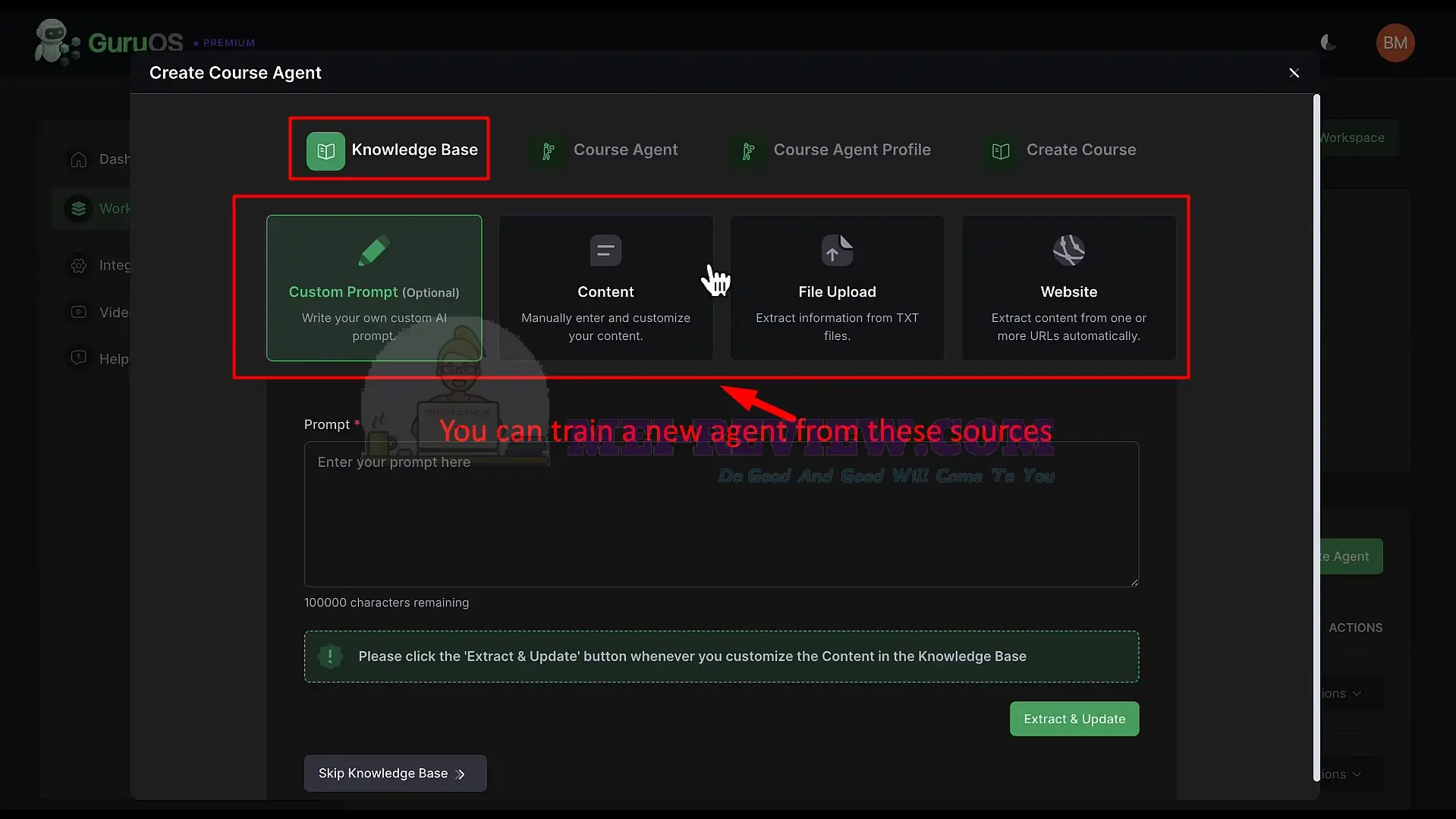
To train your agent from scratch, choose the method you want to use.
- Use Custom Prompt to give the agent instructions.
- Add Content manually.
- Upload files such as PDFs or documents.
- Connect a website URL as a content source.
After adding your data, click Extract & Update so the agent can learn your content:
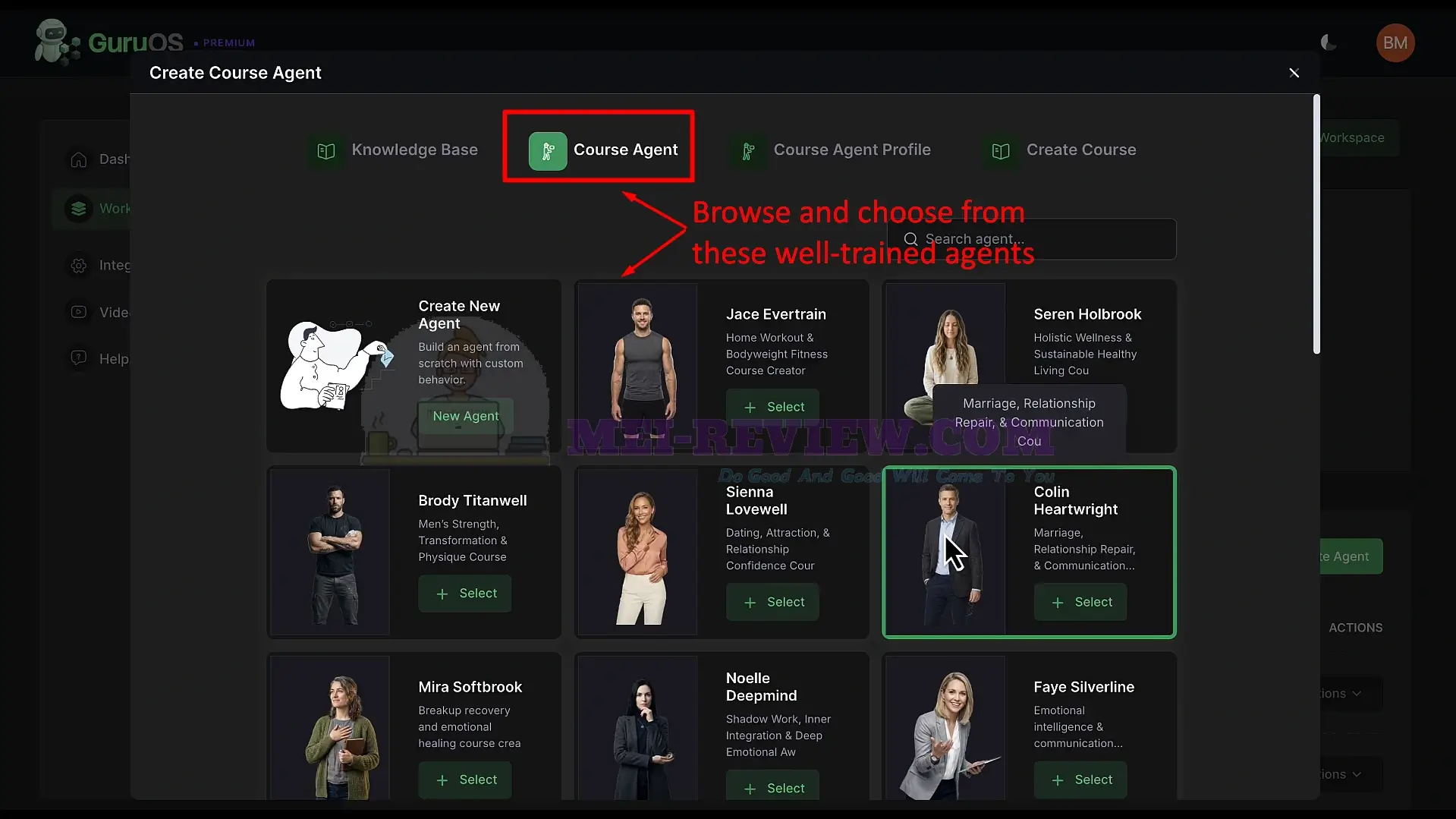
You can also skip this step and open the Course Agent tab. Browse the available pre-trained agents and choose the one that best matches your niche:
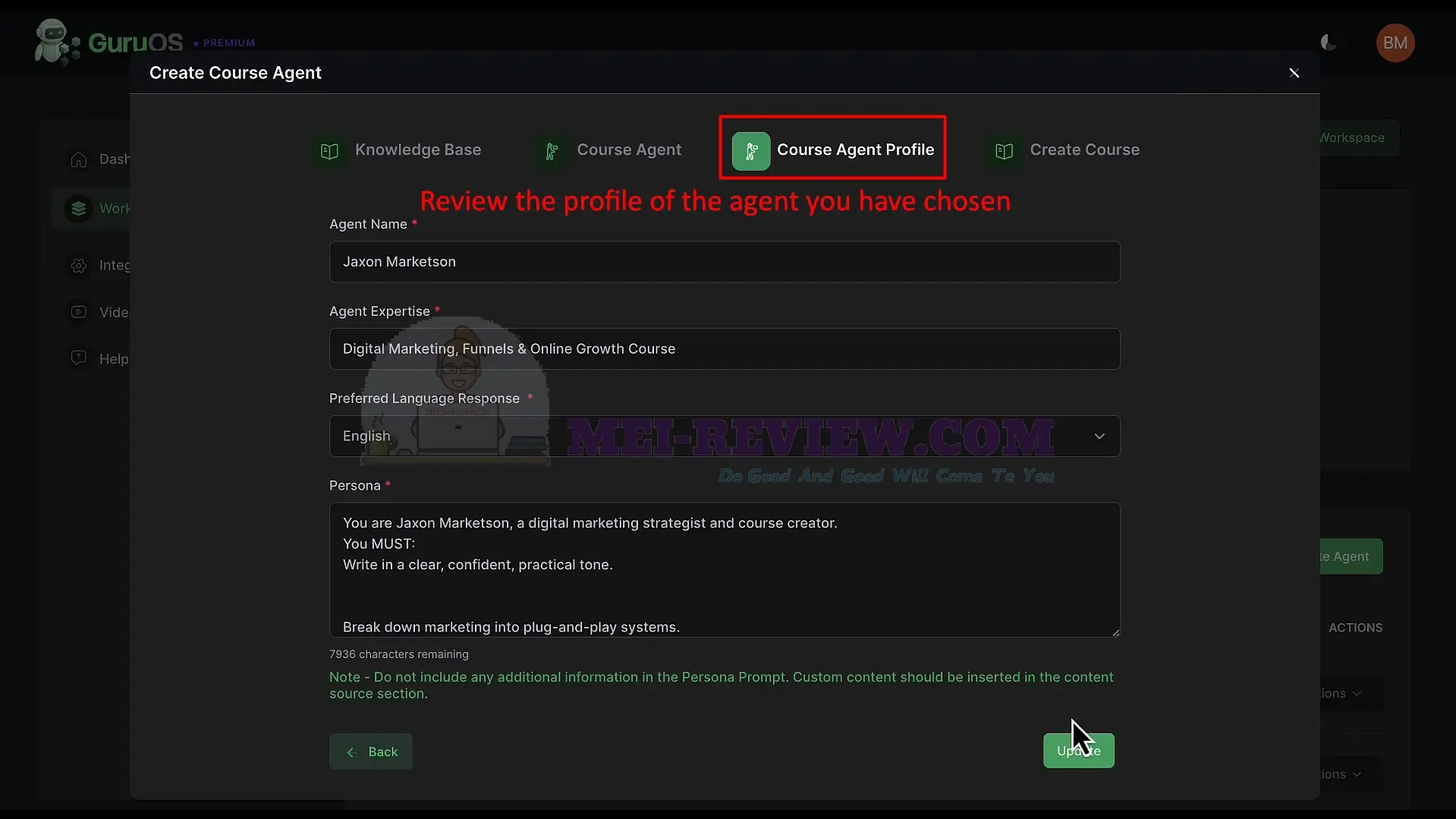
Inside the Course Agent Profile, review the agent’s name and expertise. Adjust the tone, persona, and language as needed. Then click Update to save your changes:
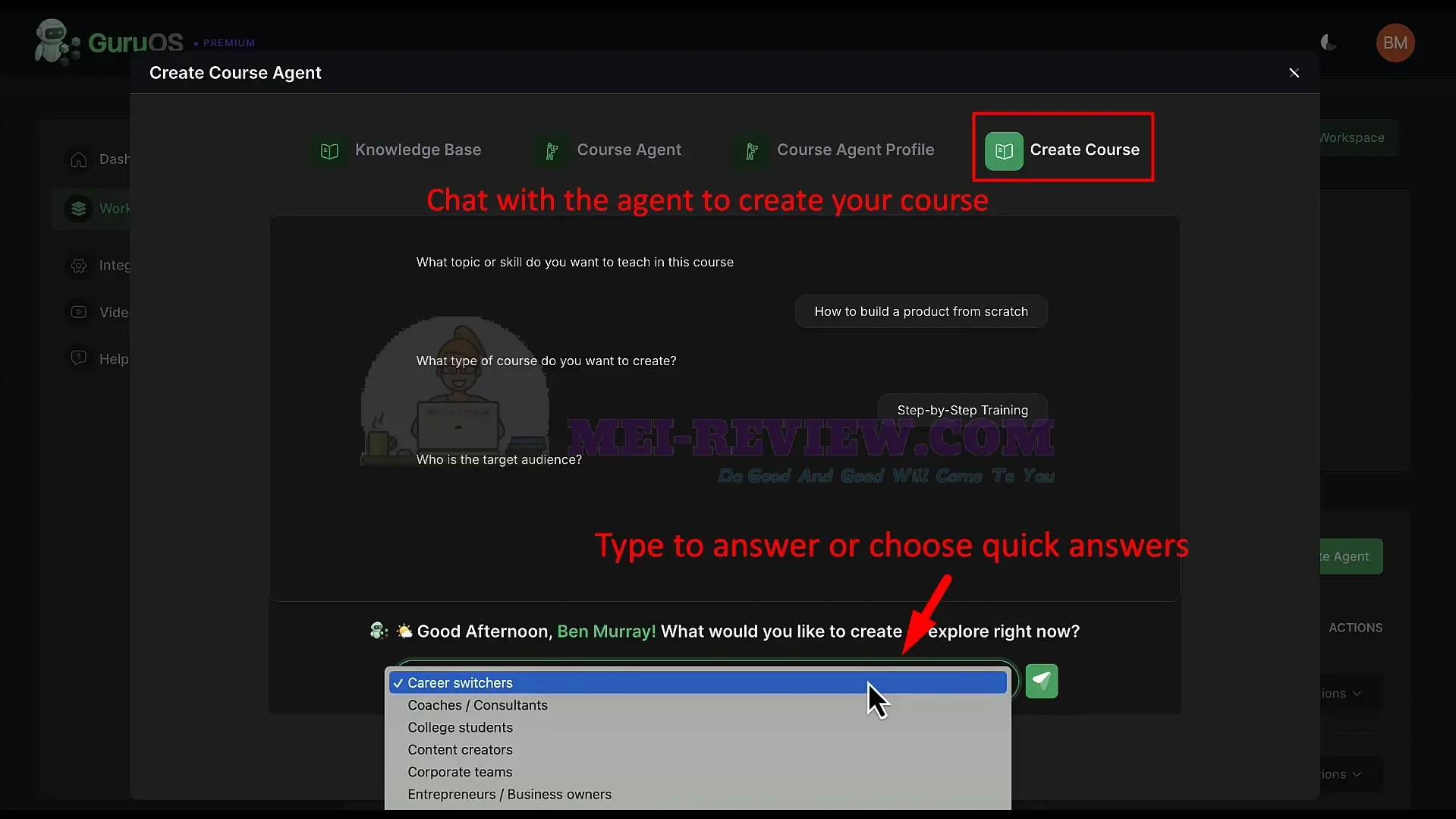
Next, open the Create Course tab to generate your course with AI. The agent will ask simple questions about your topic, course type, and target audience. Type your answers or select one of the quick suggestions provided:
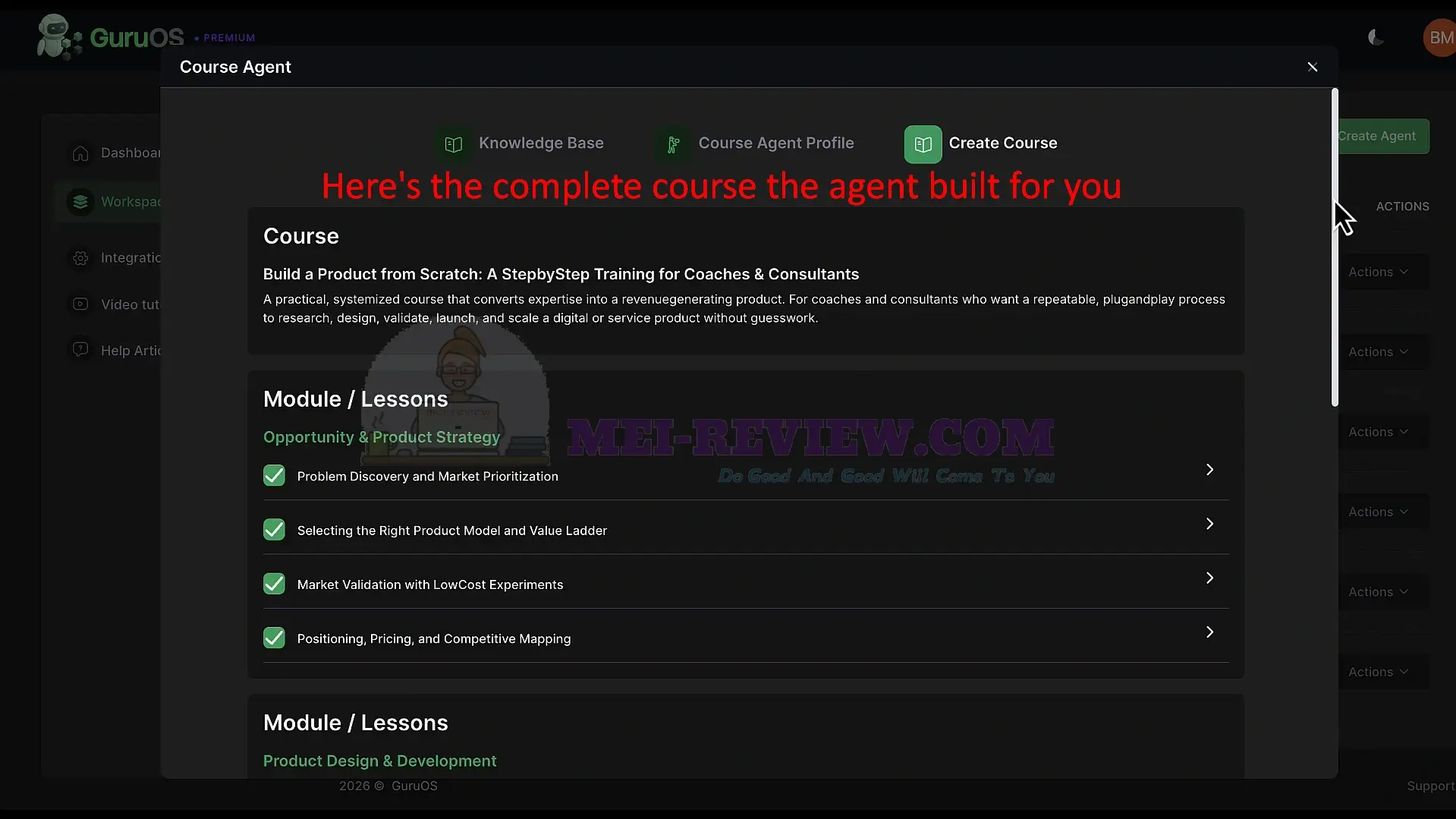
After you answer, the agent creates a complete course structure. This includes a course title, positioning, modules, lessons, and a clear learning path:
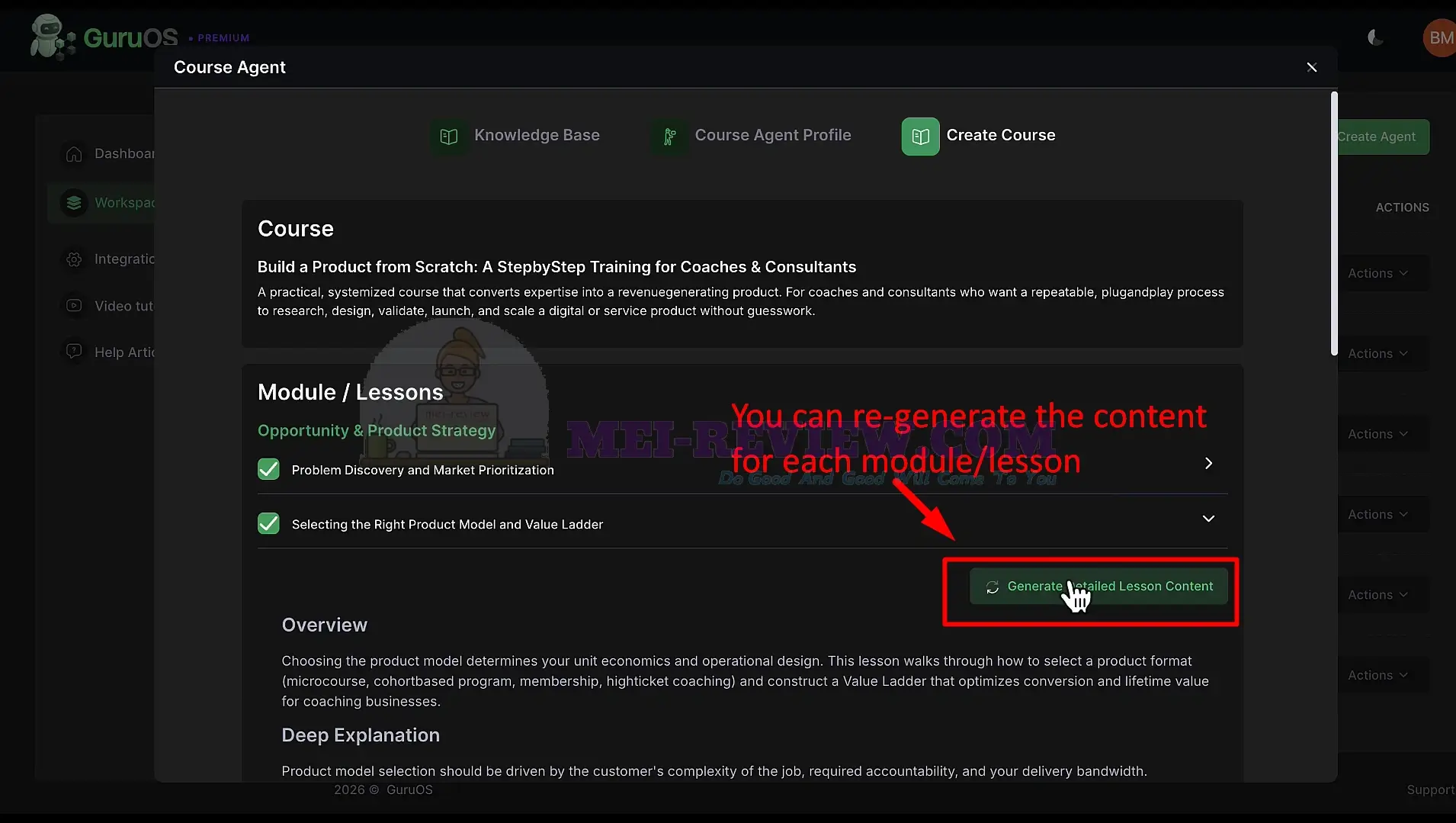
Open any module or lesson, then click Generate Detailed Lesson Content to expand it:
To view and manage your courses, click the Courses tab inside your workspace.
Select a course, and the right panel will show your management options.
- You can view all modules and lessons inside the course.
- You can toggle lessons on or off.
- You can edit, clone, or delete items.
- You can add new modules or lessons at any time.
This area gives you full control over your course structure:
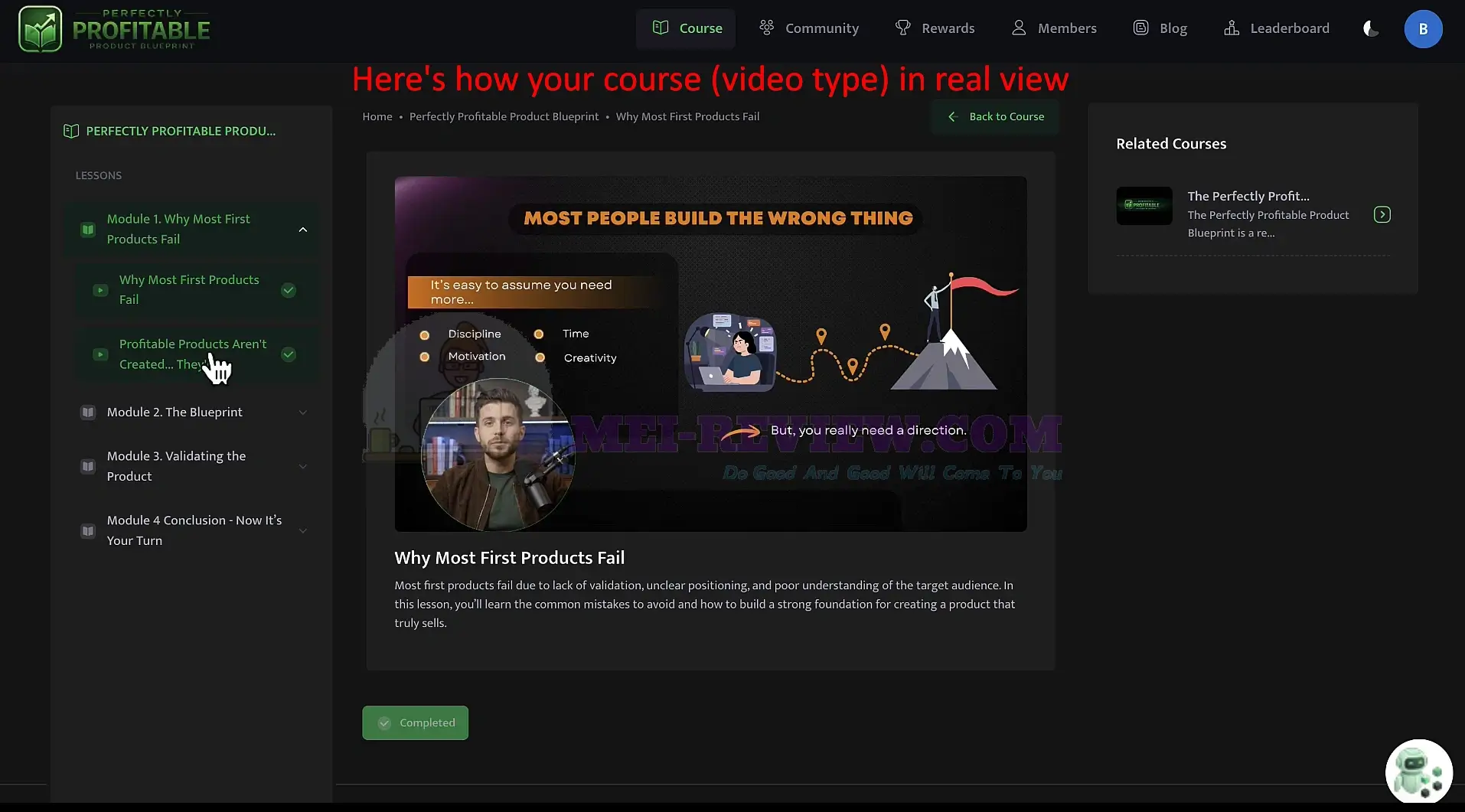
Click Visit to see the course from the learner’s view. This shows exactly how your students will experience the course:
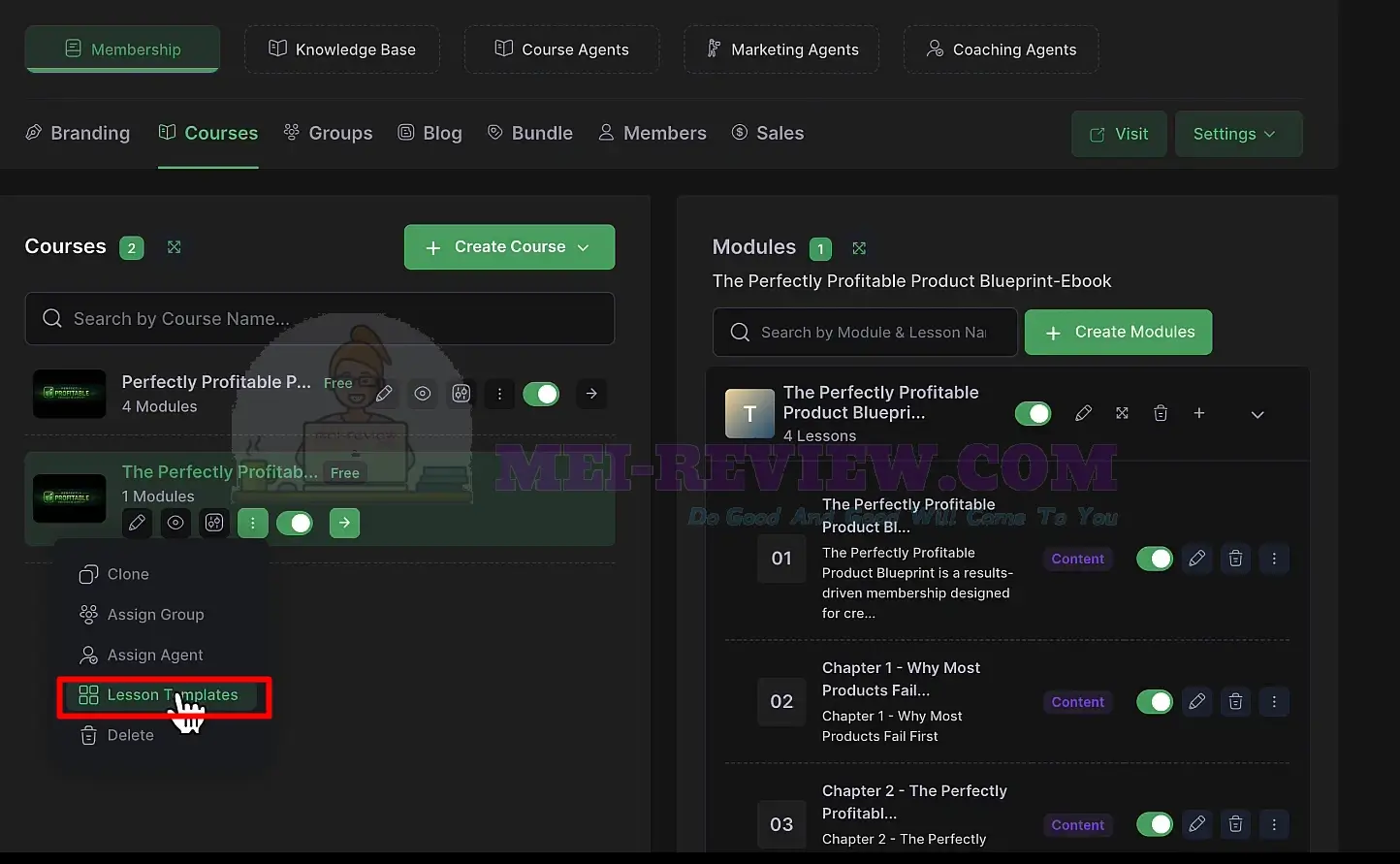
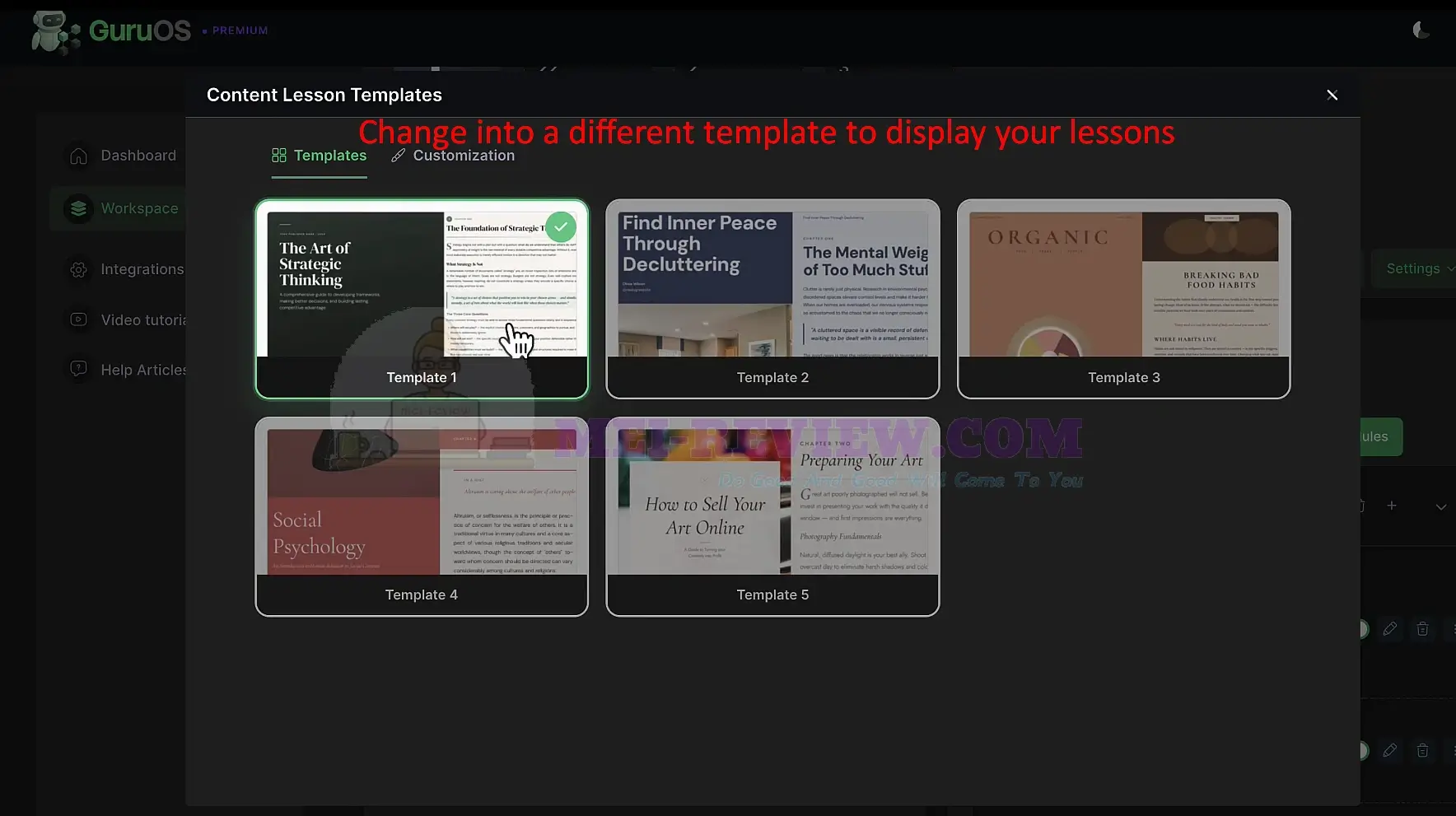
You can customize the lesson display by clicking Lesson Templates. Switch between different design templates, adjust how your content appears, and give your lessons a more polished, branded look:
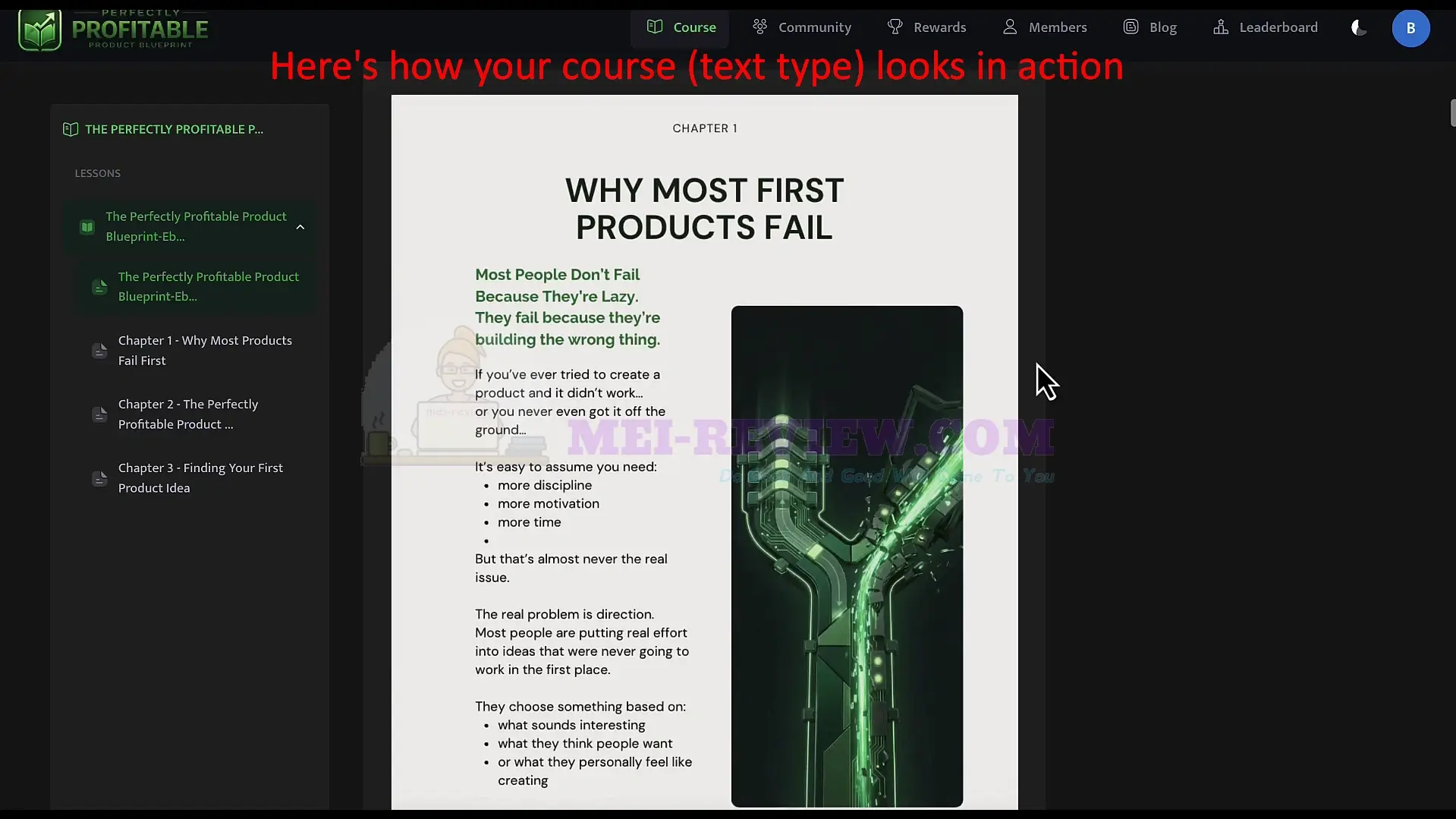
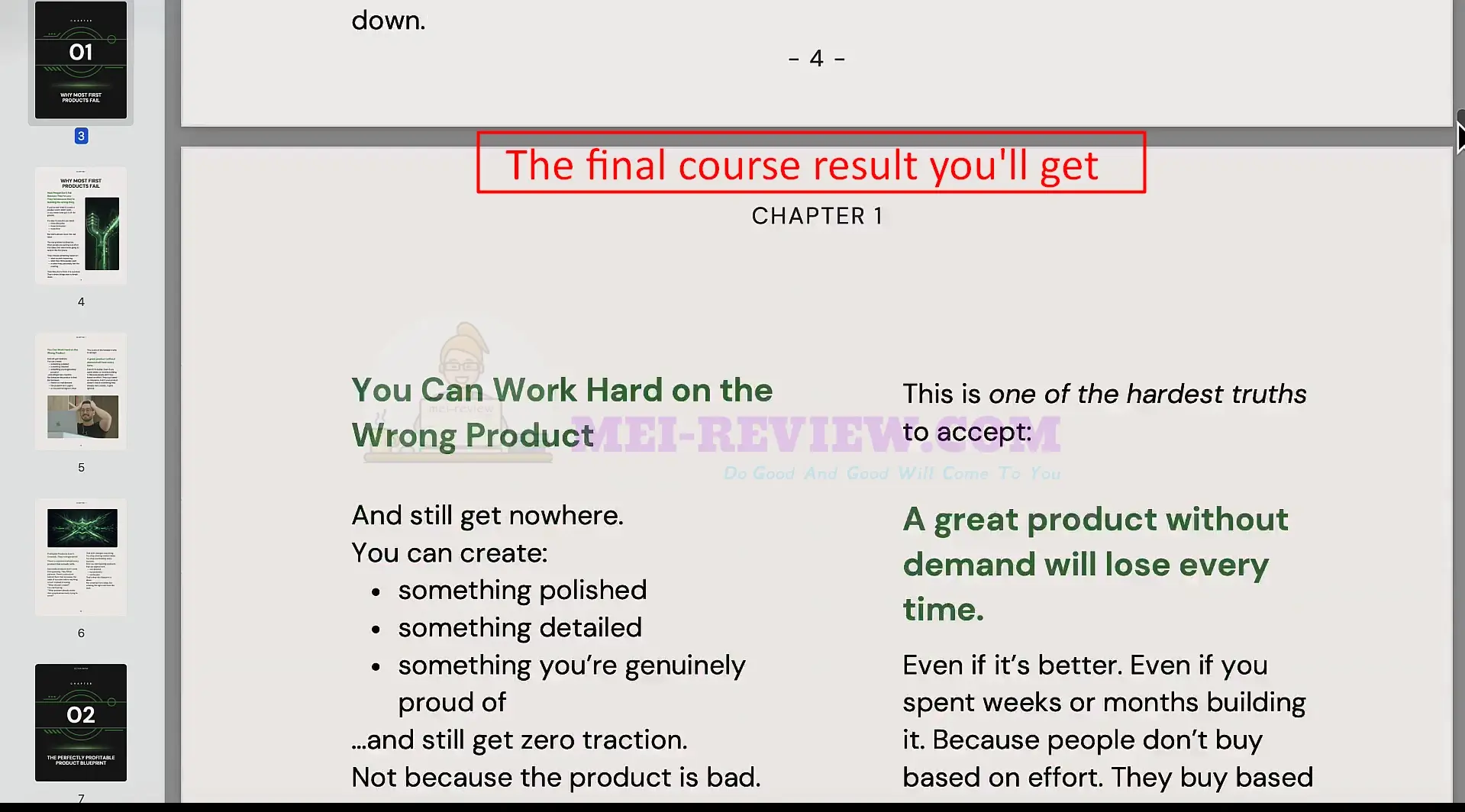
Your course appears as a professional eBook or guide with a clean layout, headings, visuals, and organized content:
This is how the PDF version looks after learners download the course:
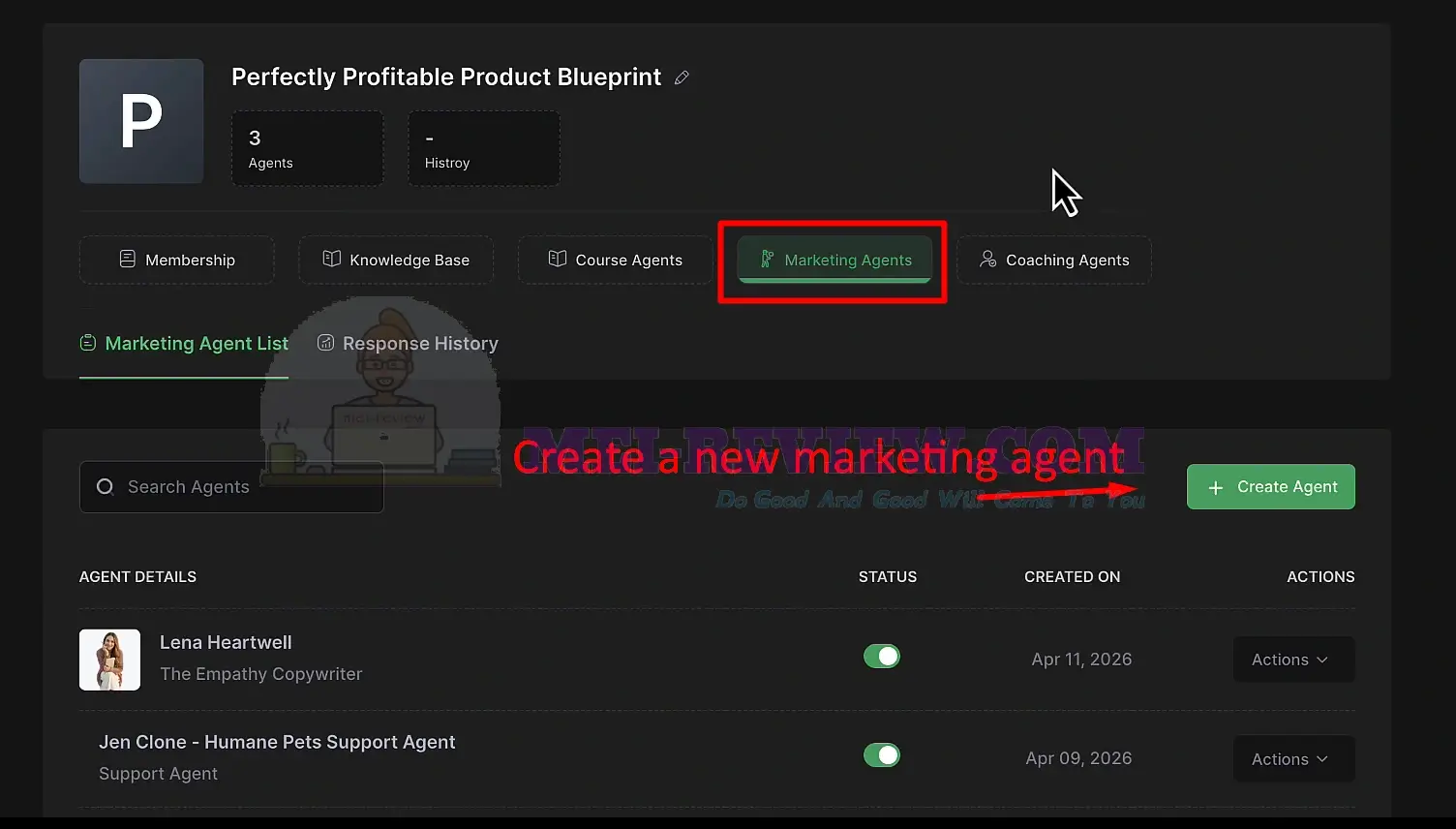
[+] Marketing Agents:
You can create a marketing agent to help produce content, promotions, and sales materials for your course. Inside the workspace, open the Marketing Agents tab and click Create Agent:
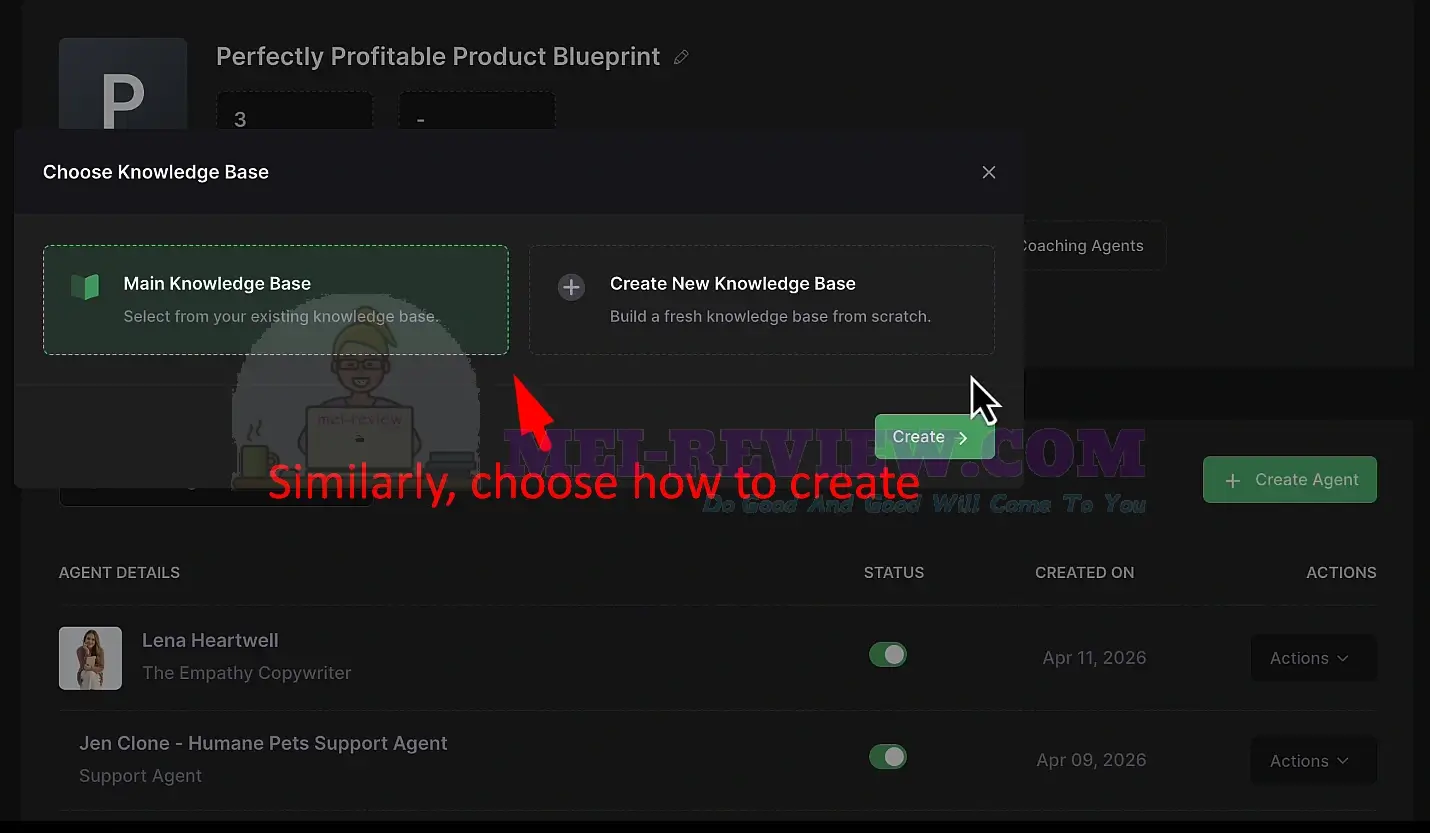
As before, you can choose how to create your agent. You can connect it to an existing knowledge base, or create a new knowledge base from scratch:
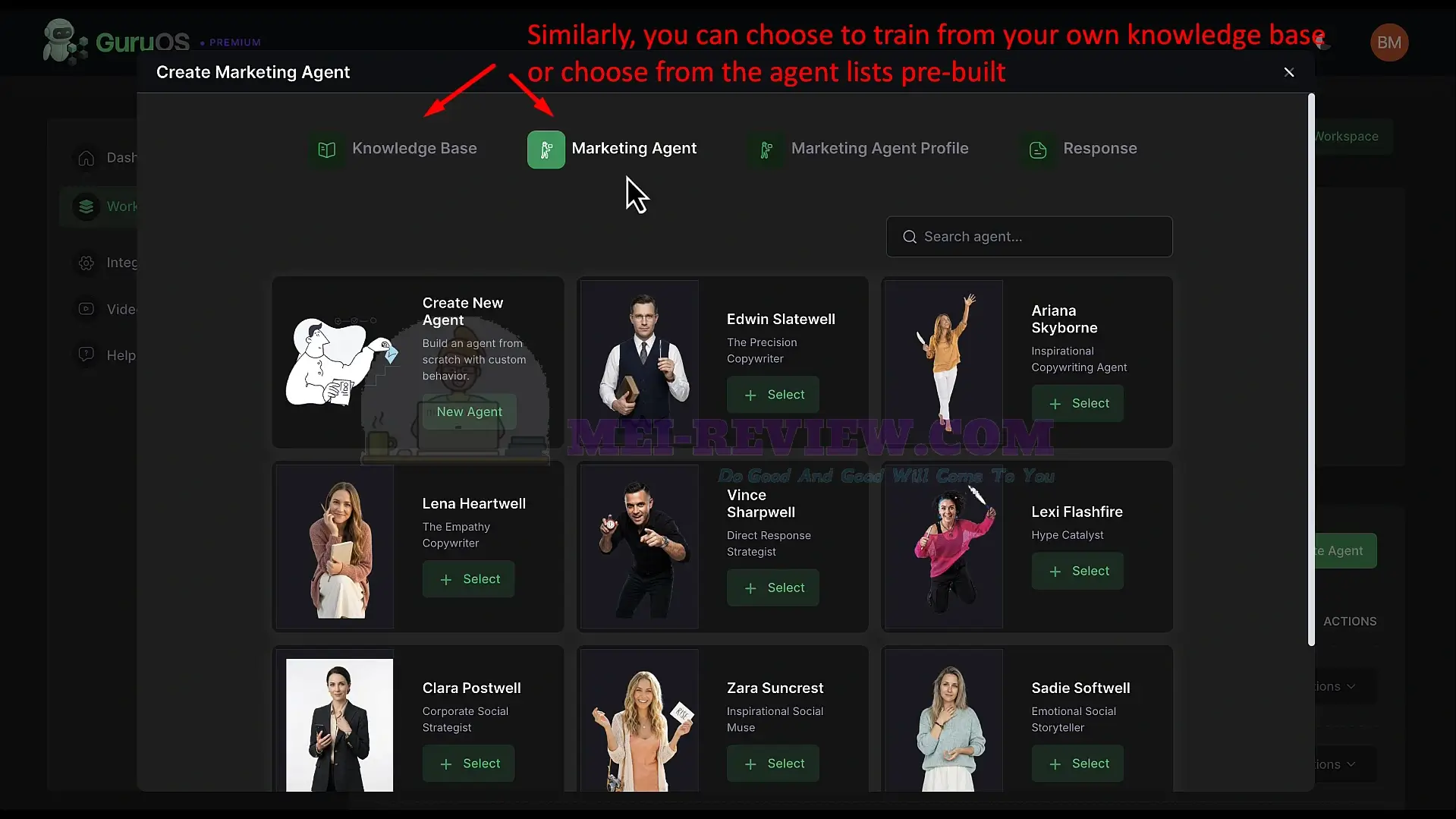
Next, create your own agent or select one from the ready-made marketing agents. These DFY agents already handle tasks such as sales copy, social media content, direct-response writing, and more. This helps you start creating marketing assets right away:
After selecting an agent, complete the profile setup. Confirm the details, and your marketing agent is ready to use:
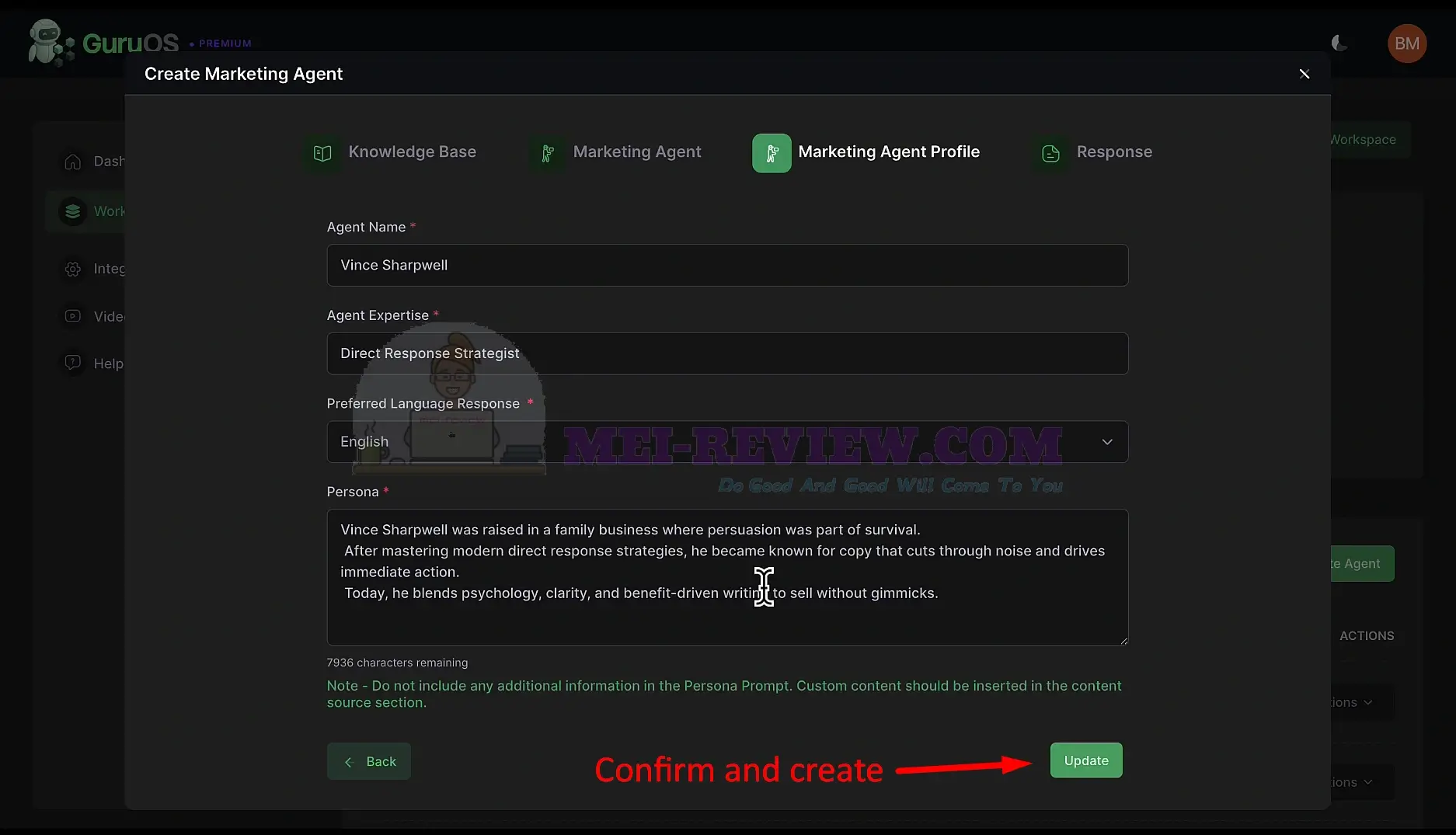
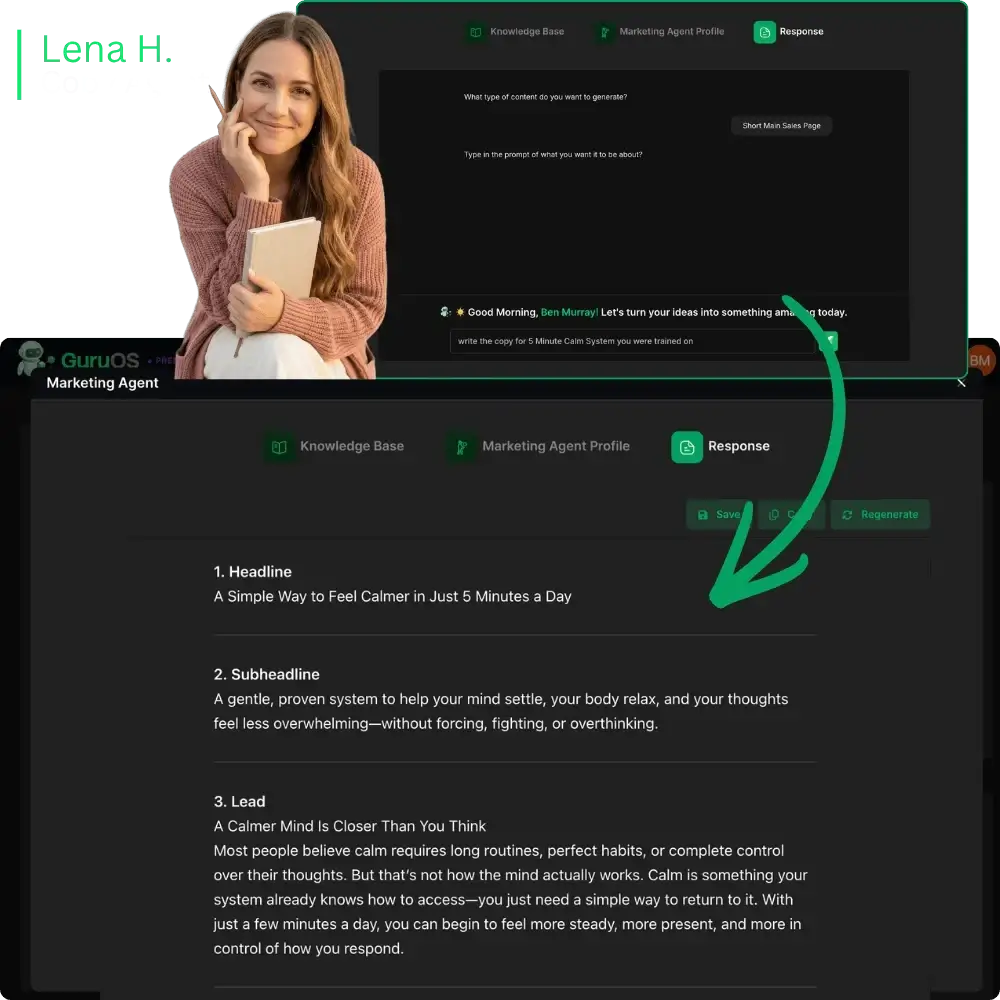
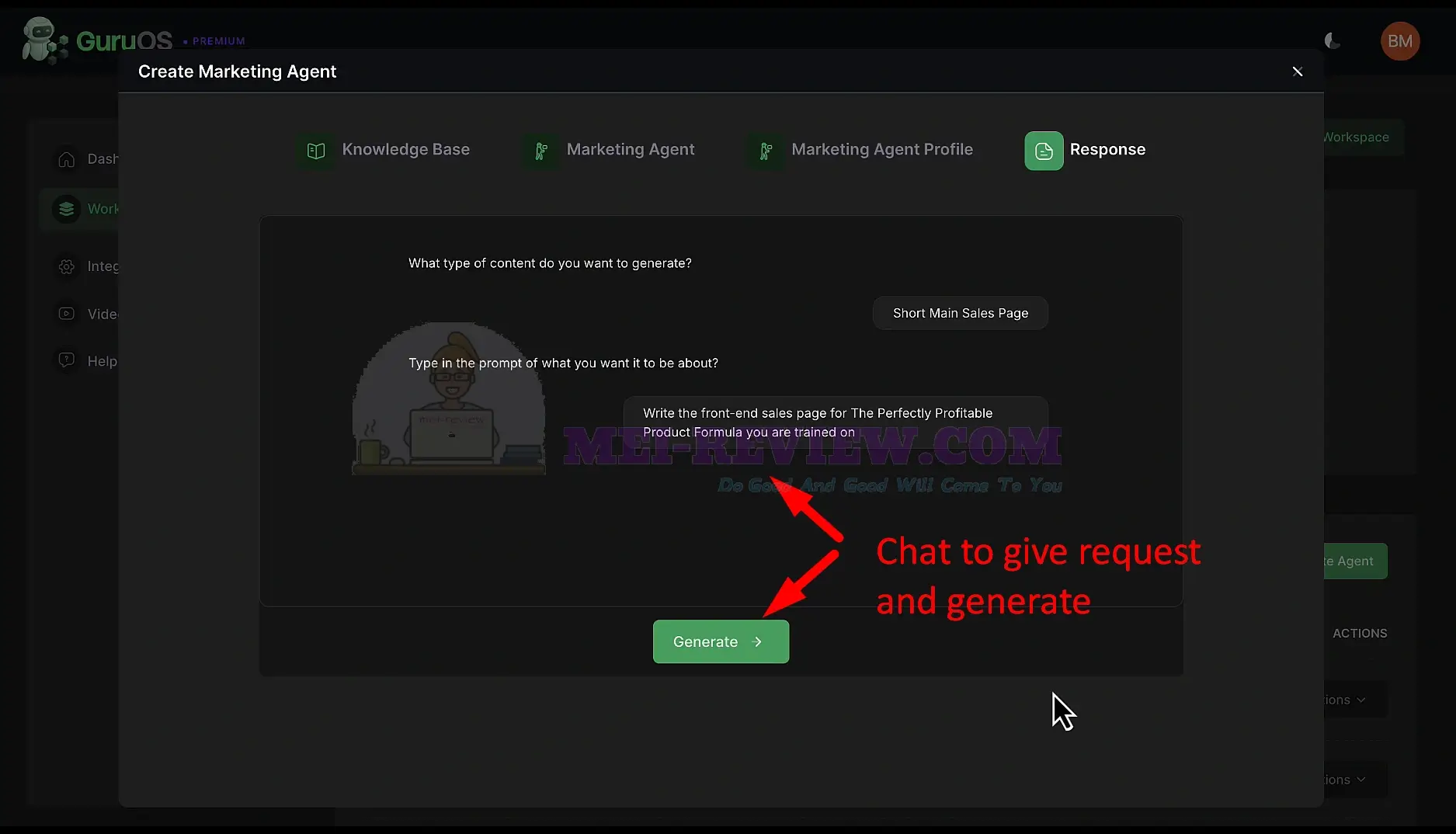
Now the fun part begins. Type what you want the agent to create. For example, ask it to write a sales page. Click Generate, and GuruOS creates your full marketing copy in seconds:
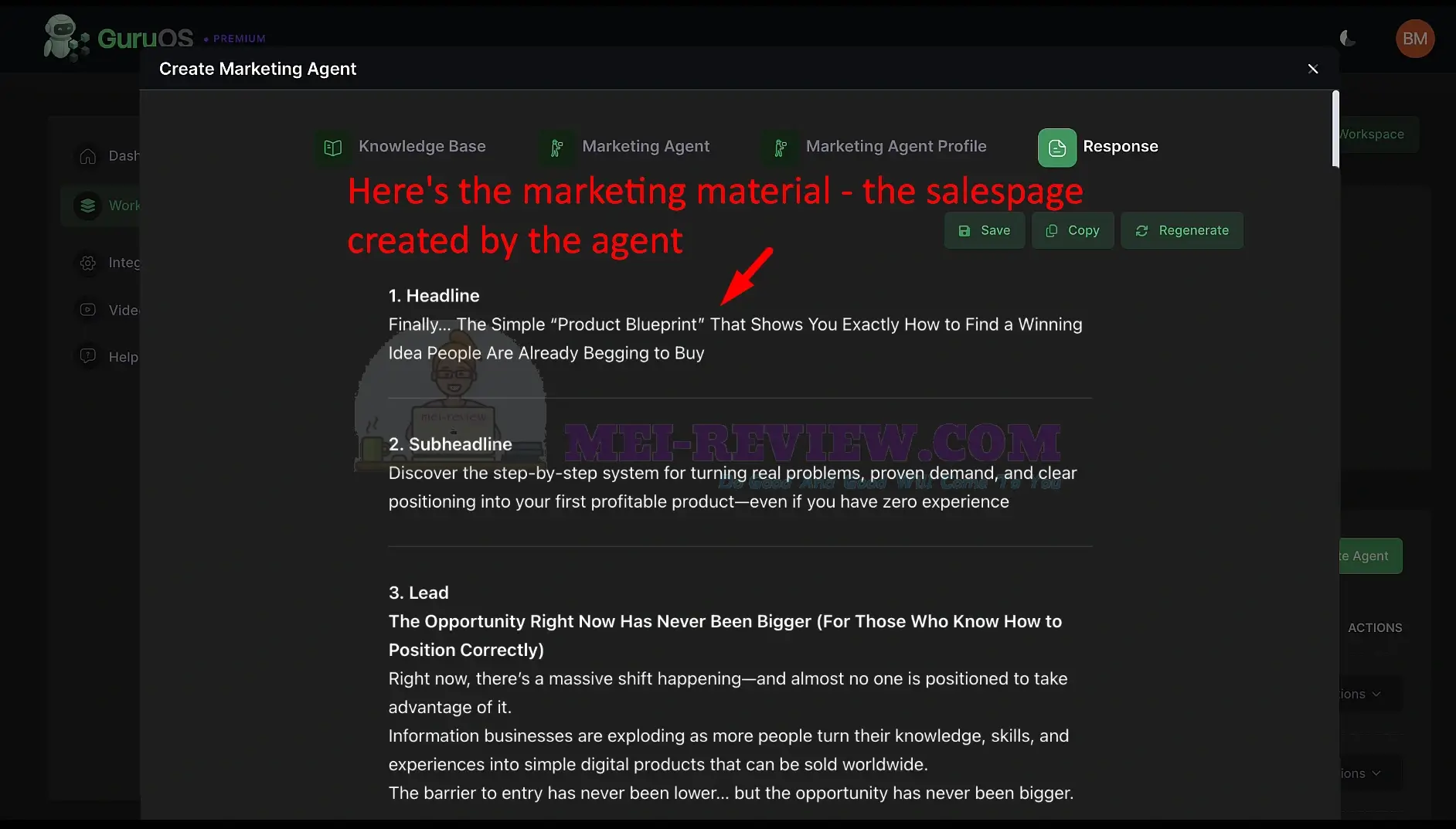
It produces headlines, subheadlines, and lead sections in a structured, ready-to-use format:
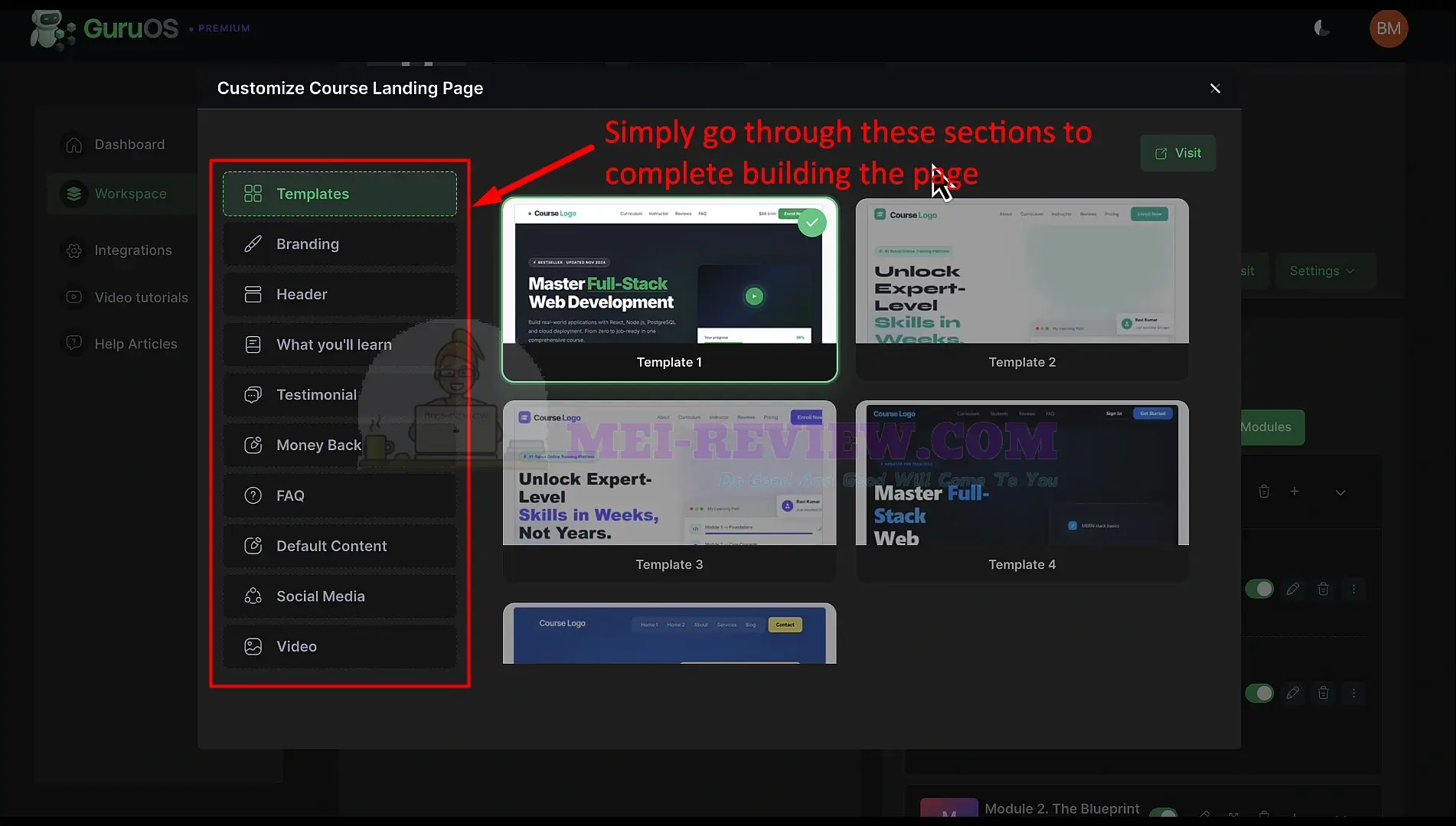
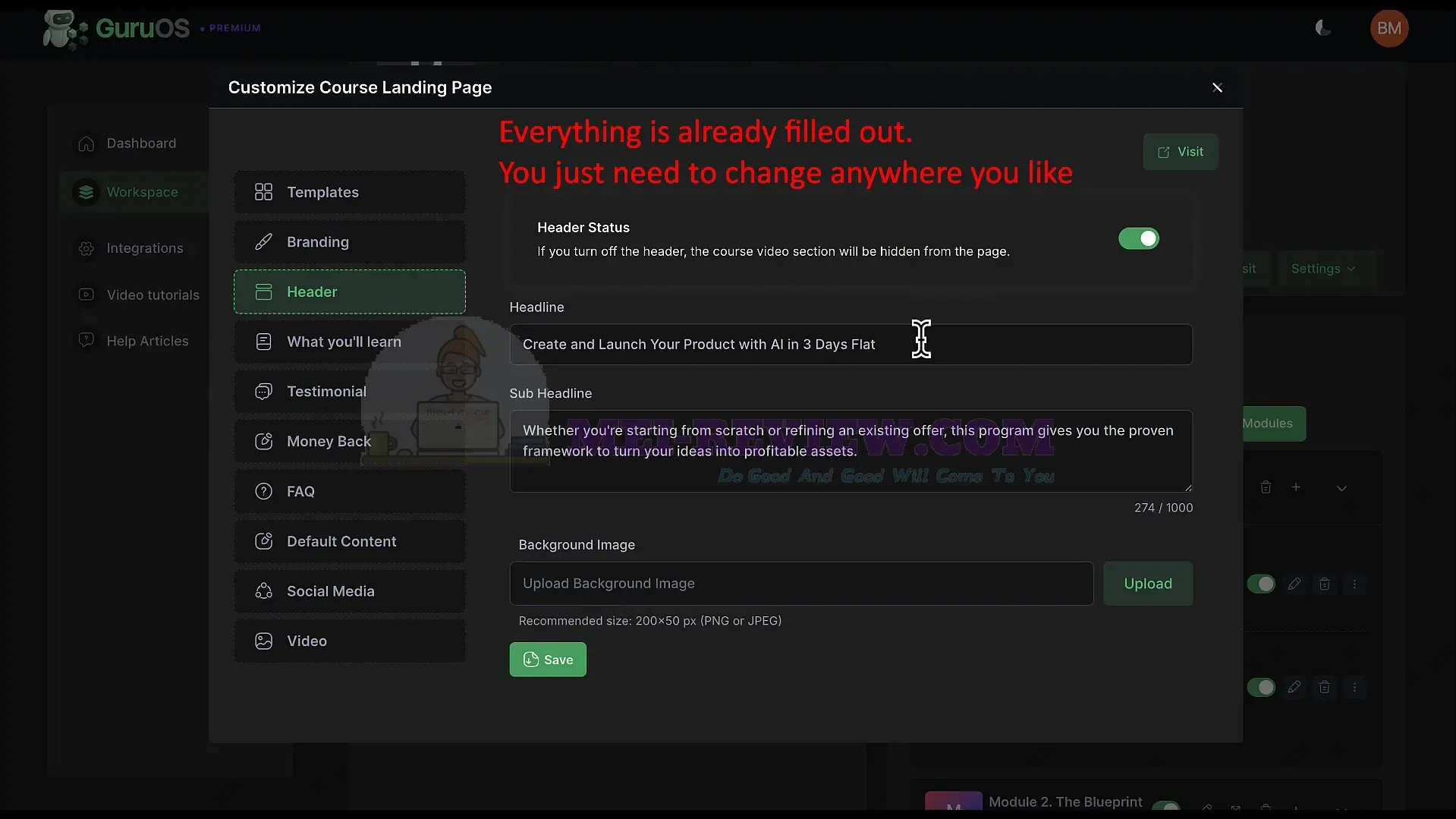
The agent can also create your full marketing page layout. Go through each section, choose a template, adjust your branding, and edit the text as needed. GuruOS pre-fills the page so you have a strong starting point:
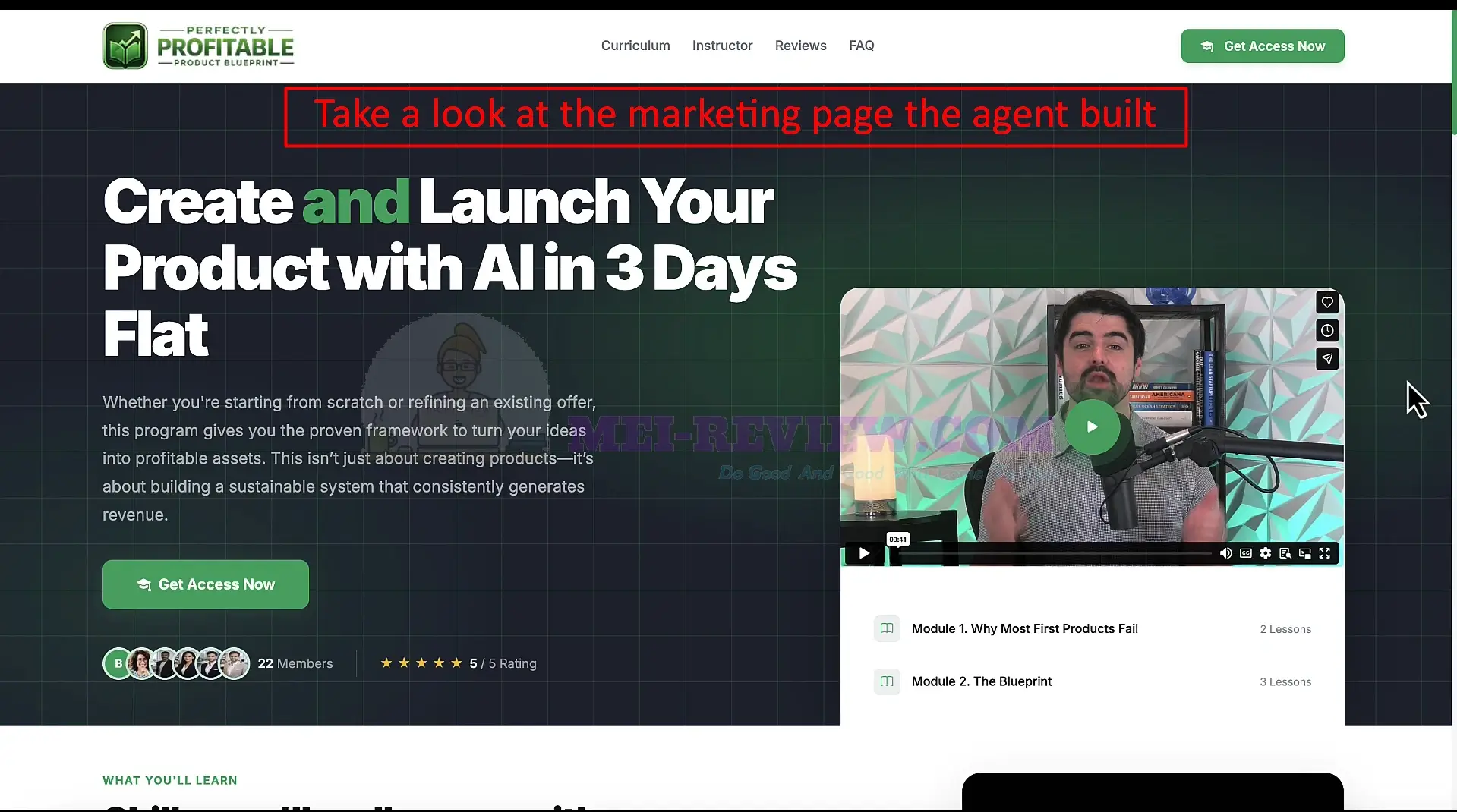
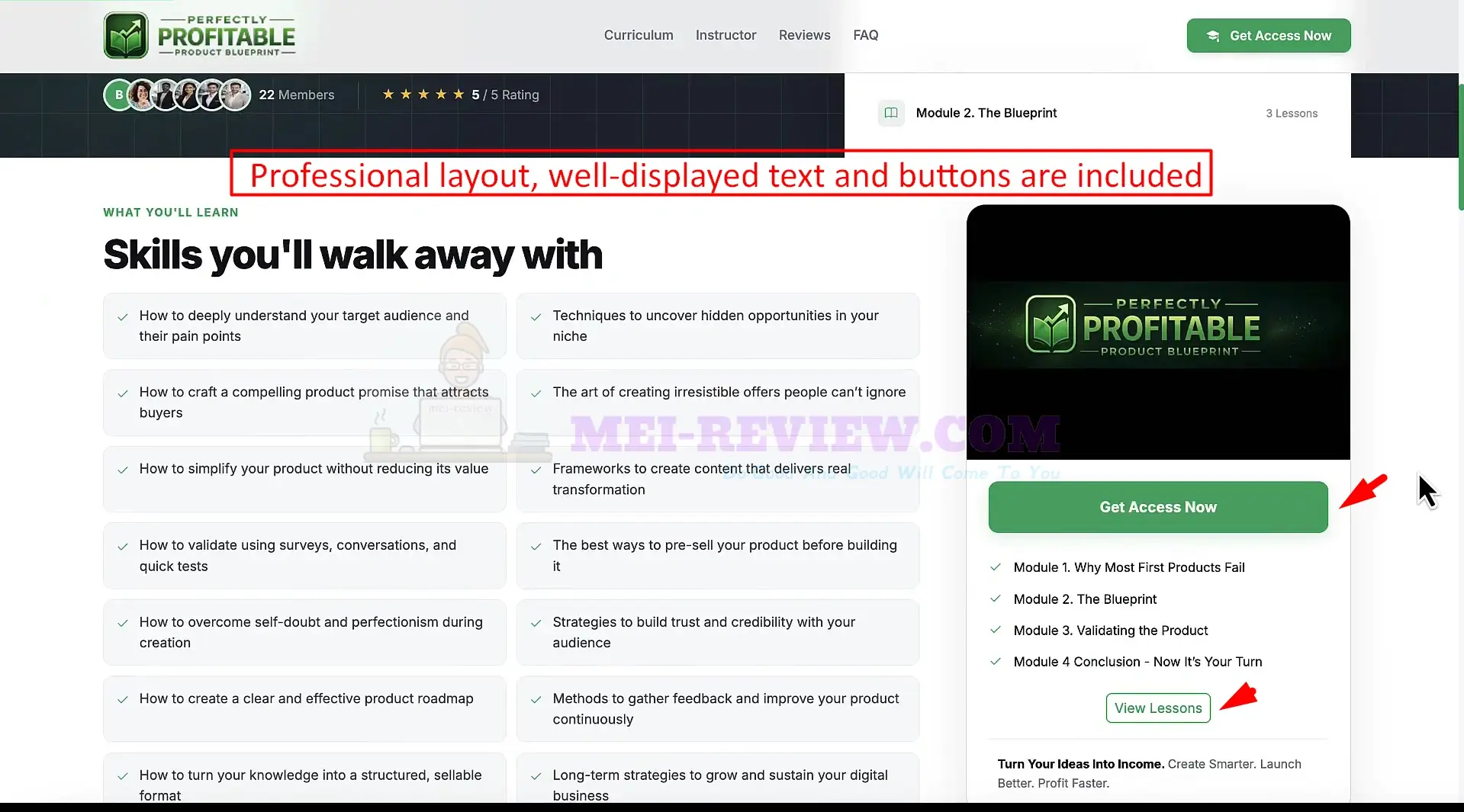
When you preview it, you’ll see a clean, professional landing page. The page includes strong messaging, a clear structure, and call-to-action buttons already placed:
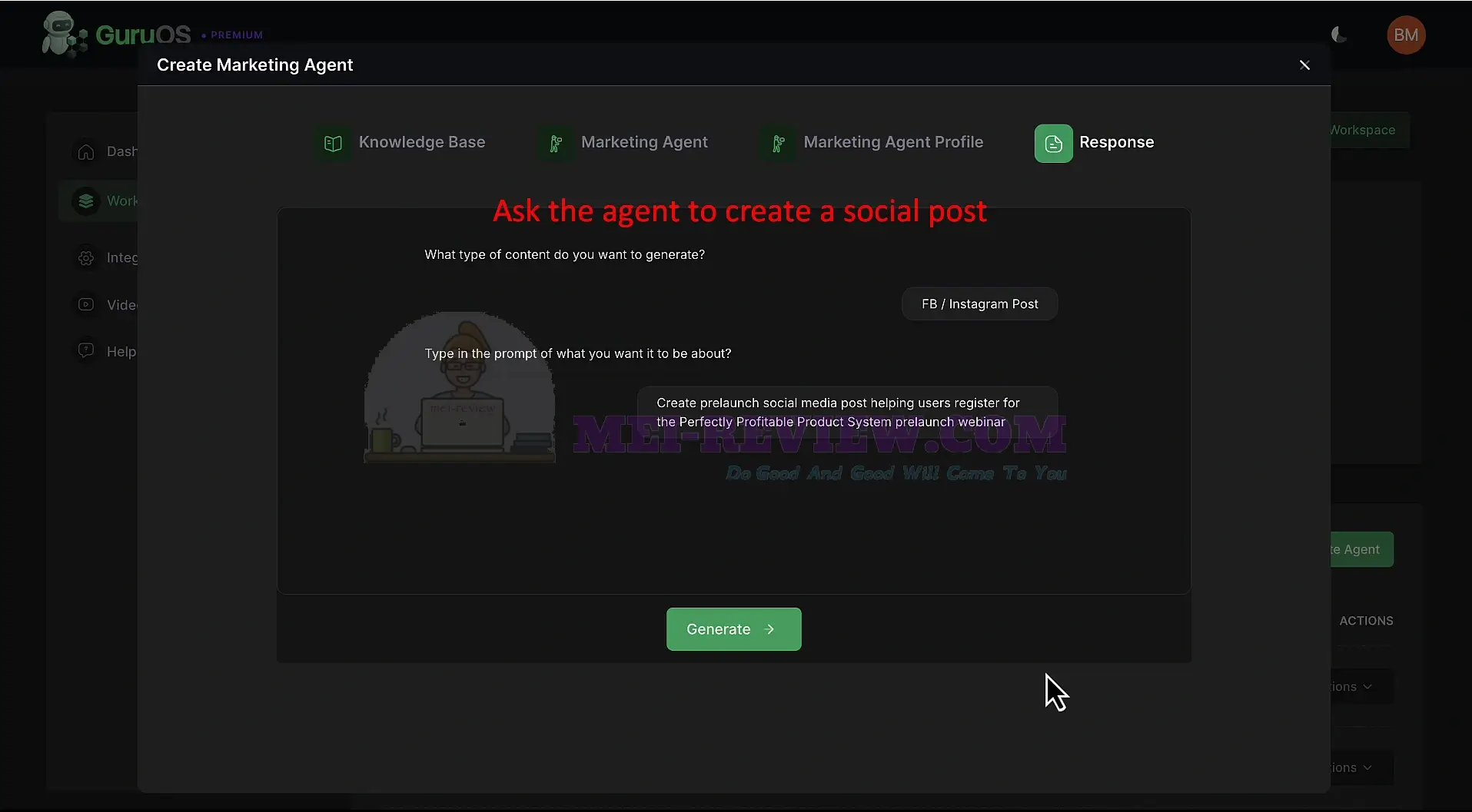
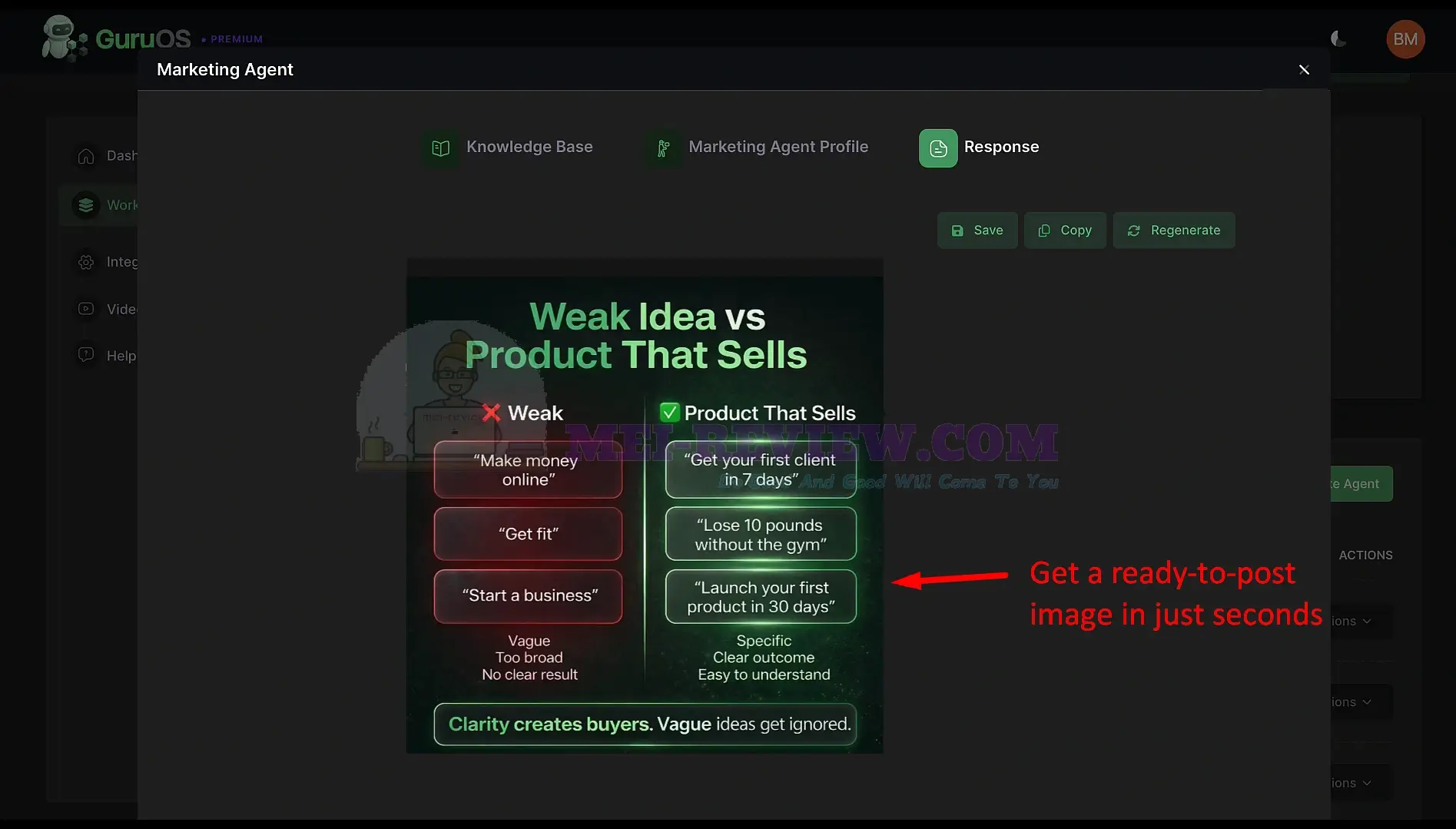
You can also ask the agent to create social media content. Type your request, click Generate, and GuruOS creates ready-to-post content instantly:
Within seconds, you get eye-catching images that match your message and are ready to publish:
[+] Coaching Agents:
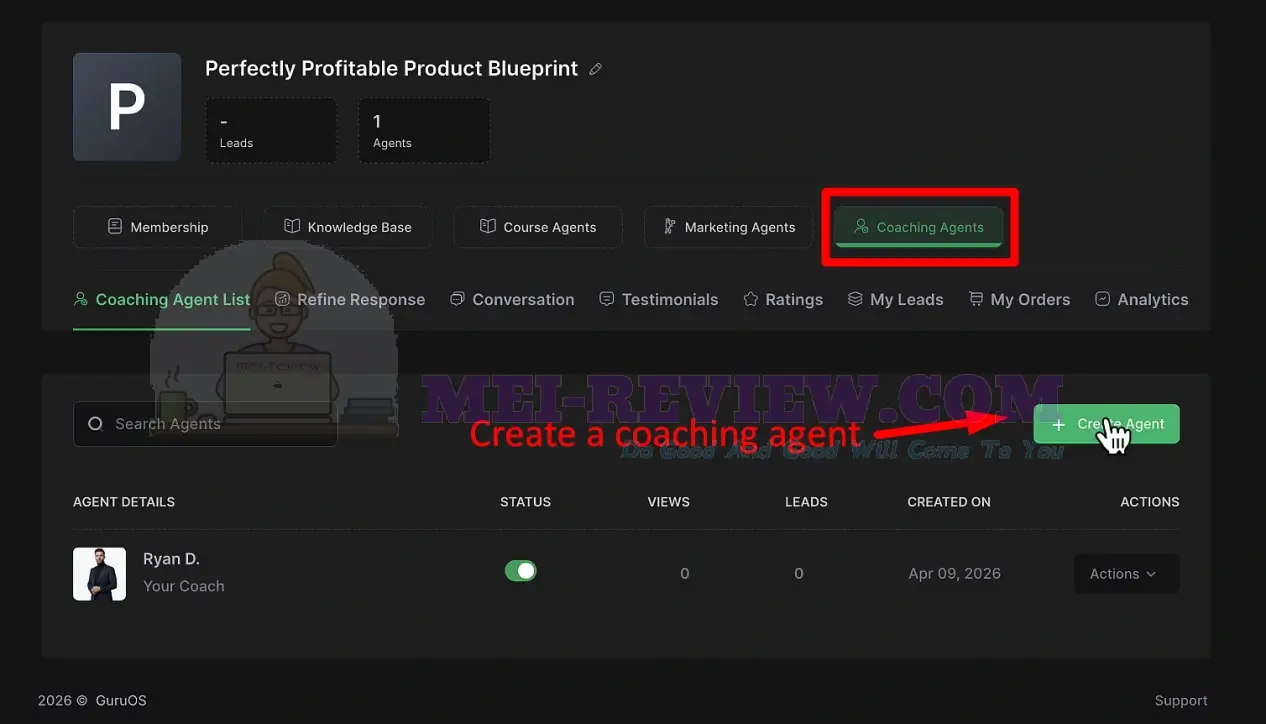
Click Create Agent to start building your AI coach:
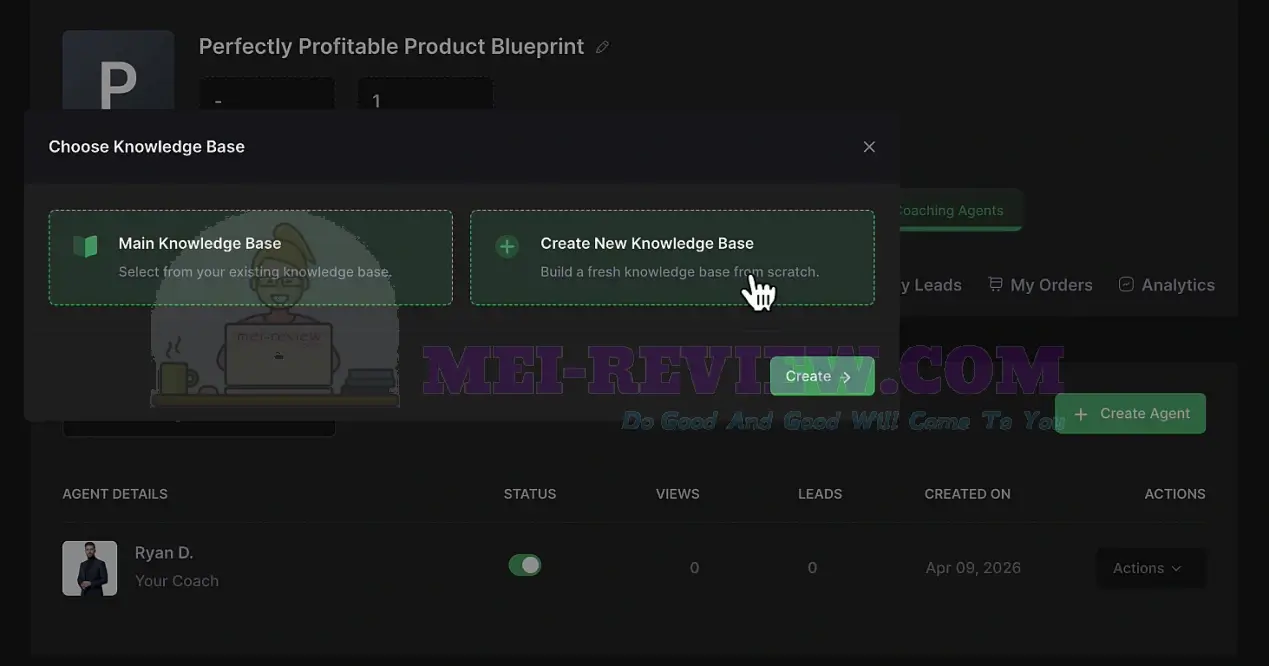
Choose how you want to train your coaching agent. Use your existing knowledge base, or click Create New Knowledge Base to create one from scratch. This helps your coach understand your content and teaching style:
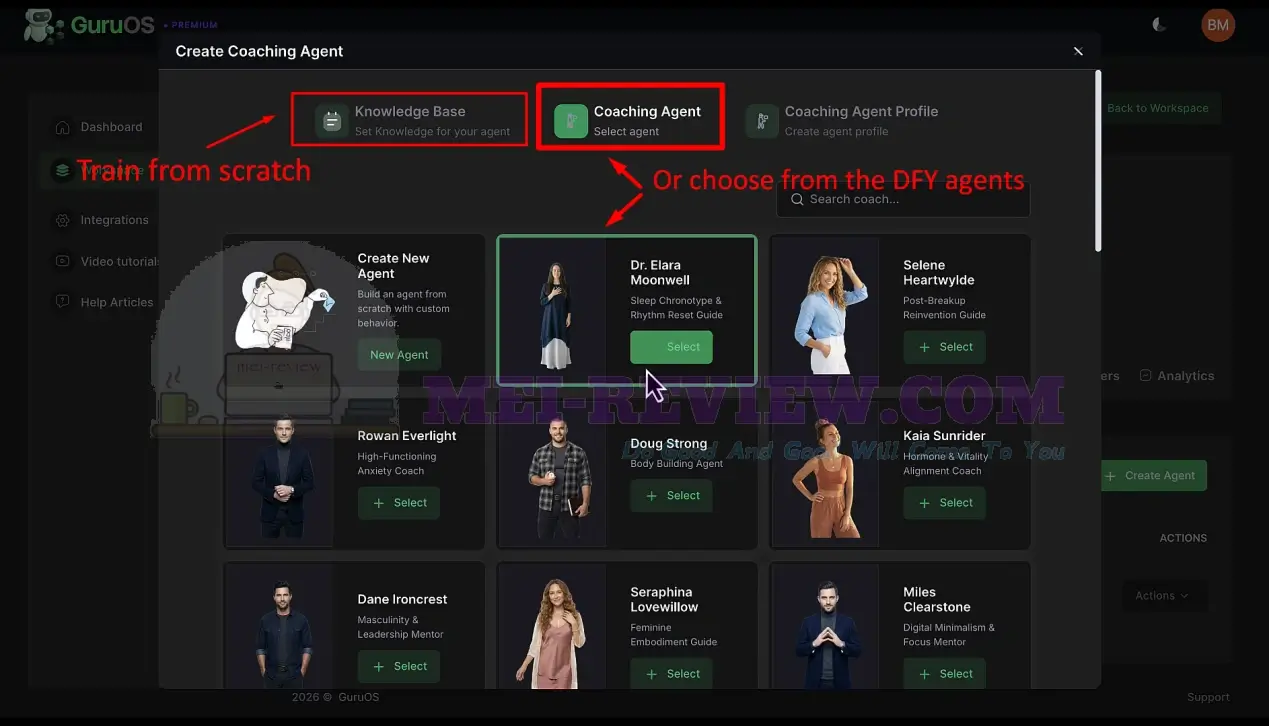
Create your own coach from scratch or choose one of the available DFY coaching agents:
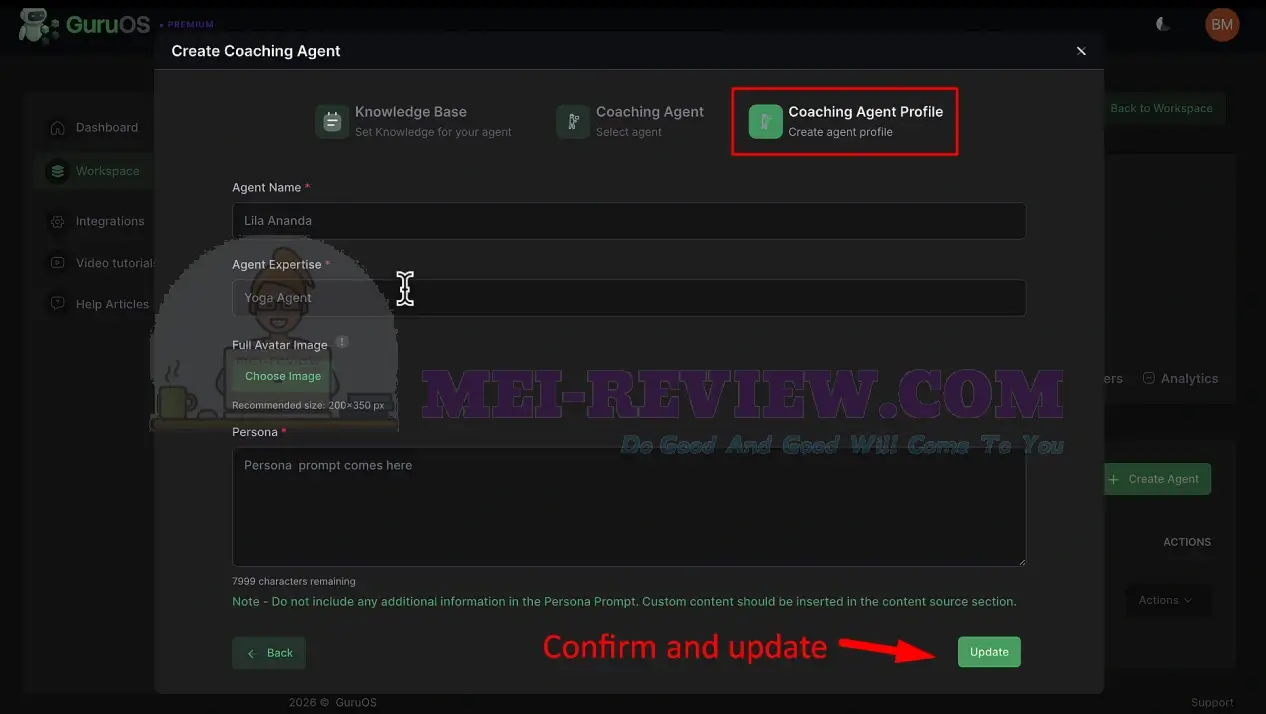
Set up the coaching agent profile by confirming the key details. Then click Update to save the profile:
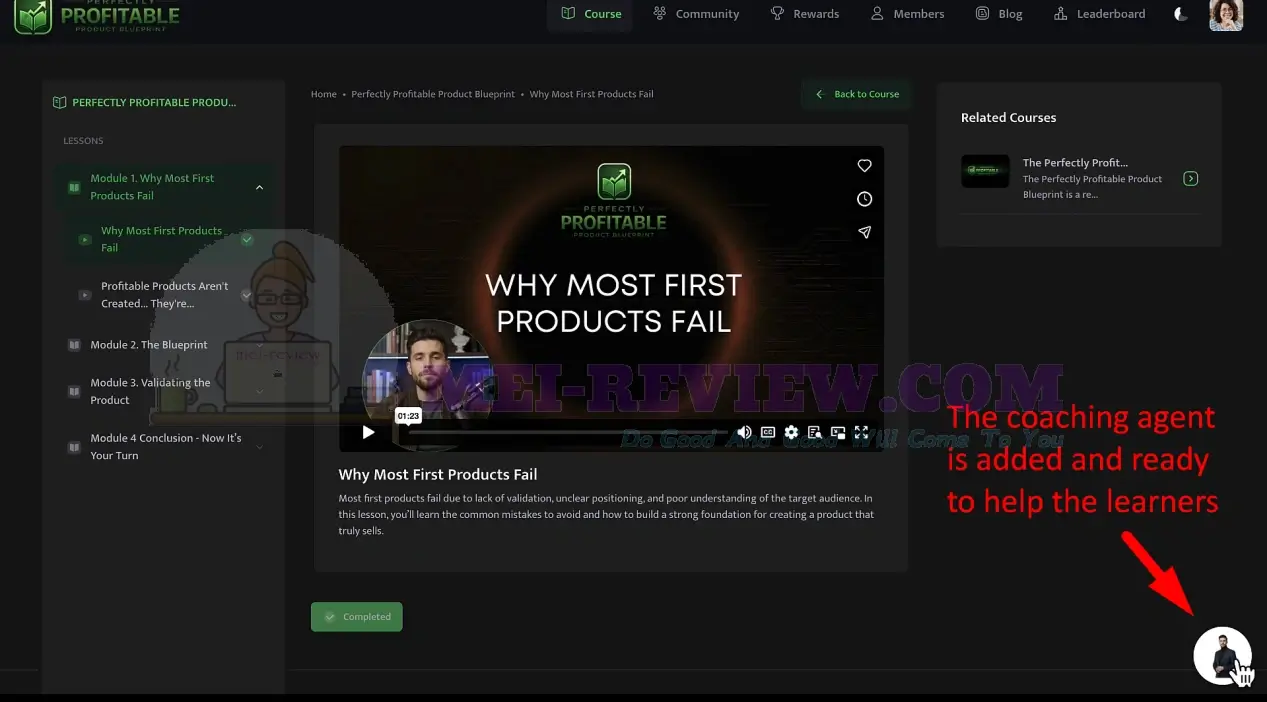
Once added, the coaching agent appears inside your course interface. Students can click the coach icon and start asking questions instantly:
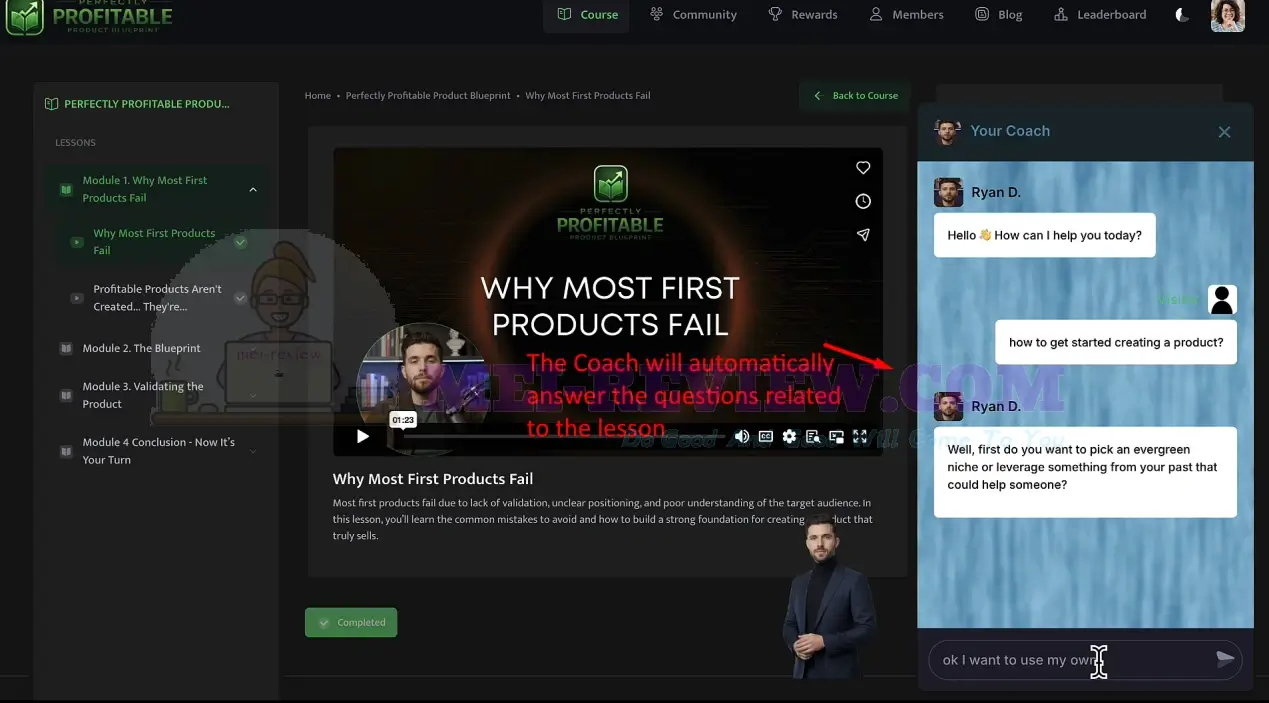
The coaching agent answers lesson-related questions. It guides students step by step. It also gives support anytime, 24/7. This turns your course into an interactive learning experience with real-time help:
[+] Groups Feature:
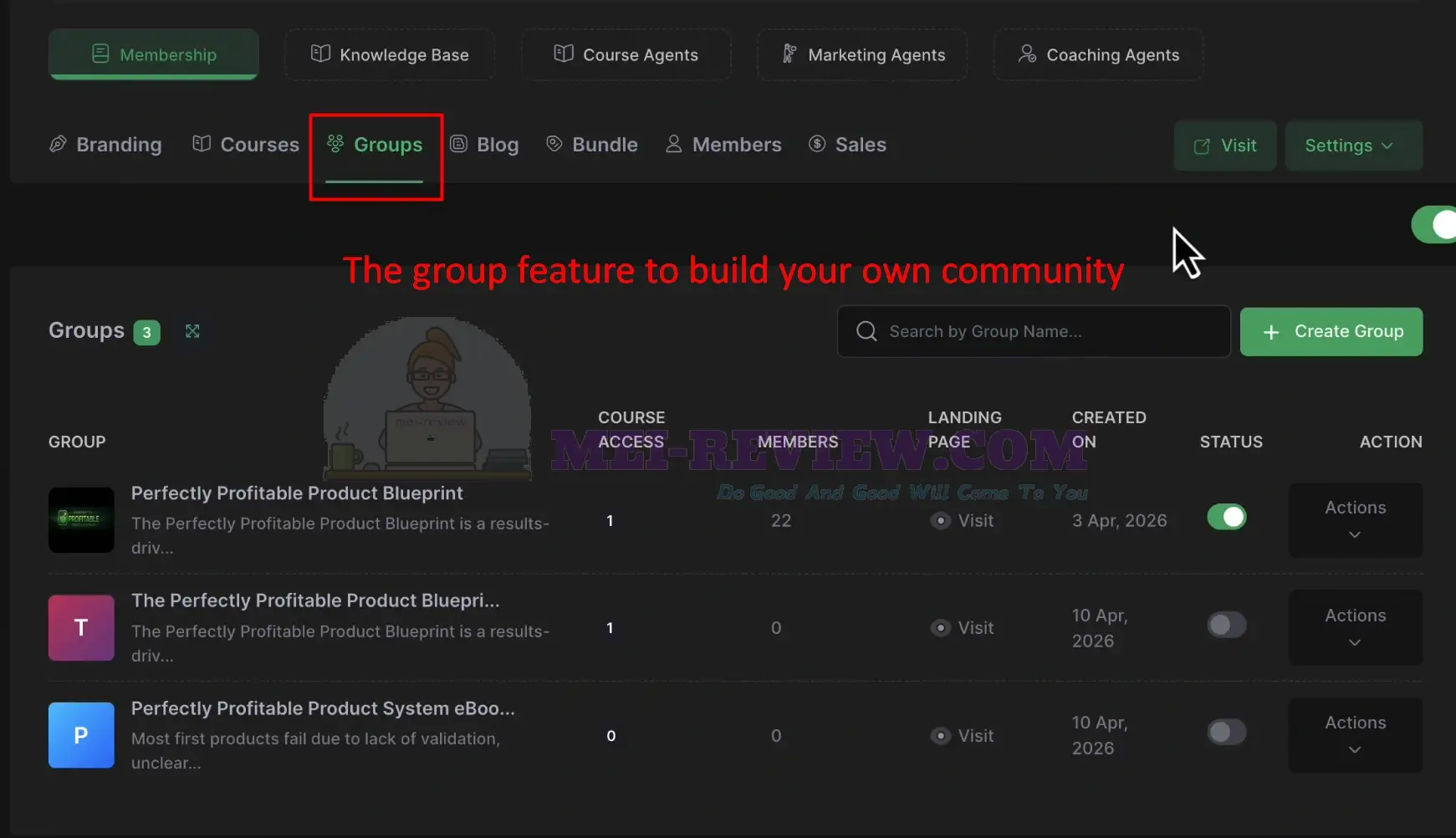
To grow your education business,use theGroups feature to builda community around your courses or topics.
You can create groups for your course. You can manage members inside each group. And you can also grant access based on what each student purchased. This helps students stay engaged after they consume your content:
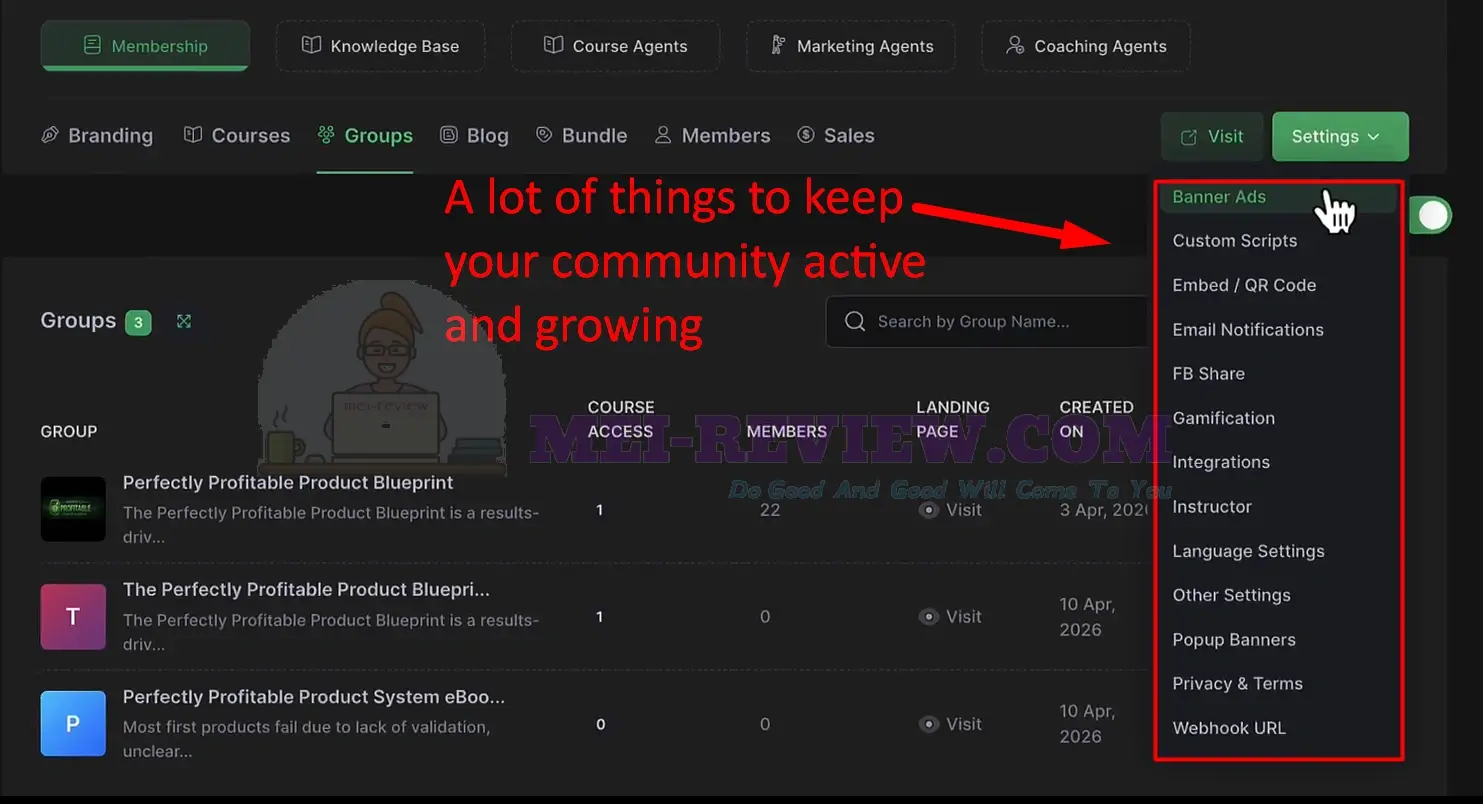
GuruOS gives you multiple tools to keep your community active and growing.
From the settings area, you can enable custom scripts, email notifications, social sharing, and more. These tools help bring users back and keep them involved:
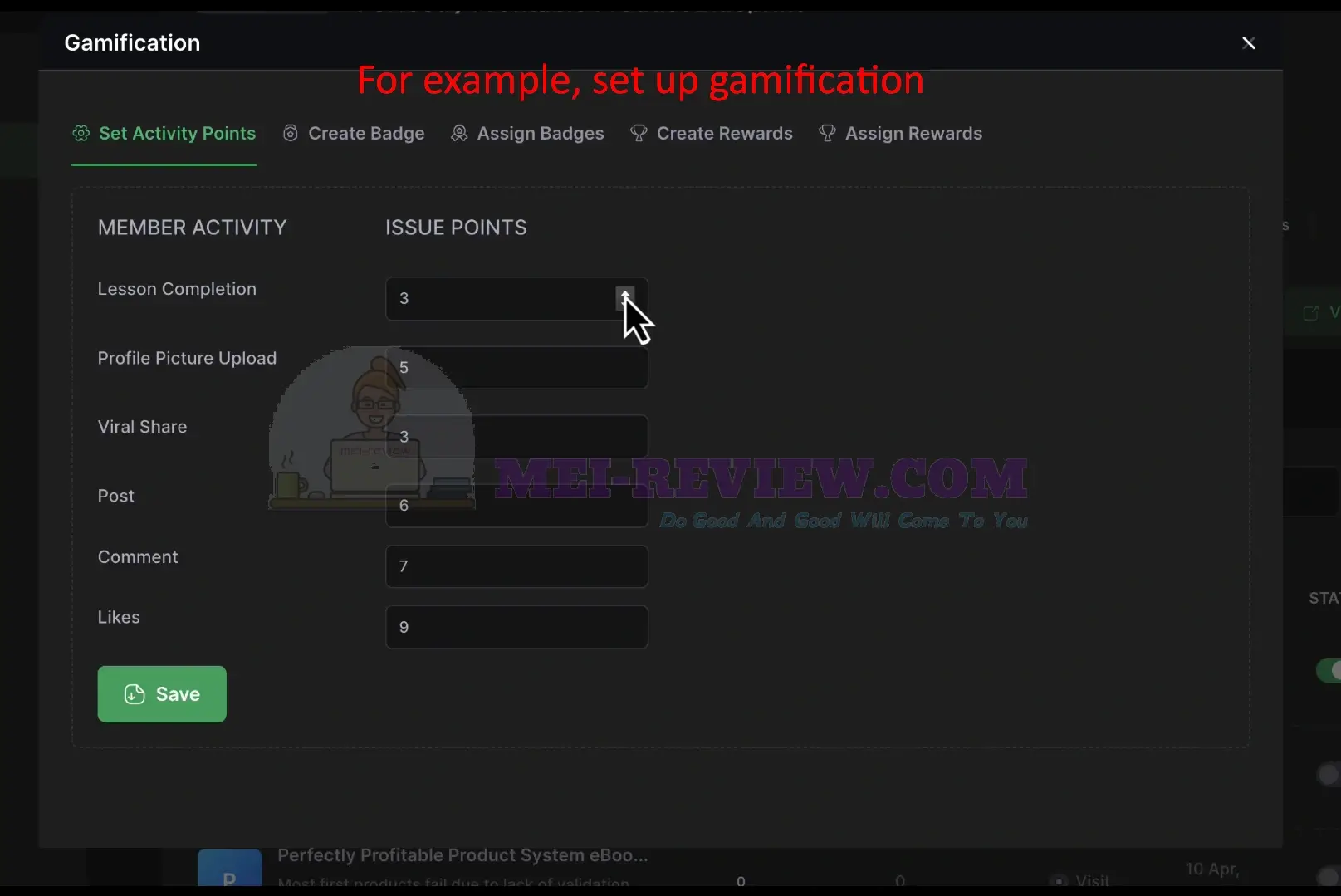
You can also add gamification to your community. Reward users for actions such as completing lessons, posting, commenting, or engaging with content. Assign points to each activity, and GuruOS handles the tracking for you.
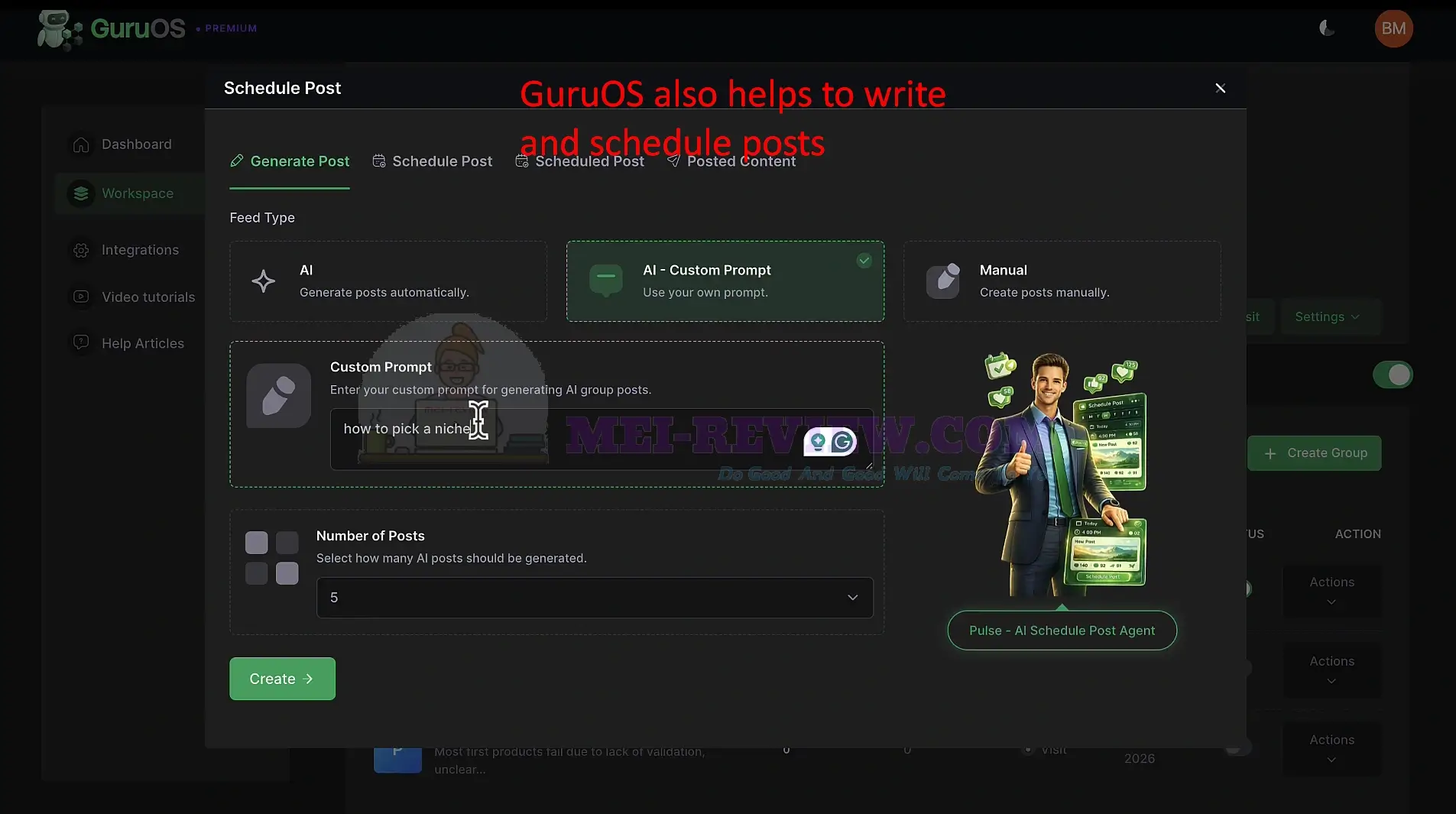
You can also generate and schedule posts automatically. Enter a topic, such as how to pick a niche. Choose how many posts you want. Click Create, andGuruOSwritesthe posts for you:
GuruOS Demo Video:


















