





















THE PLATFORM BUILDER

Adstormcomes from Cyril Gupta, a digital product creator who has released several AI and marketing tools over the years. He’s known for creating software that helps marketers, affiliates, agencies, and online business owners handle tasks that usually take a lot of time, especially around content, outreach, automation, and growth.
Some of his previous products include Outrich, Imimic, and Cohortia. These tools also follow a similar direction: using AI to help users complete marketing-related work faster without needing a big team or advanced technical skills.
With Adstorm, Cyril moves into the advertising side of online business. The platform helps users create ad copy, visuals, videos, mockups, creative angles, and campaign variations from one dashboard. His background in AI marketing tools makes sense here because Adstormdeals with a problem many marketers face every day: creating enough fresh ad creatives for different platforms without spending hours on each campaign.
Adstorm and Its Main Features
This section breaks down the features that help users create copy, visuals, videos, mockups, and campaign variations with less manual work.
✅ Create Scroll-Stopper Ads
Adstormhelps users create ads that grab attention quickly. It combines strong visuals, catchy headlines, and clear call-to-actions, so users can produce ad creatives that look polished without needing design or copywriting experience.
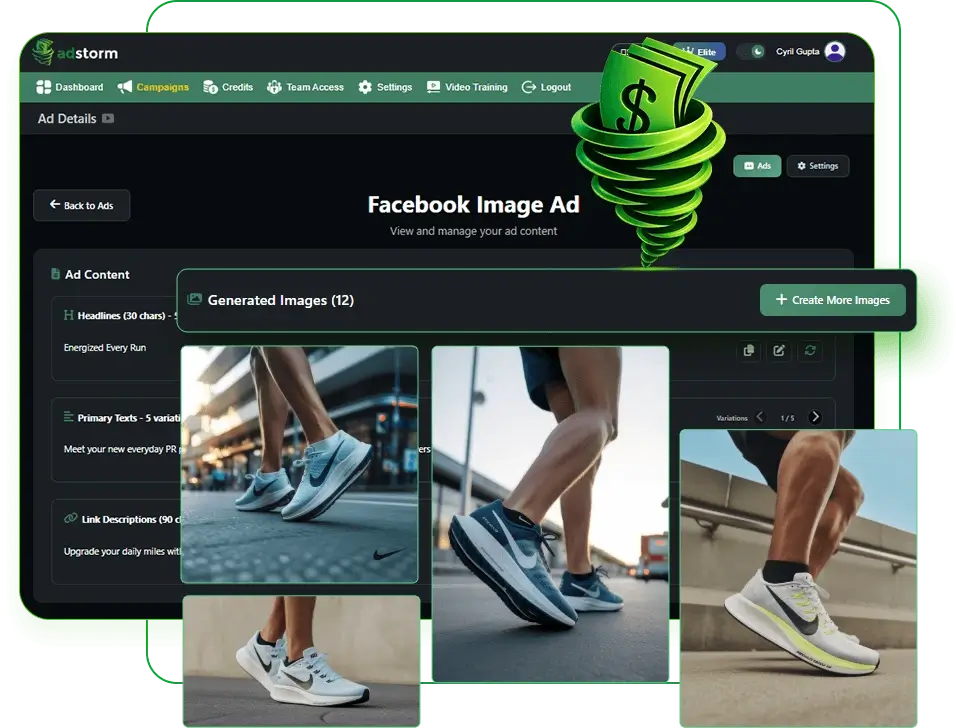
✅ Run All The Experiments You Want
Adstormmakes it easier to test different ad ideas, angles, and creative styles. Users can generate many ad variations quickly, which helps them test more campaigns across different audiences and platforms.
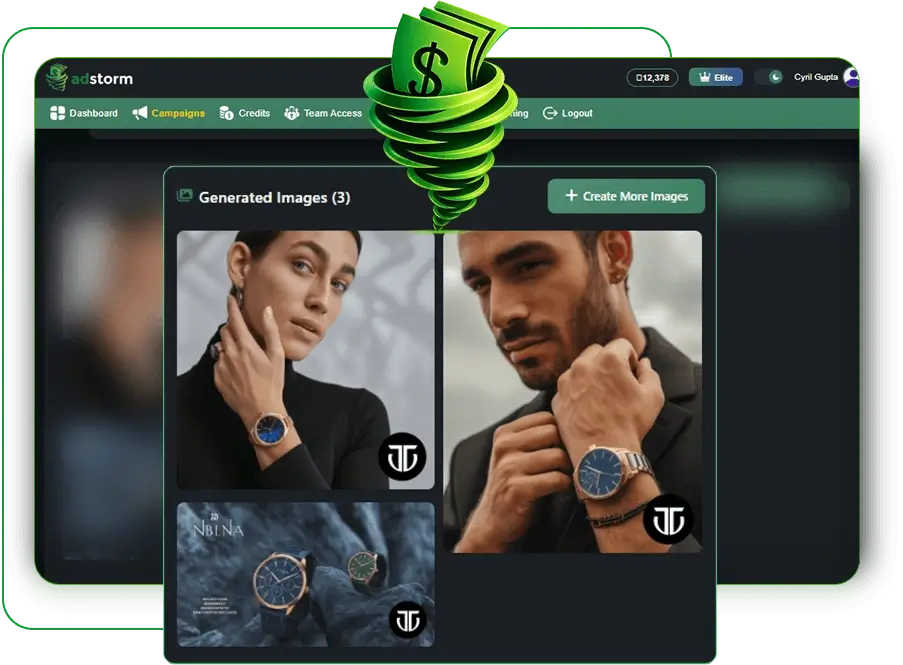
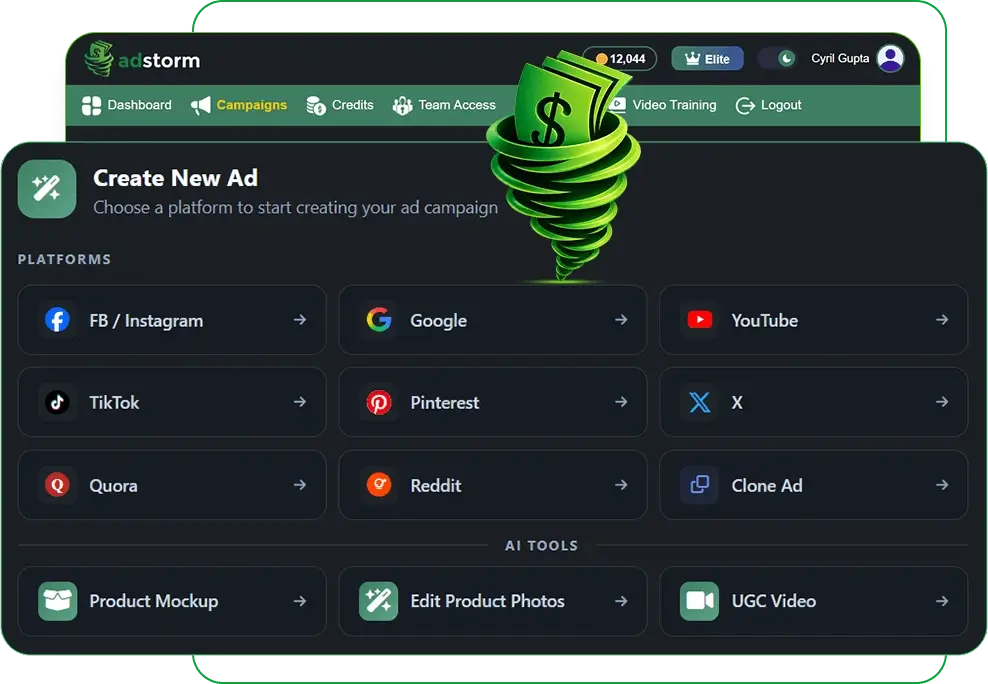
✅ Target Any Platform Without Extra Work
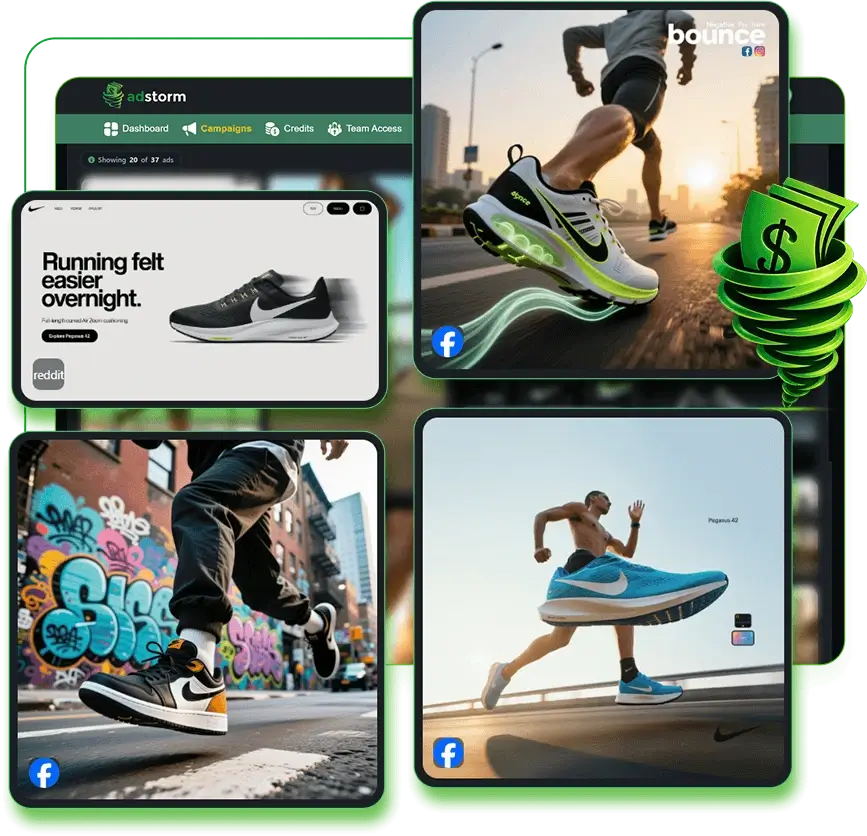
Different platforms need different ad sizes, formats, and layouts. Adstormhandles those requirements for platforms like Facebook, TikTok, Pinterest, Reddit, Google, and more, so users do not have to redesign the same ad again and again.
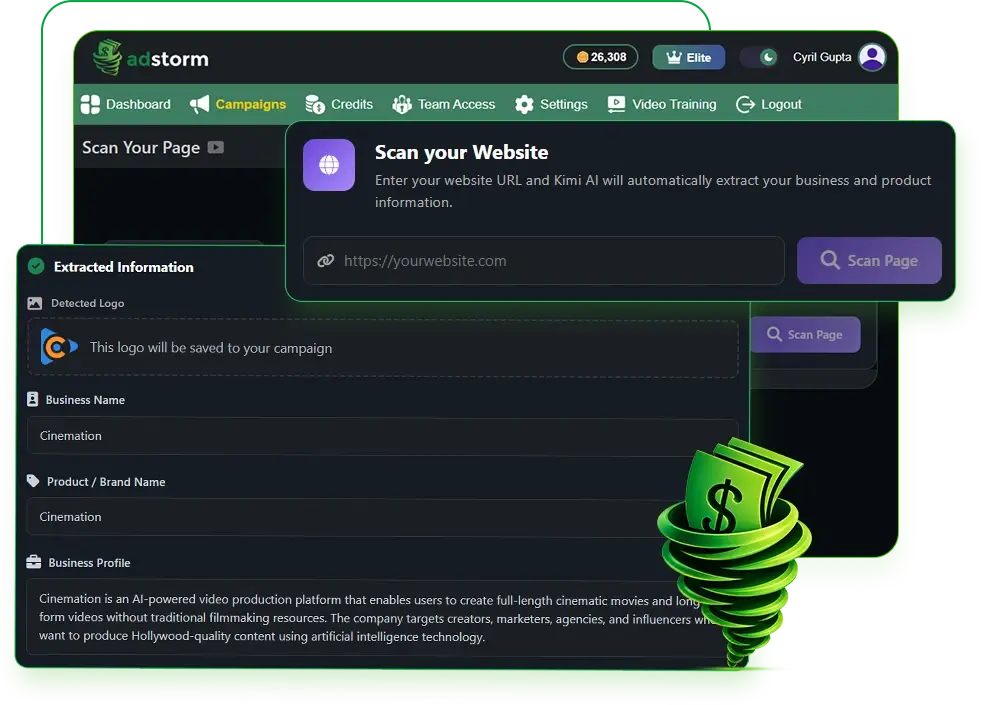
✅ Start With a URL / Landing Page
Users can start a campaign by entering a website URL or landing page. Adstormreads the product or service details from the page, then uses that information to create ad copy, creative ideas, and campaign assets.
✅ Clone Other People’s Winning Ads Into Yours
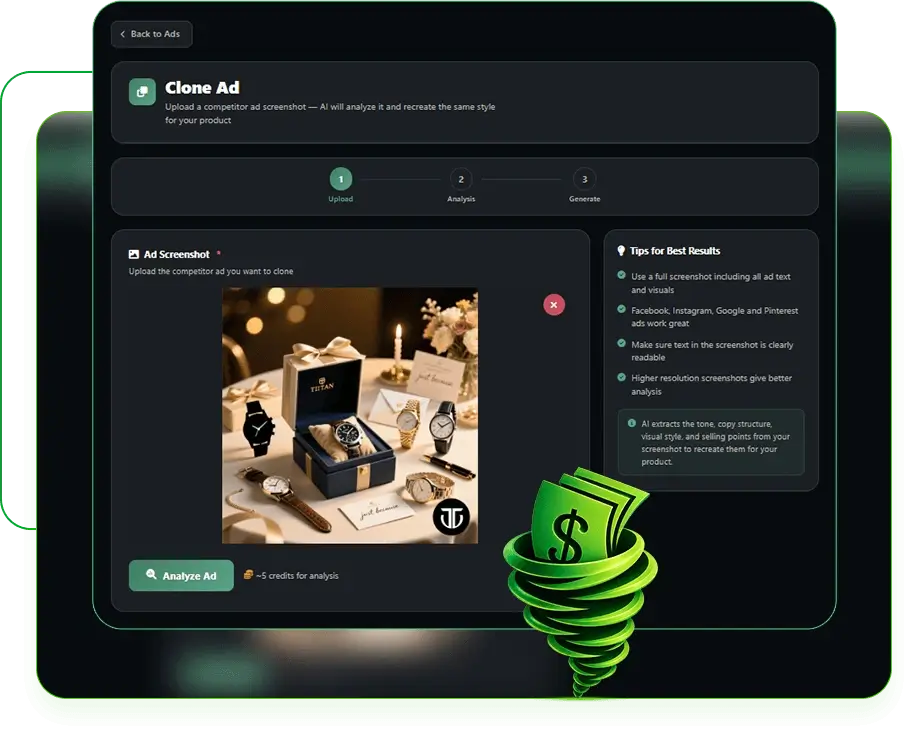
The Clone Ad feature lets users study the style and structure of existing ads, then create new original ads inspired by proven concepts. This gives users a faster way to create ads based on ideas that already work.
✅ Tailored for Every Ad Specification
Adstormcreates ads with the right dimensions, structure, and format for different platforms. This helps users prepare platform-ready creatives without handling every technical detail manually.
✅ Make Compelling Text Ads For Google Search, X & Others
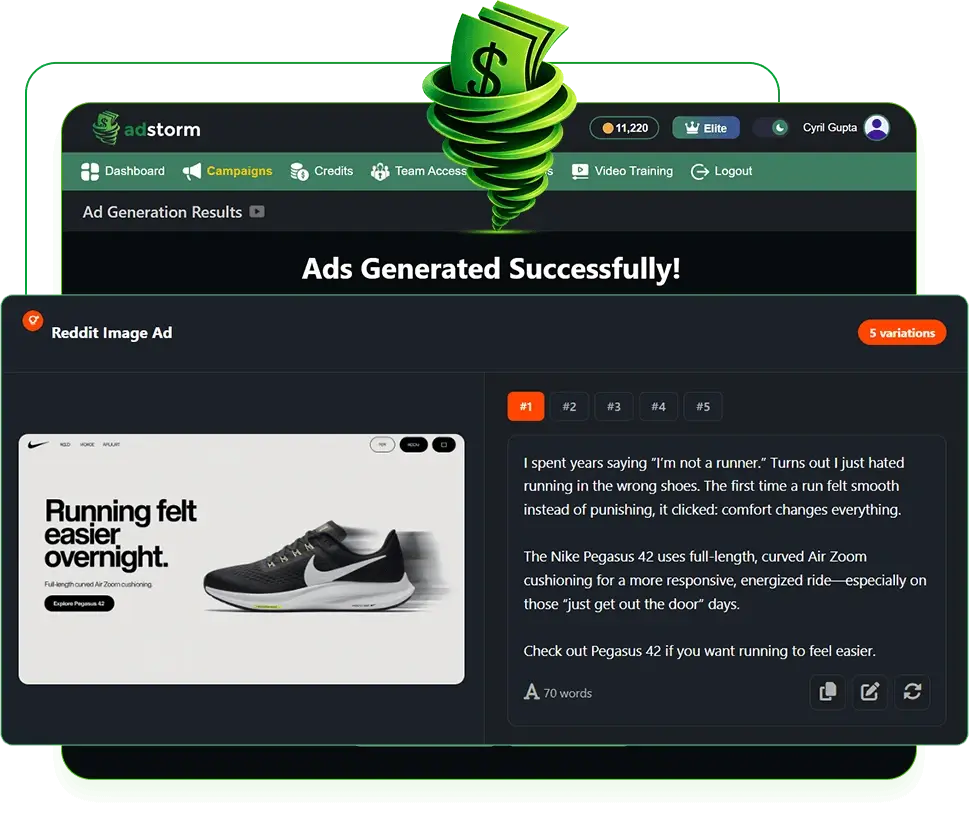
Adstormcan create text-based ads for Google Search, X, Quora, Reddit, and similar platforms. It helps users write headlines, descriptions, promotional lines, and call-to-actions for text-heavy ad formats.
✅ Make Scroll-Stopping Image Ads
The platform can generate image ads for Facebook, Google, Pinterest, X, and other major ad channels. Users can create multiple image creatives without hiring a designer or searching through template libraries.
✅ Make Video Ads That Convert
Adstormalso creates short video ads for platforms like Facebook, YouTube, TikTok, and X. These videos help users deliver their message quickly and catch attention in busy social feeds.
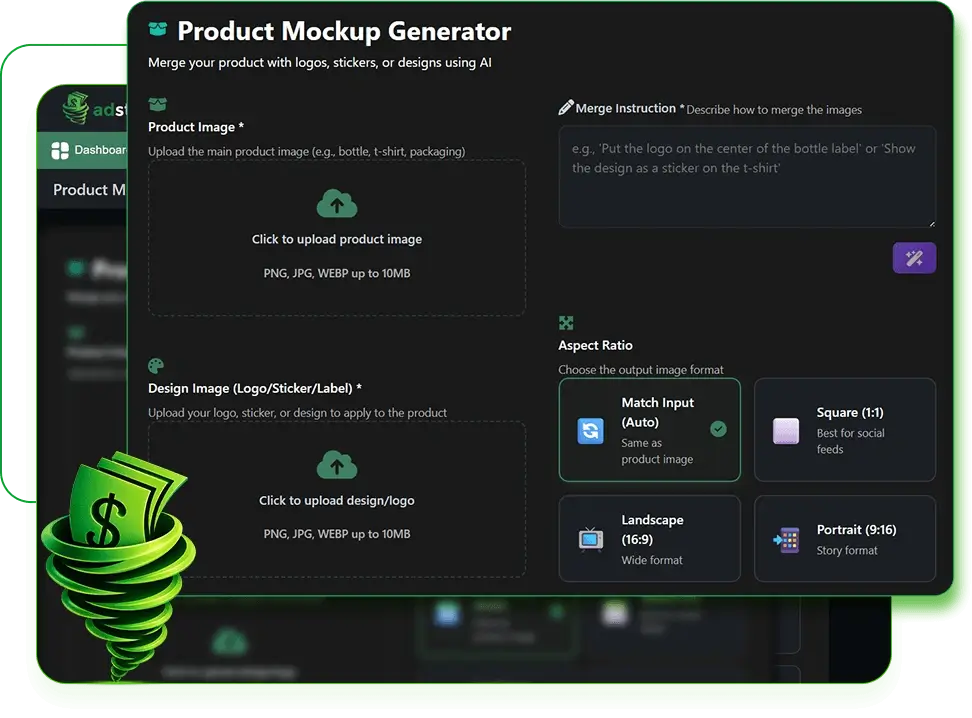
✅ Create Product Mockups With AI
Users can create product mockups and showcase images with AI. This feature can place products in different scenes, packaging styles, and promotional settings without needing photoshoots or expensive design work.
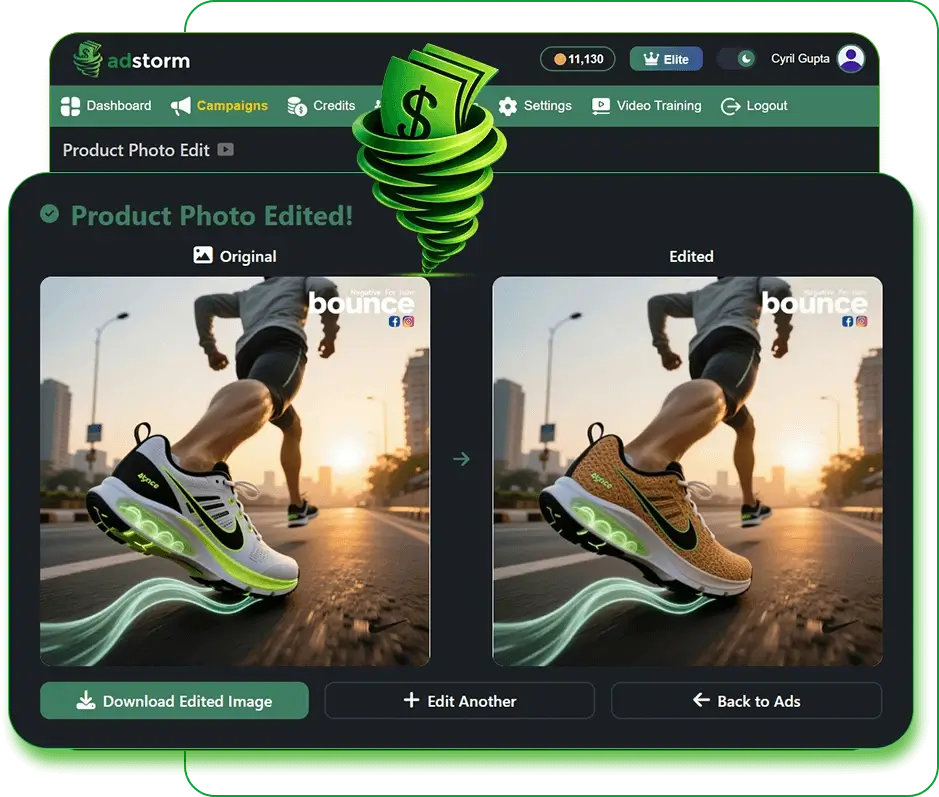
✅ Edit Product Photos With AI
Adstormincludes AI photo editing tools for improving product images. Users can adjust backgrounds, lighting, visual style, composition, and scenes to make product photos look more suitable for ads.
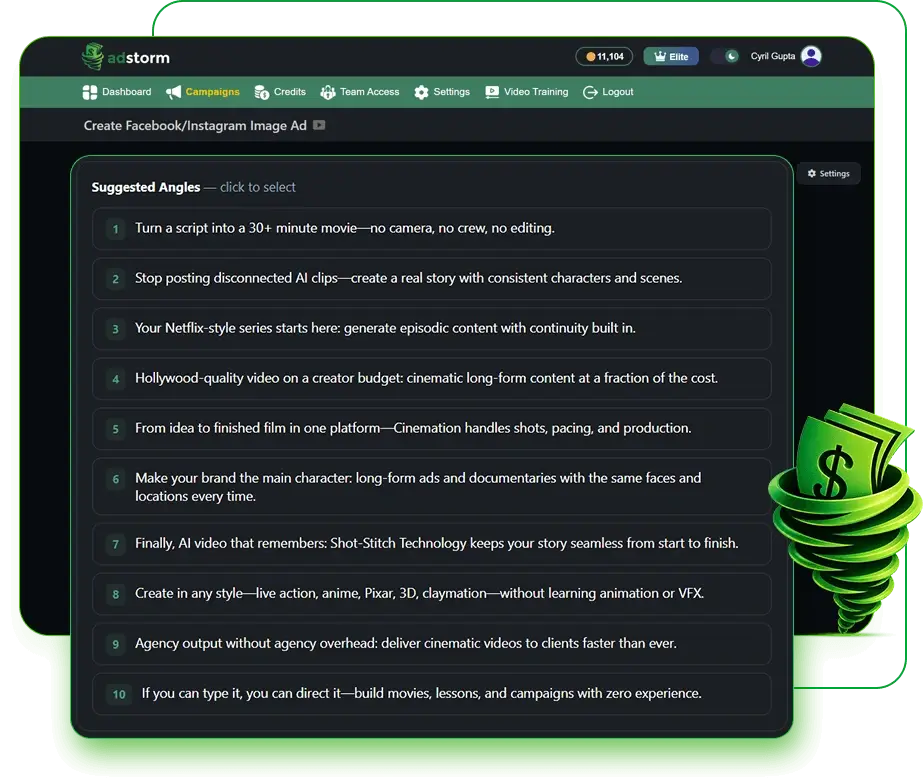
✅ Get Multiple Angles & Ideas With One-click
Adstormcan generate different campaign ideas, messaging angles, and ad concepts with one click. This helps users explore more creative directions without spending hours trying to think of new angles.
✅ Create Perfect Copy Every Time
The platform includes AI copywriting tools for headlines, descriptions, call-to-actions, promotional messages, and ad variations. Users can also improve existing copy directly inside the dashboard.
✅ Create UGC Videos With AI
Adstormcan create UGC-style videos that feel closer to natural social media content. These videos help users create ads that look more personal, relatable, and suitable for modern social platforms.
✅ The Only Universal Ad Creator
Adstormbrings text ads, image ads, video ads, mockups, and campaign ideas into one dashboard. Users can manage different parts of the ad creation process without jumping between several tools.
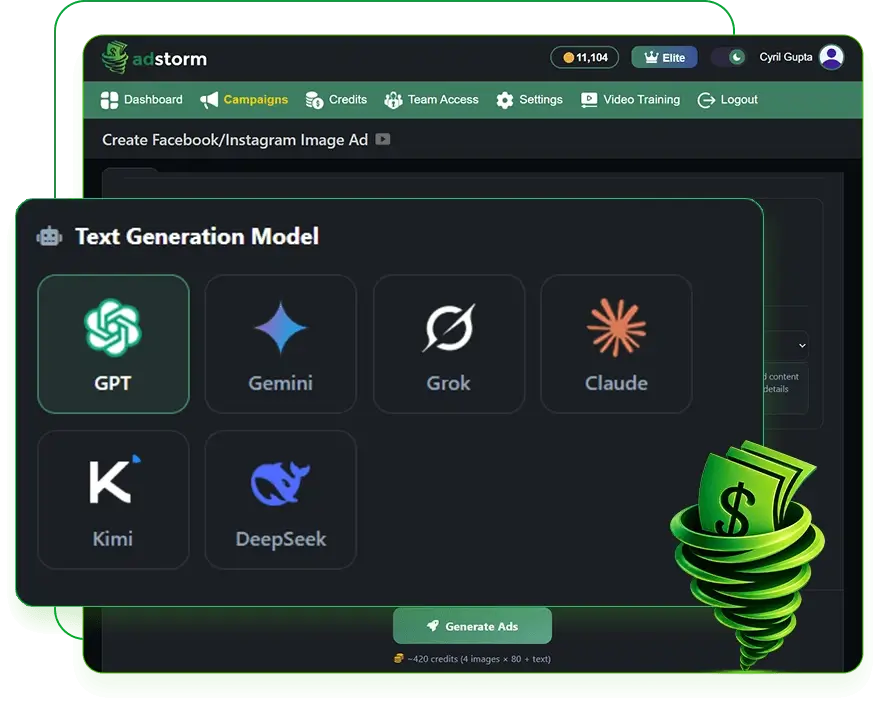
✅ Multi-AI for Max Variety & Creativity
Adstormuses multiple AI models to create more variety in ads, copy, visuals, and creative styles. This gives users more options when testing different directions for their campaigns.
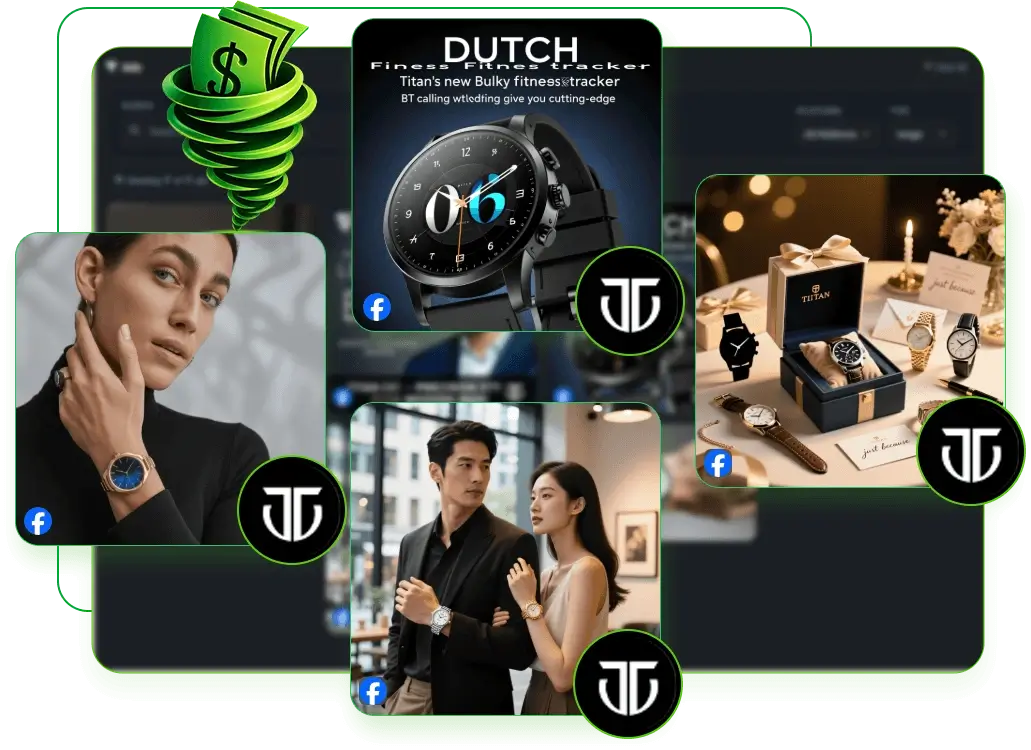
✅ Integrate Your Logos & Custom Graphics
Users can upload their logos, brand assets, and custom graphics into Adstorm. This helps them keep their ads aligned with their brand while still using AI-generated layouts and creatives.
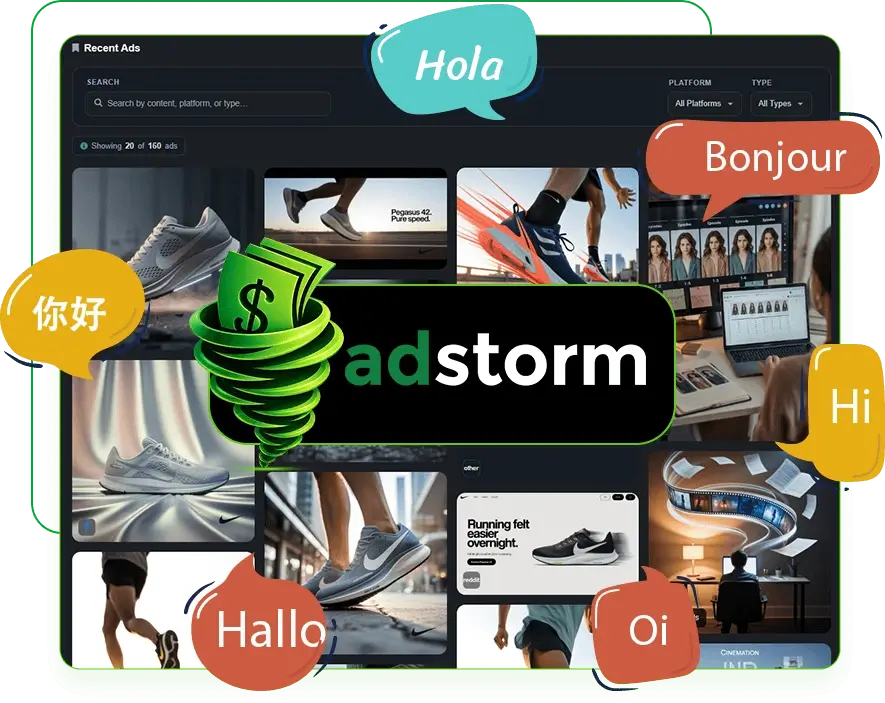
✅ Ads in Any Language
Adstormsupports multilingual ad creation. Users can create ads, copy, visuals, and UGC videos for different countries and audiences without needing separate translation or localization tools.
✅ Supports All Ad Platforms
Adstormhelps users create ads for major advertising platforms from one dashboard.
✅ Custom Ads for Every Ad-Type
Users can generate ads that match different ad formats, campaign needs, and platform rules.
✅ Text Ads
Adstormcan create text-only ads for Google Search, X, Quora, Reddit, and other copy-based ad platforms.
✅ Image Ads
Users can generate image ads for Facebook, Google, Pinterest, and similar platforms.
✅ Video Ads
The platform can create AI-powered video ads for YouTube, Facebook, TikTok, and more.
✅ Get Dozens of Angles
Adstormhelps users create many campaign concepts and advertising angles quickly.
✅ Unlimited Creatives
Users can produce a large number of ad variations without depending on manual design work.
✅ Modify Ads With AI
Adstormallows users to adjust ad visuals, copy, and creative elements with AI editing tools.
✅ Learns From Your Website
The platform can pull information from webpages and landing pages to help create better campaign assets.
✅ Use Your Existing Logos & Graphics
Users can upload brand graphics, logos, and other assets directly into their ads.
✅ Clone Ads
Adstormcan create original ads inspired by the structure and style of existing advertisements.
✅ Product Mockups
Users can create AI-generated product visuals and mockups for promotional use.
✅ Any Language
Adstormcan create campaigns for international audiences using multilingual ad generation.
✅ UGC Videos
The platform can create user-generated content-style video ads automatically.
✅ No Expertise Needed
Users do not need advanced advertising, copywriting, or design skills to use the platform.
✅ Multi-AI
Adstormgives users access to multiple AI systems for more creative flexibility.
✅ Create & Sell
Users can use Adstormto create ads for clients, agency services, or advertising-related offers.
✅ Promote Products
The platform can help create ads for ecommerce products, digital products, local services, coaching offers, SaaS tools, and more.
✅ Team Access
Adstormsupports team access, which helps users work with others on campaigns and creative projects.
✅ Easy to Use
The platform keeps the ad creation process simple, so users can start creating campaigns without a long setup process or technical learning curve.

My Instructions on How To Use It
From the main dashboard, you can open your campaigns, check credits, manage team access, adjust settings, and watch training videos inside one clean workspace. You can also see recent ads, campaign activity, and ad creation analytics, which makes it easier to keep track of your advertising projects from one place.
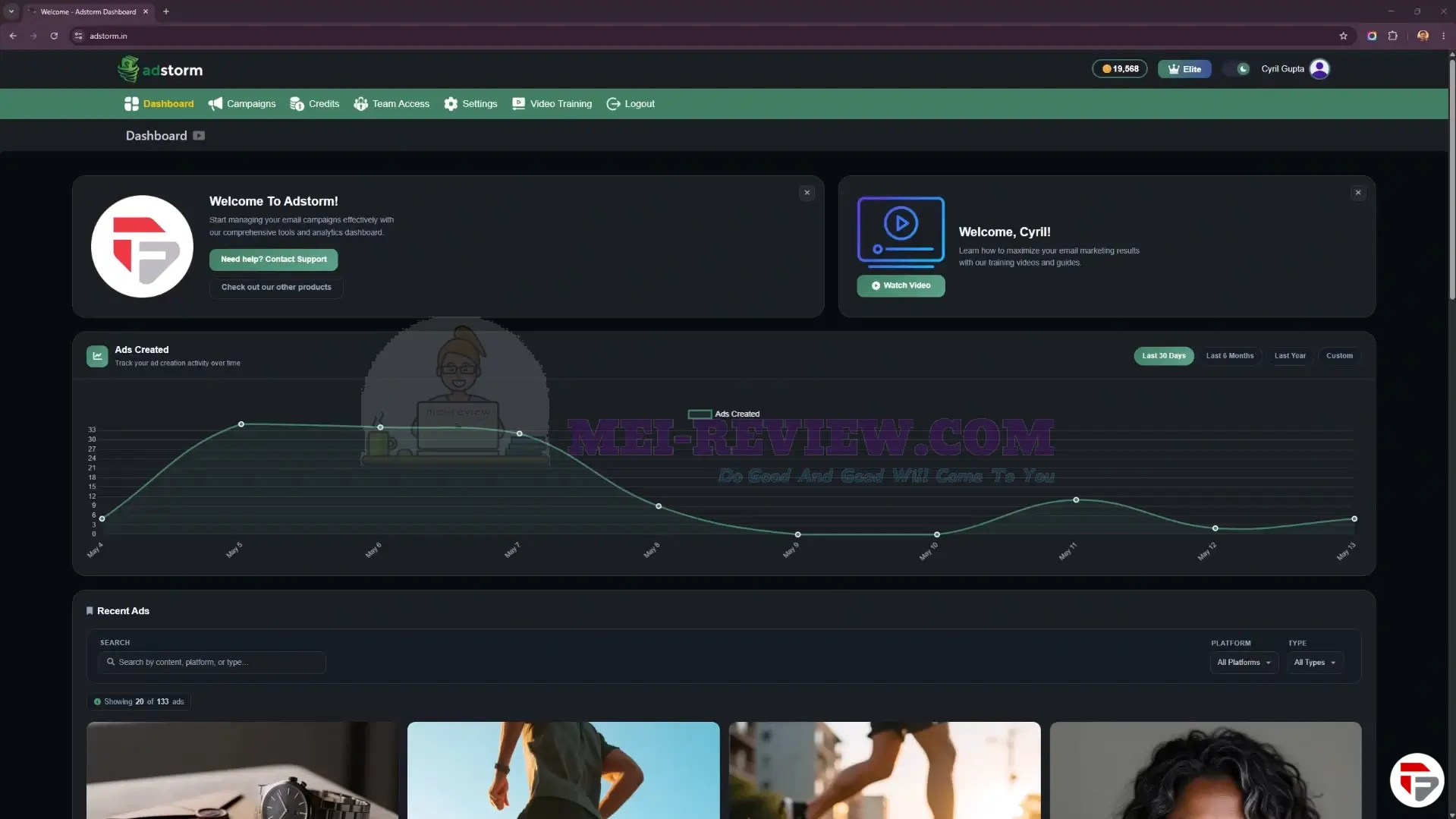
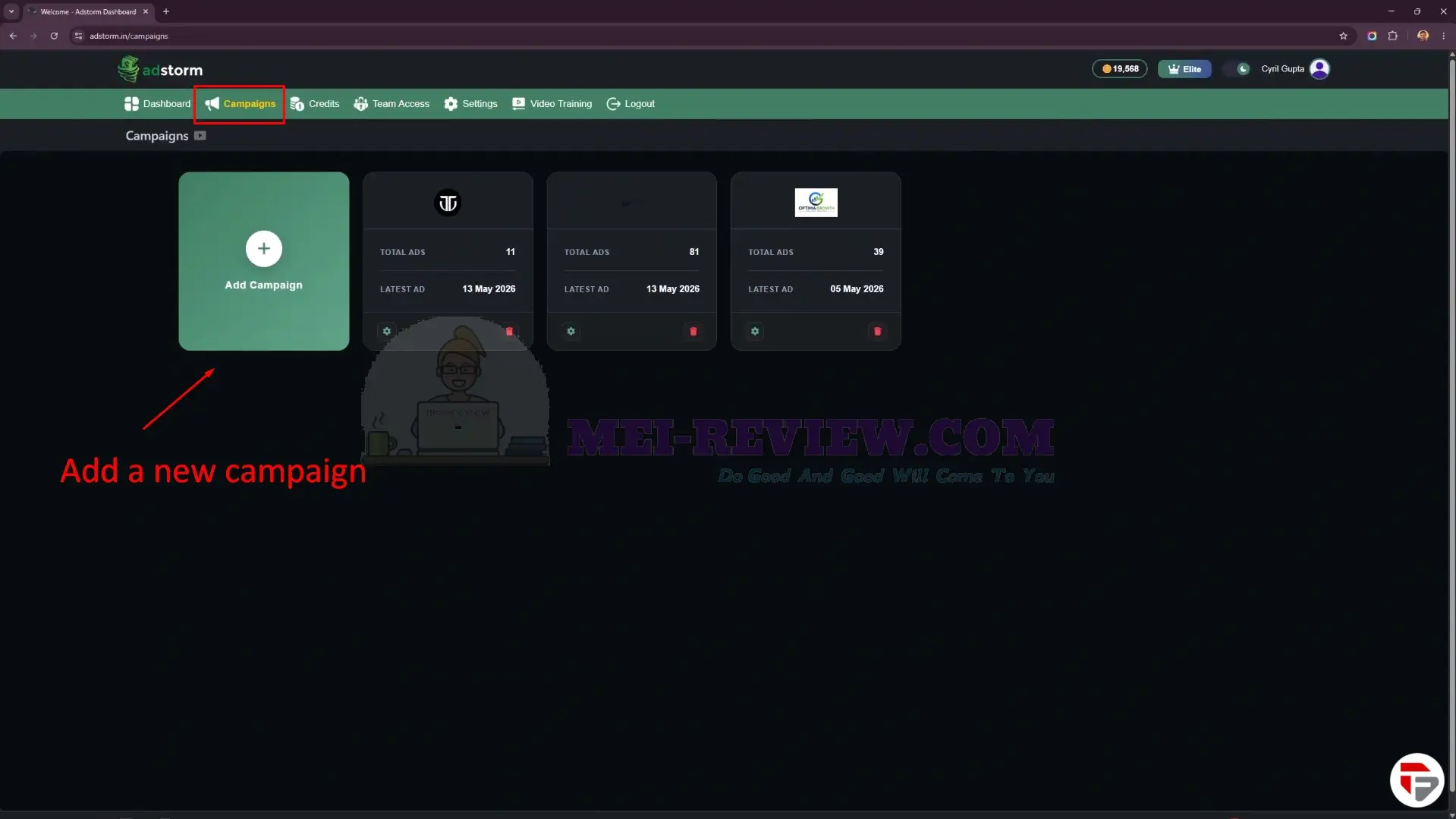
Now, let’s create a new campaign.
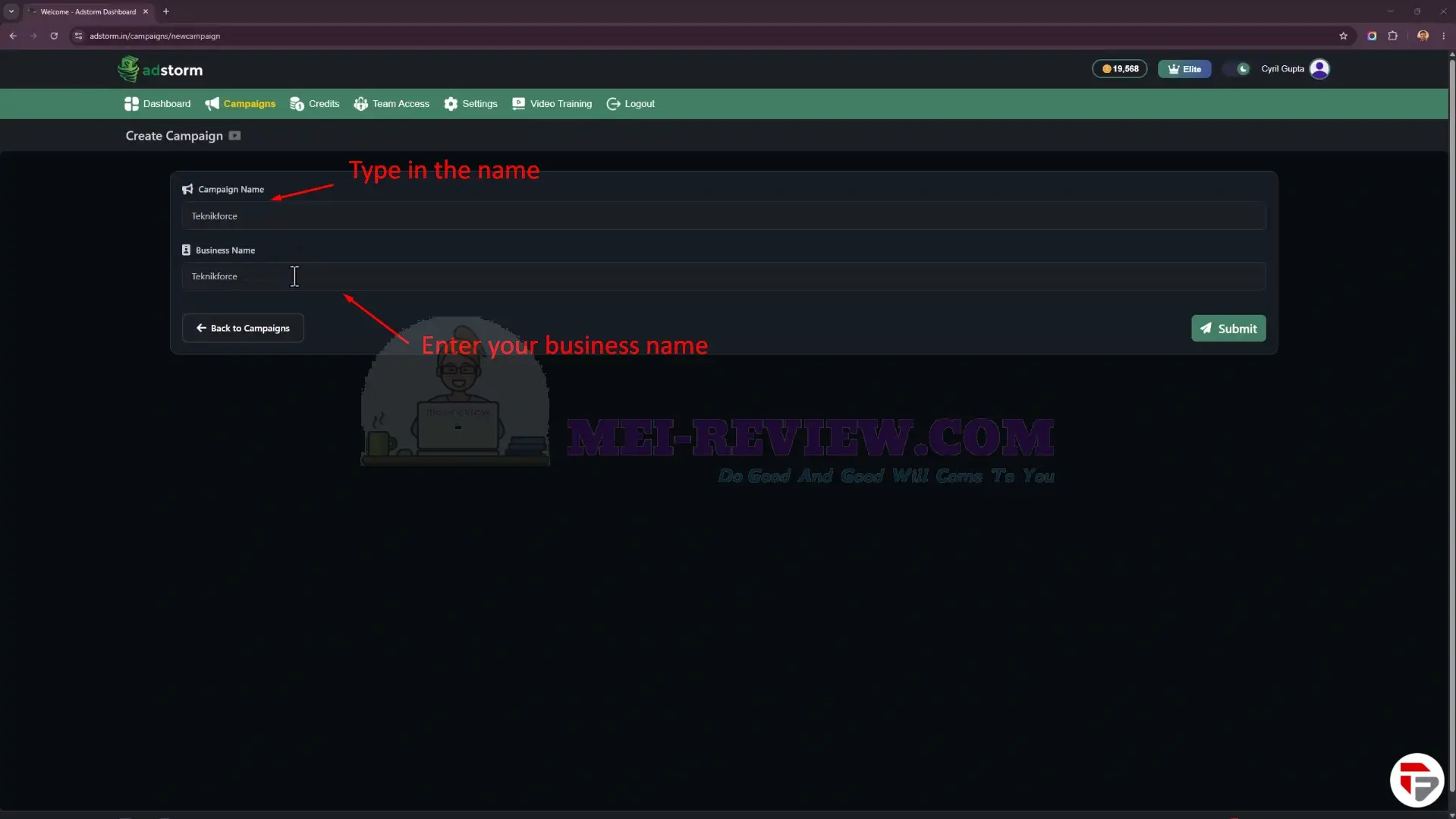
Start by entering your campaign name and business name, then continue to the next step.
Next, you can add your business details, product description, key features, and brand assets directly into the setup form. This helps Adstormunderstand your offer and create more relevant ads, copy, and marketing creatives.
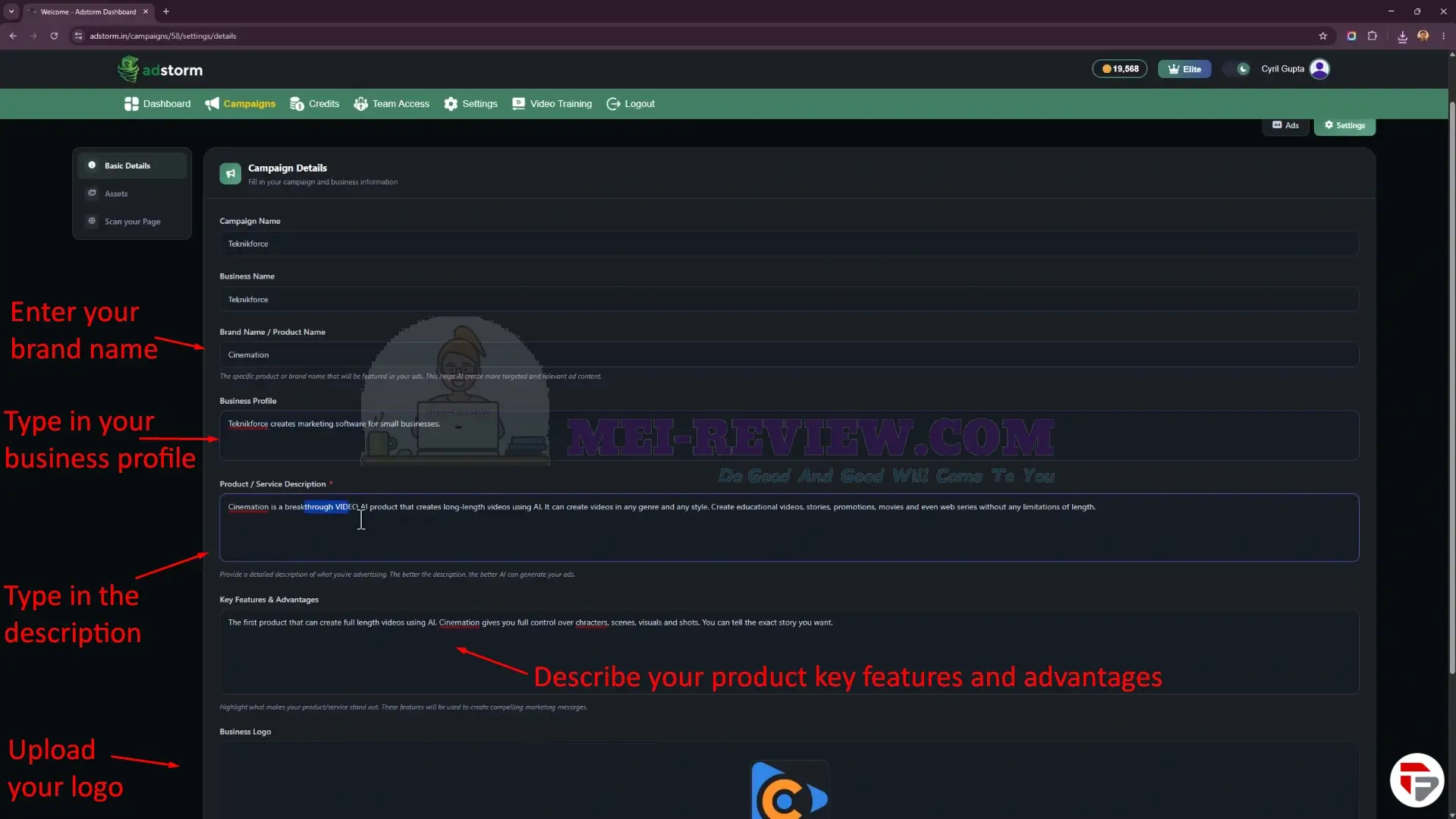
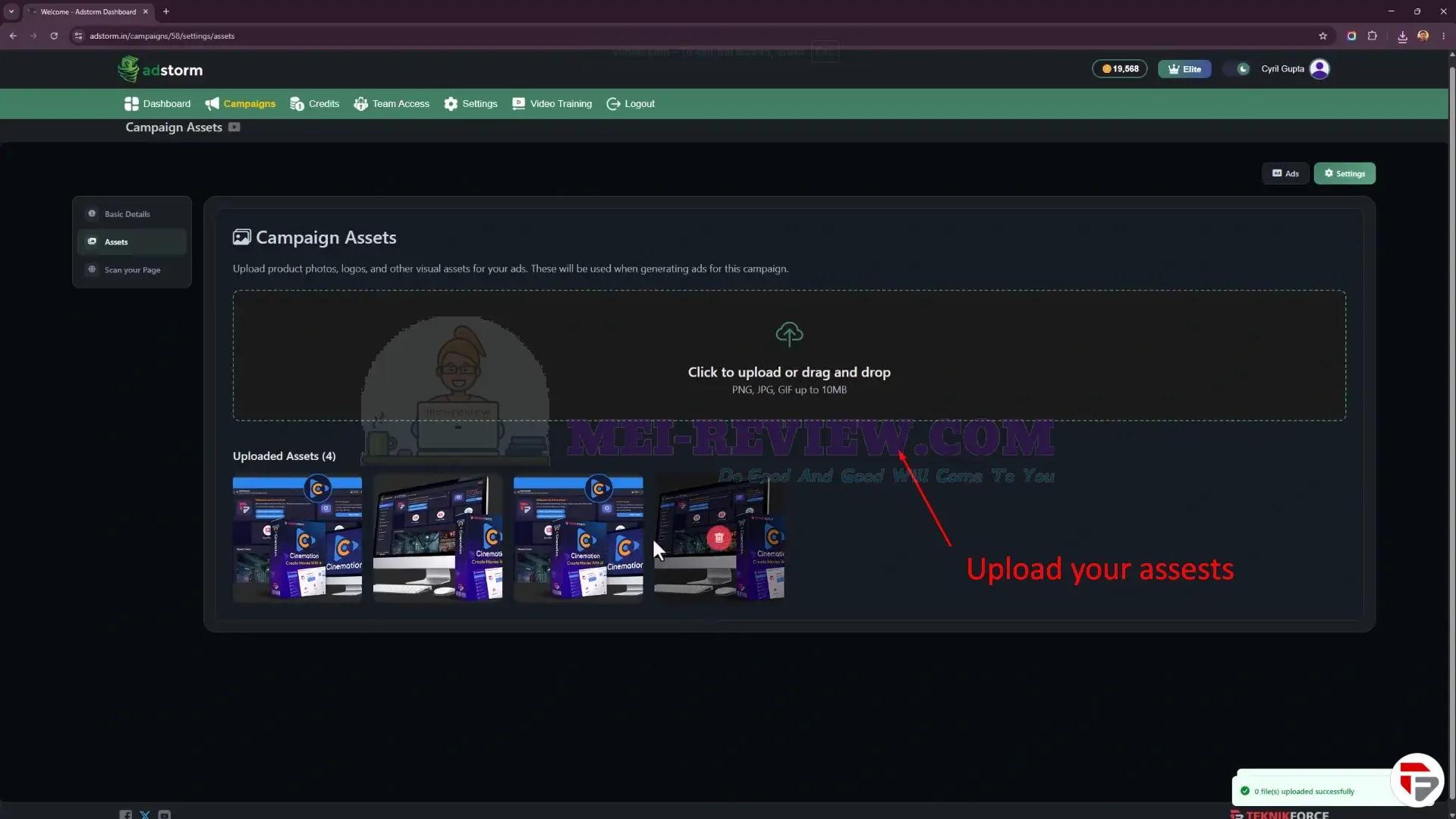
You can also upload your own assets to give the campaign a stronger branded look.
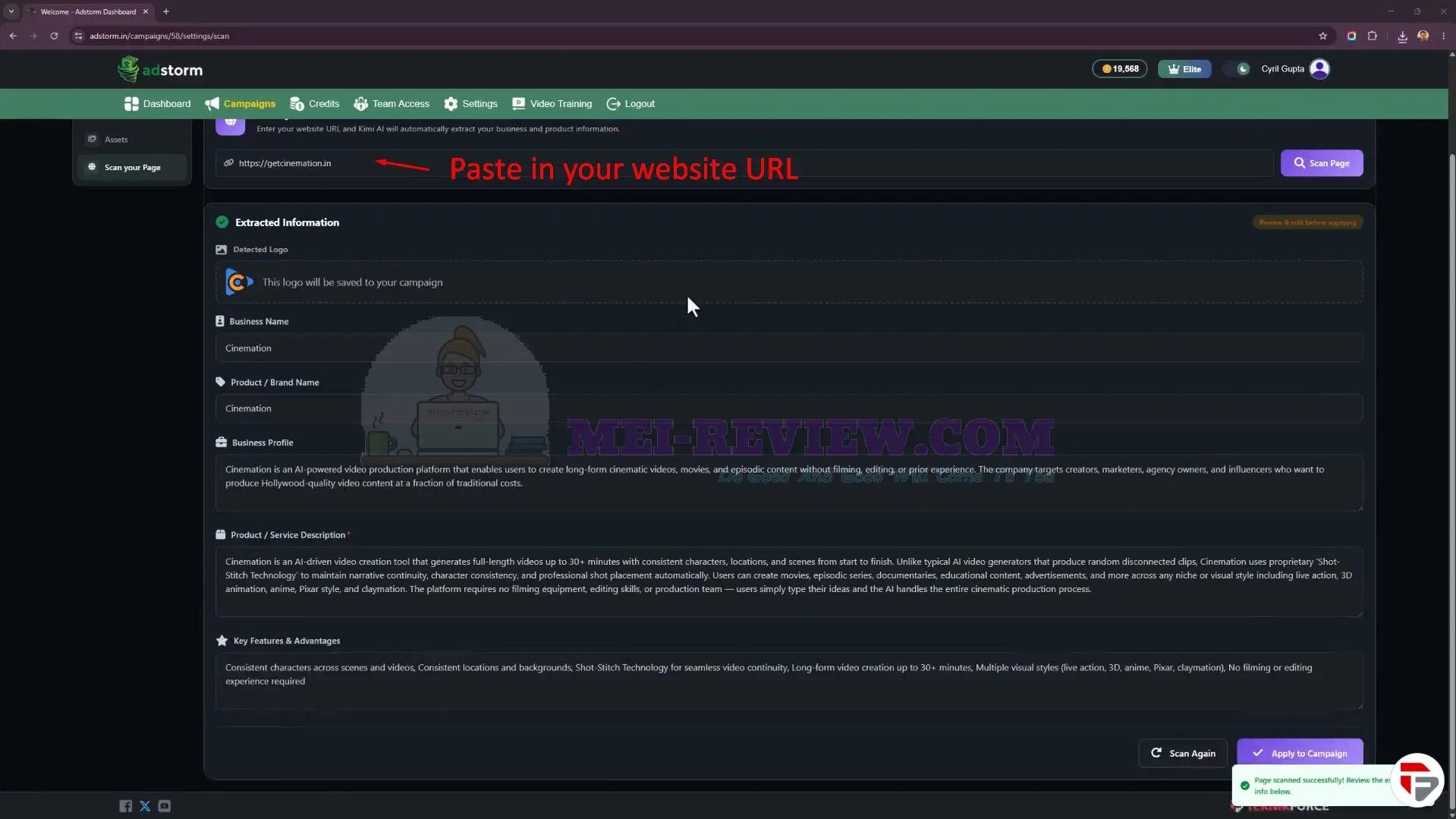
Another option is to paste your website URL, so the AI can scan your site and pull information from it automatically.
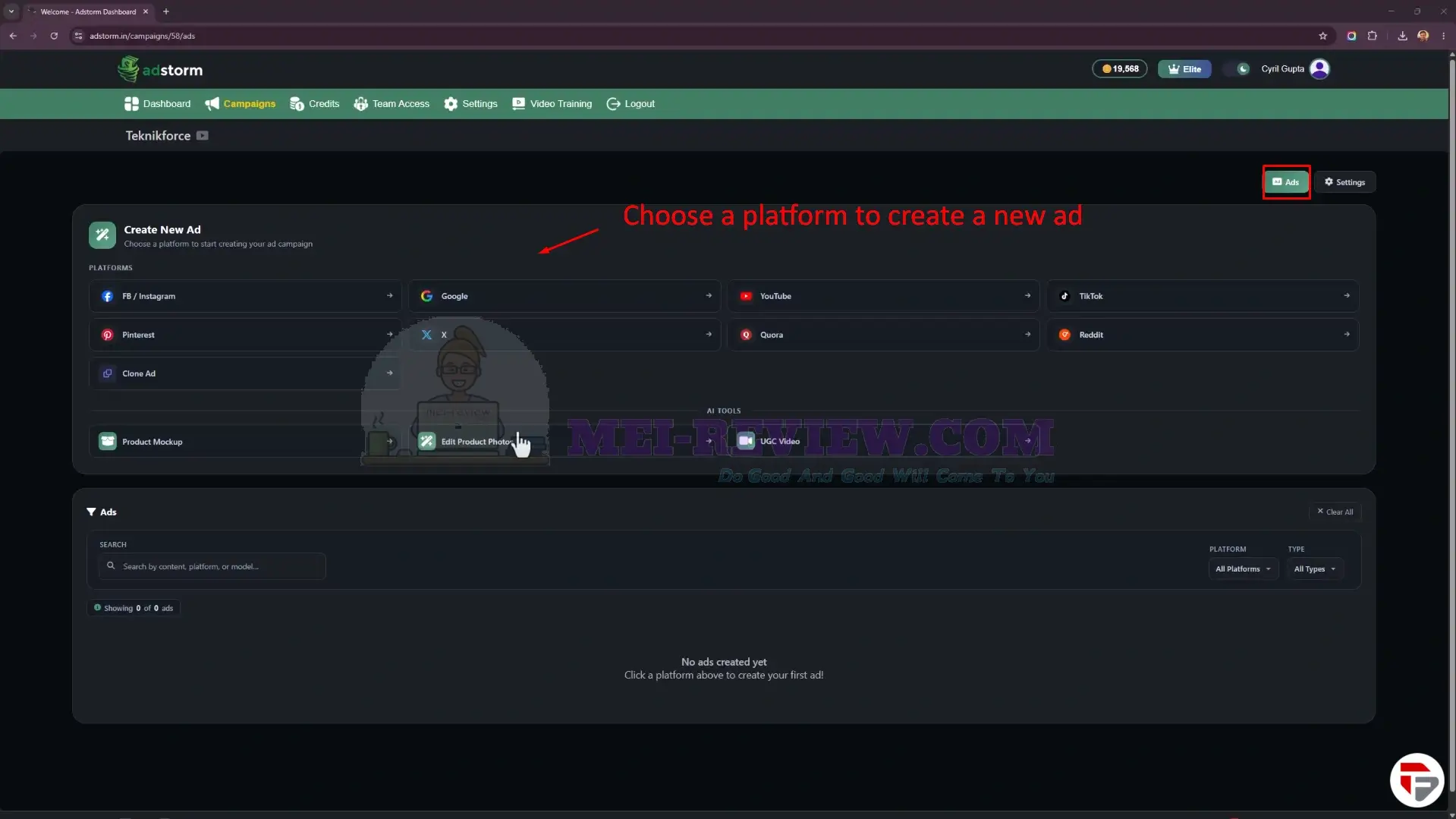
Inside the campaign’s Ads section, you can pick from many platforms and create a new ad for the channel you want.
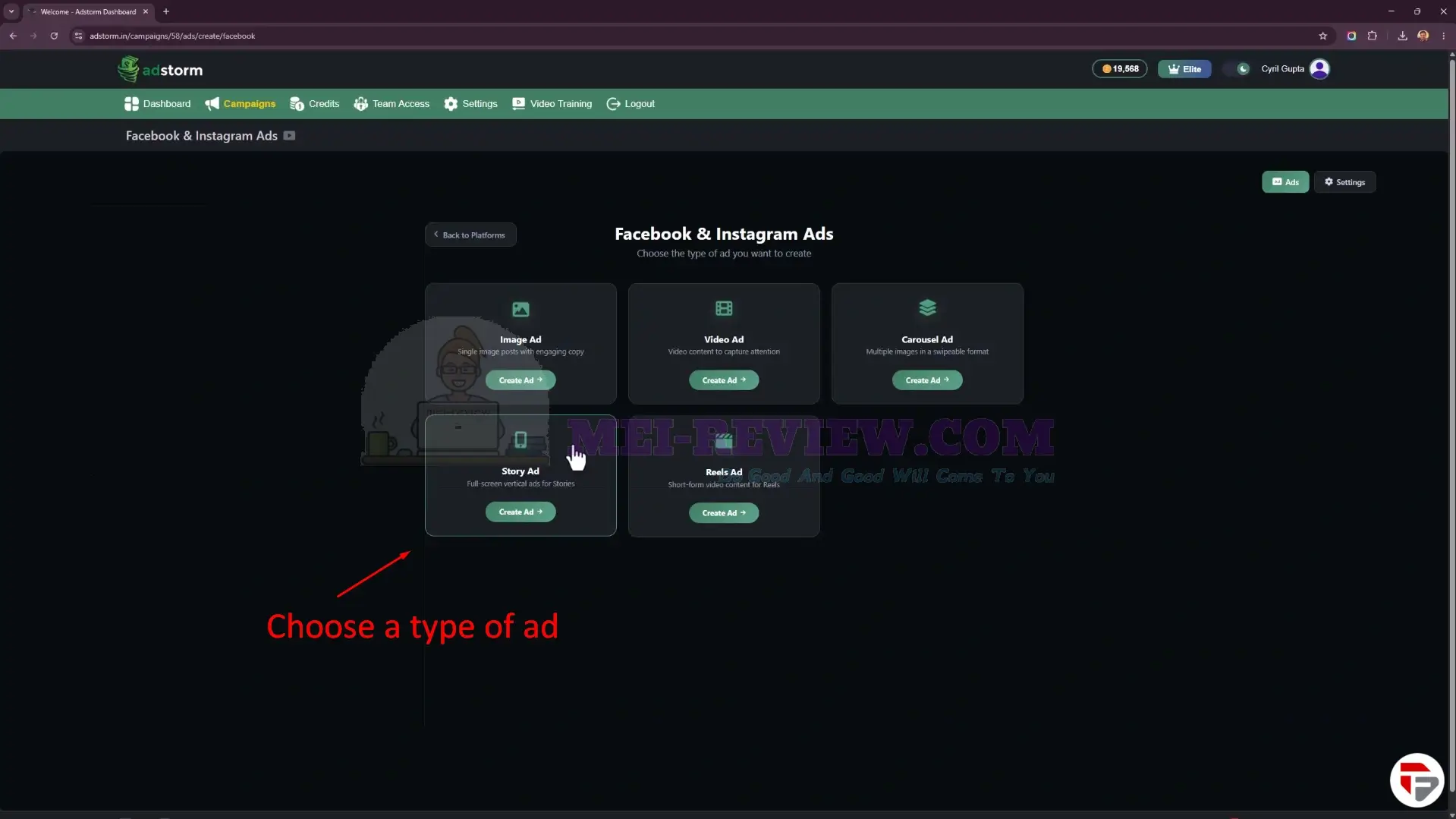
For this demo, we’ll choose a Facebook ad. From there, you can select the type of ad you want to create.
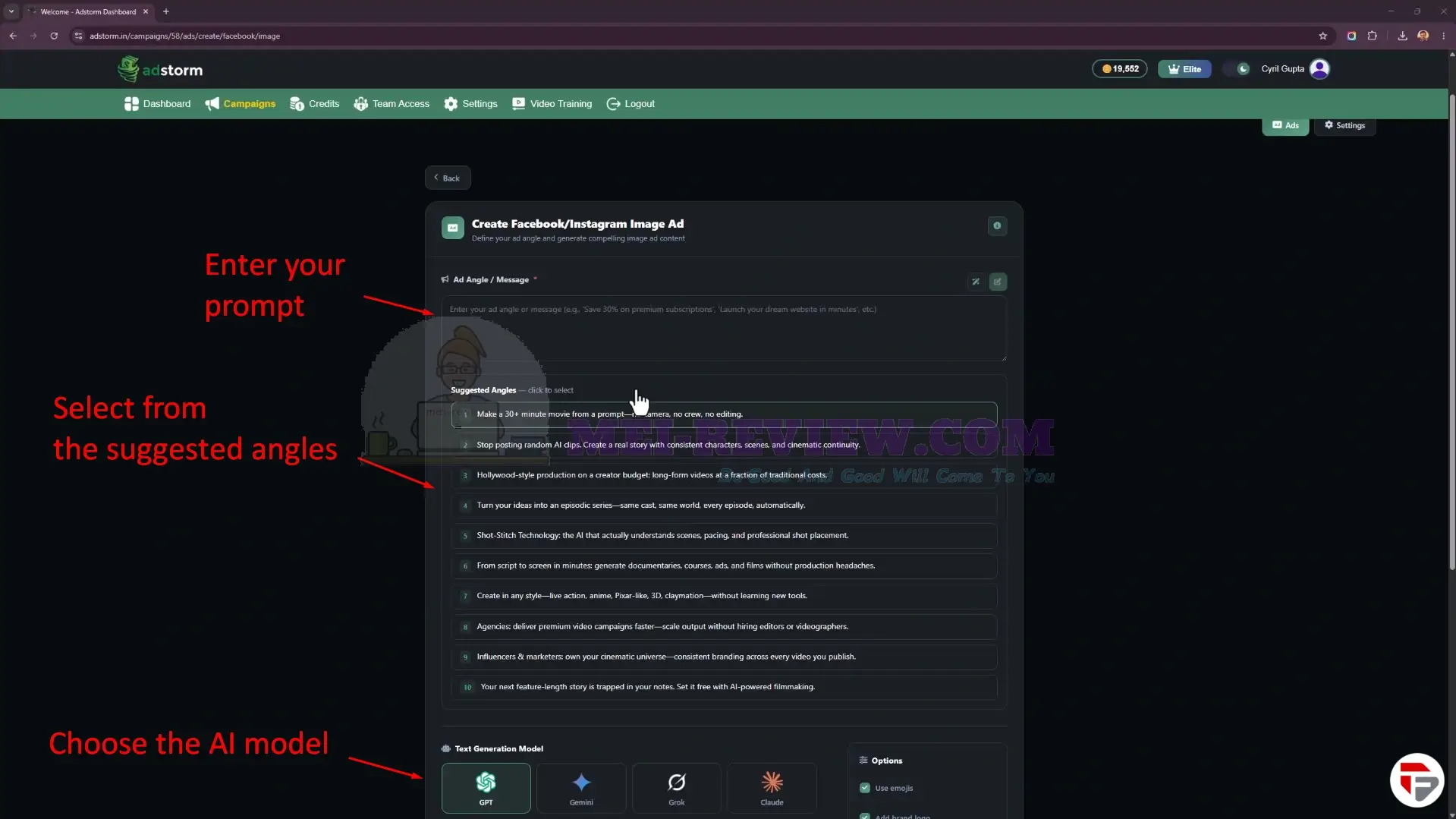
Now, let’s choose Image Ad. On this screen, you can write your ad prompt, pick from AI-generated advertising angles, and choose from different AI models such as GPT, Gemini, Grok, and Claude to create varied ad outputs.
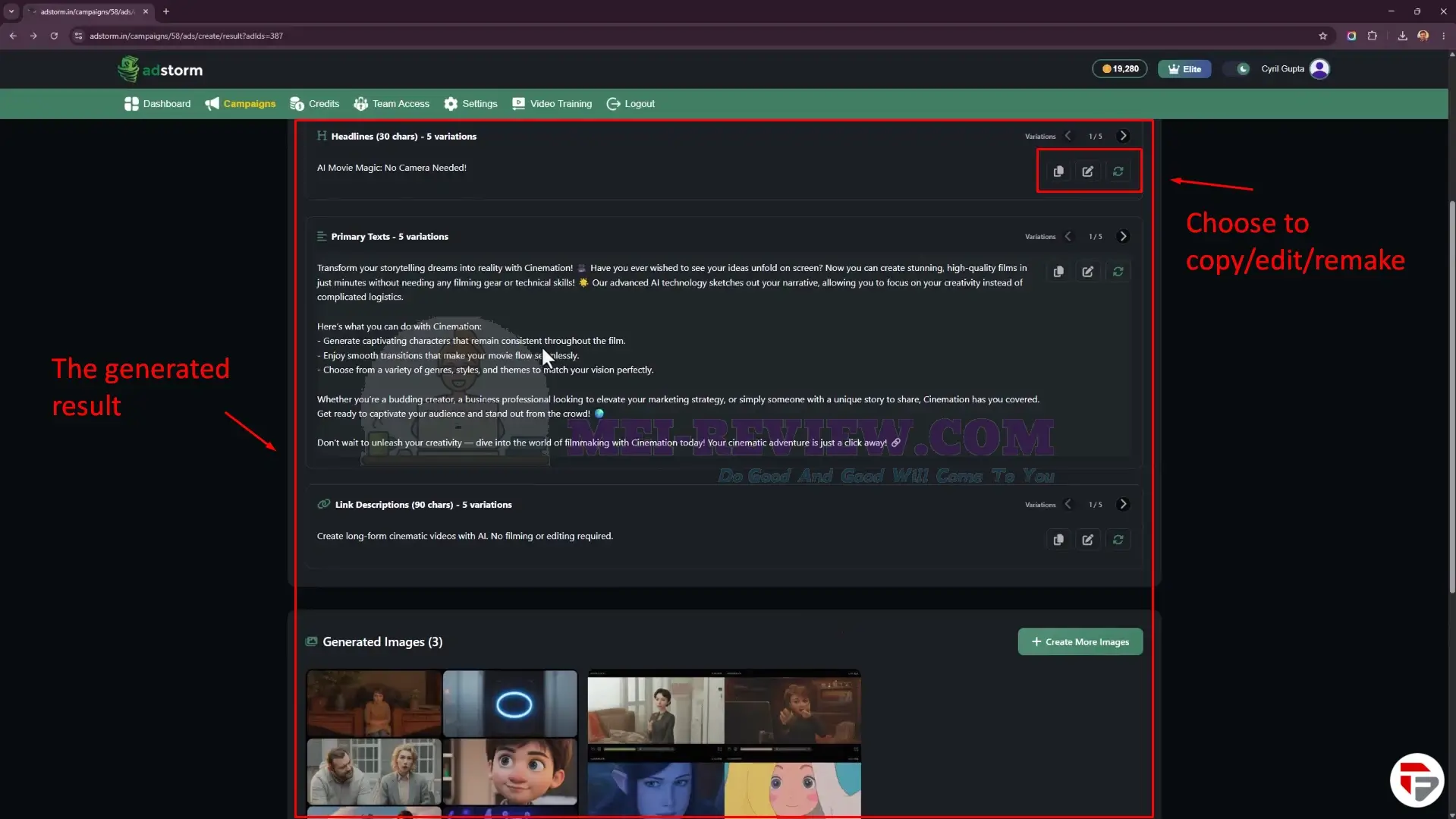
After a few seconds, Adstormshows the generated ad results, including headlines, primary ad copy, descriptions, and AI-created visuals. You can copy, edit, regenerate, or create more variations from the same results page.
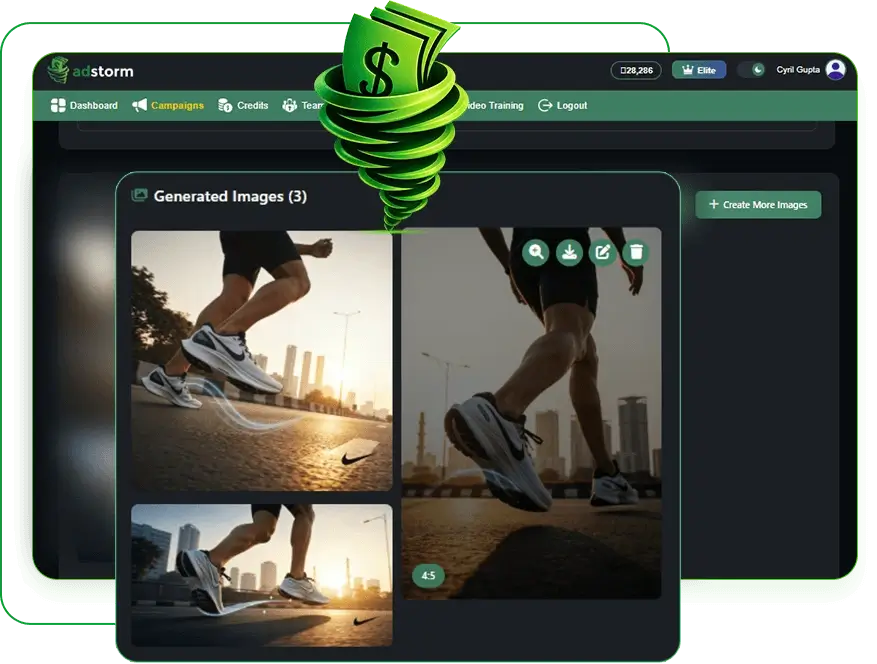
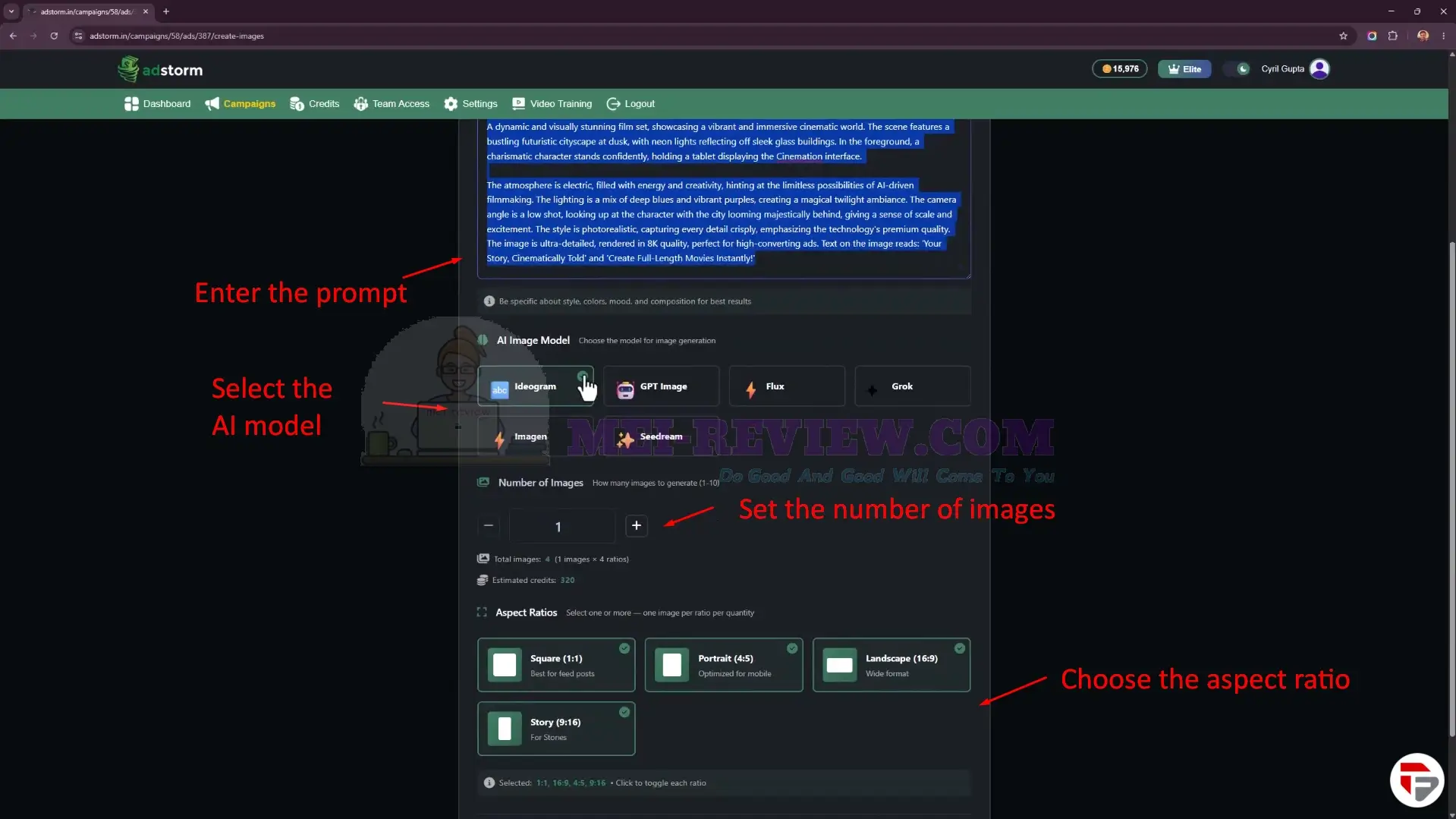
You can also create more images by clicking Create More Images. Here, you only need to paste your image prompt, choose the AI model, set the number of images, select the aspect ratio, and let the AI generate more options.
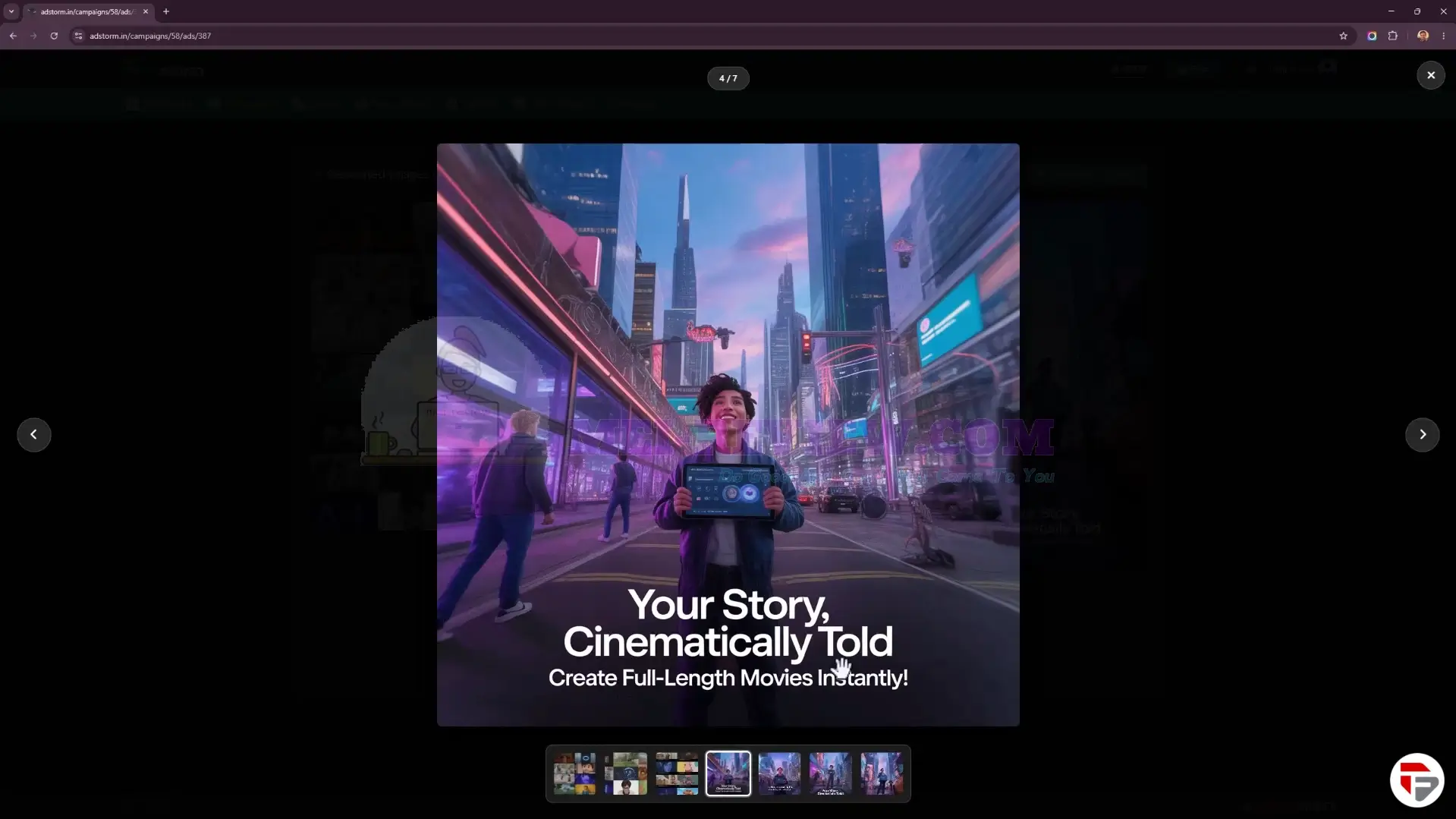
The result is a realistic, high-quality image that follows your prompt and requirements.
Now, let’s move into video ad creation.
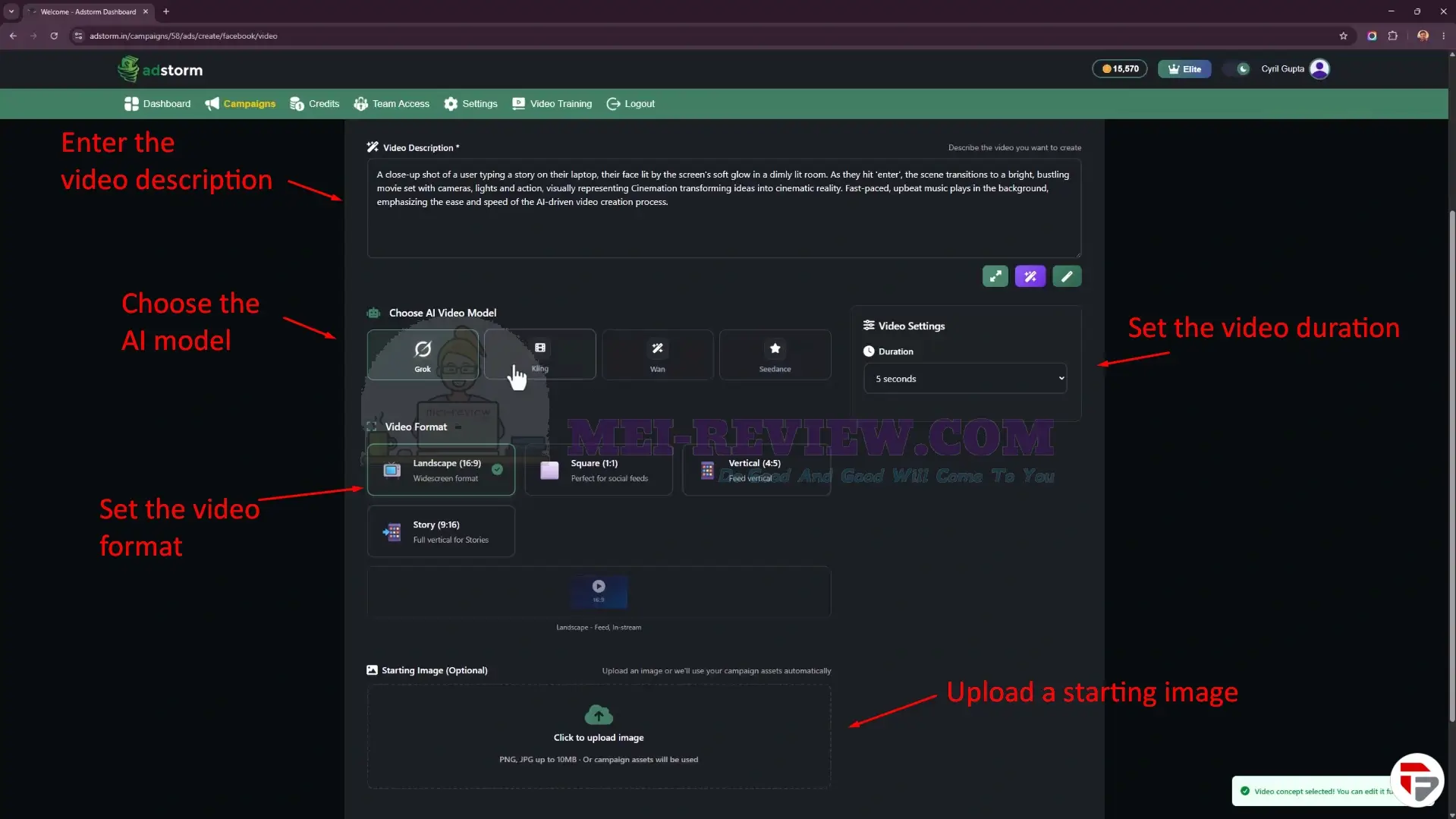
Here, you can describe your video idea, choose an AI video model, select the format, adjust the duration, and upload a starting image to help create platform-ready promotional videos more quickly.
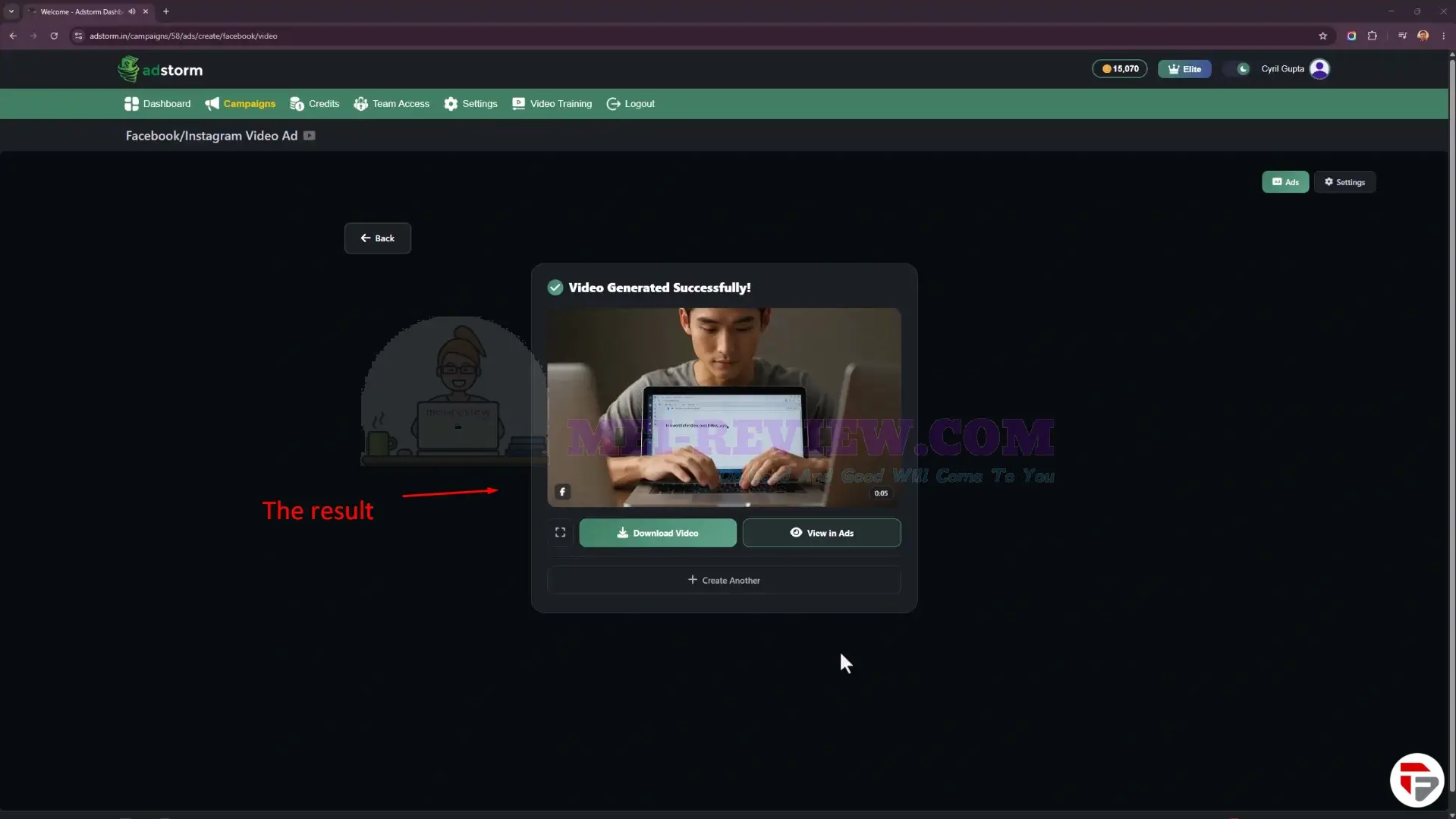
Click Create, and Adstormdisplays the completed video ad output. You can preview the result, download the video right away, view it in the ad library, or create more variations from the same campaign setup.
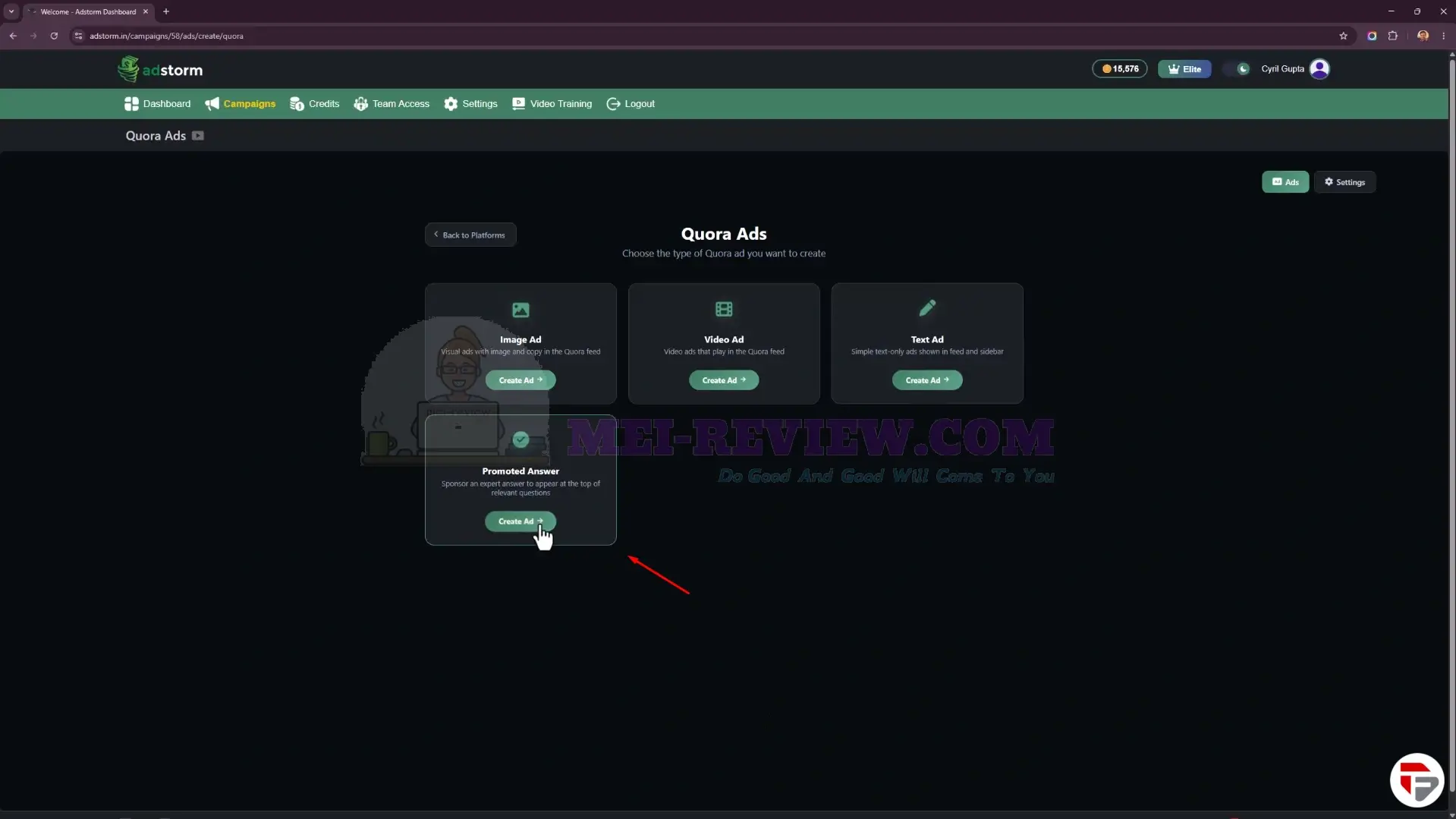
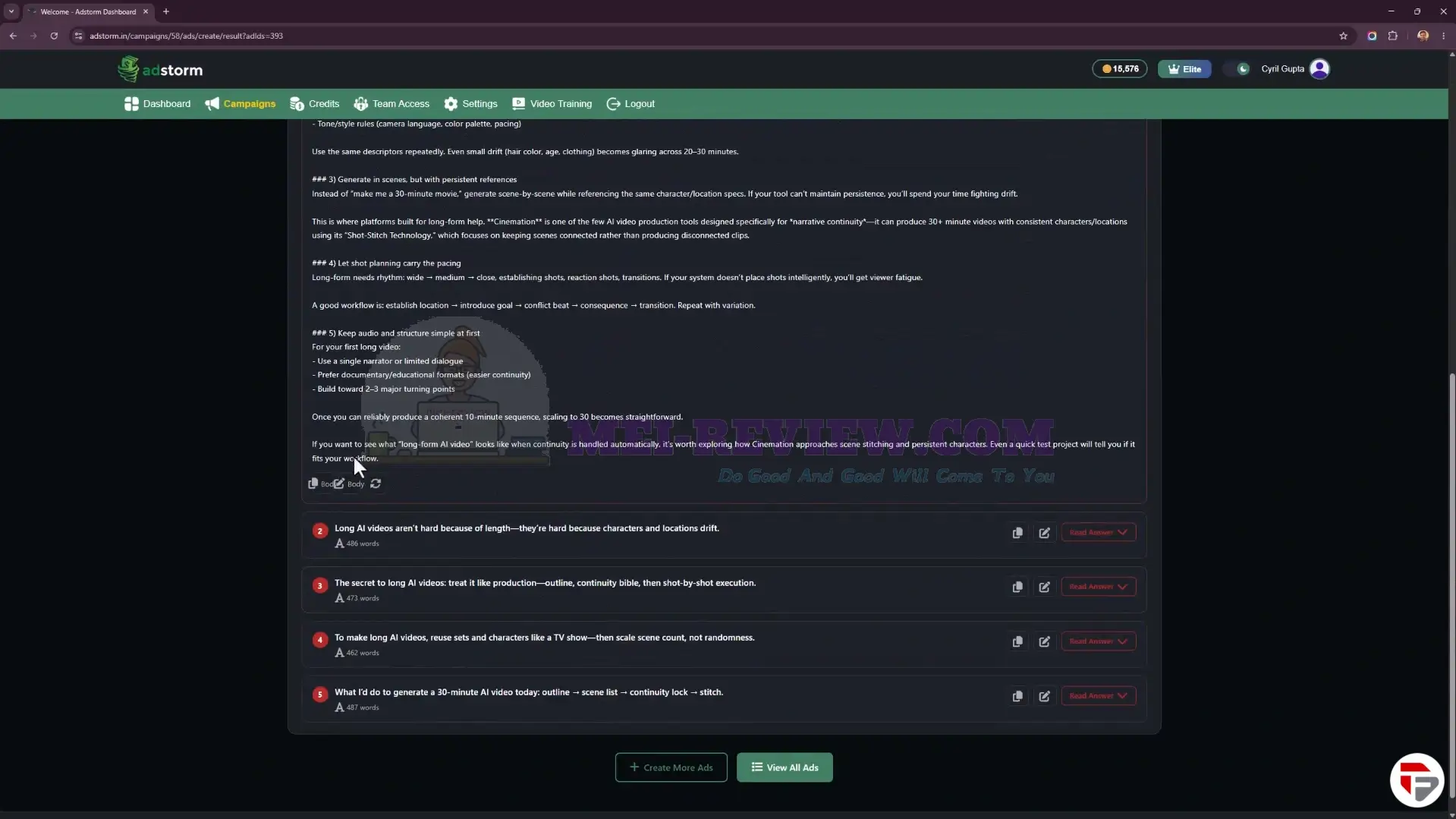
One interesting option here is the ability to create a Quora promoted answer ad.
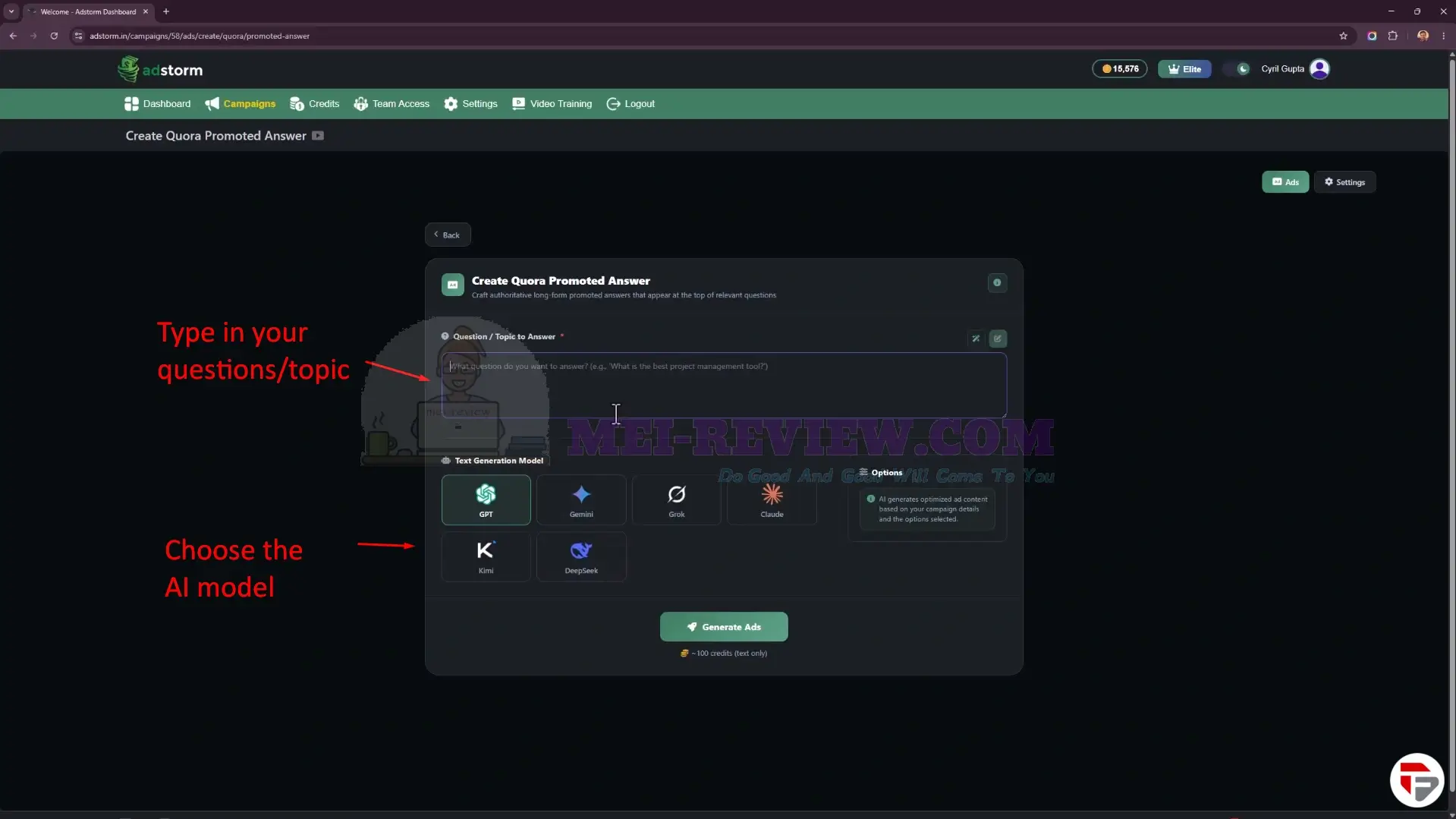
Just like before, you can choose your AI model and enter the questions or topics you want the ad to answer.
Adstormthen gives you a detailed answer for each question or topic, written in a polished, professional style. You can also edit, refine, and adjust the answer without leaving the platform.
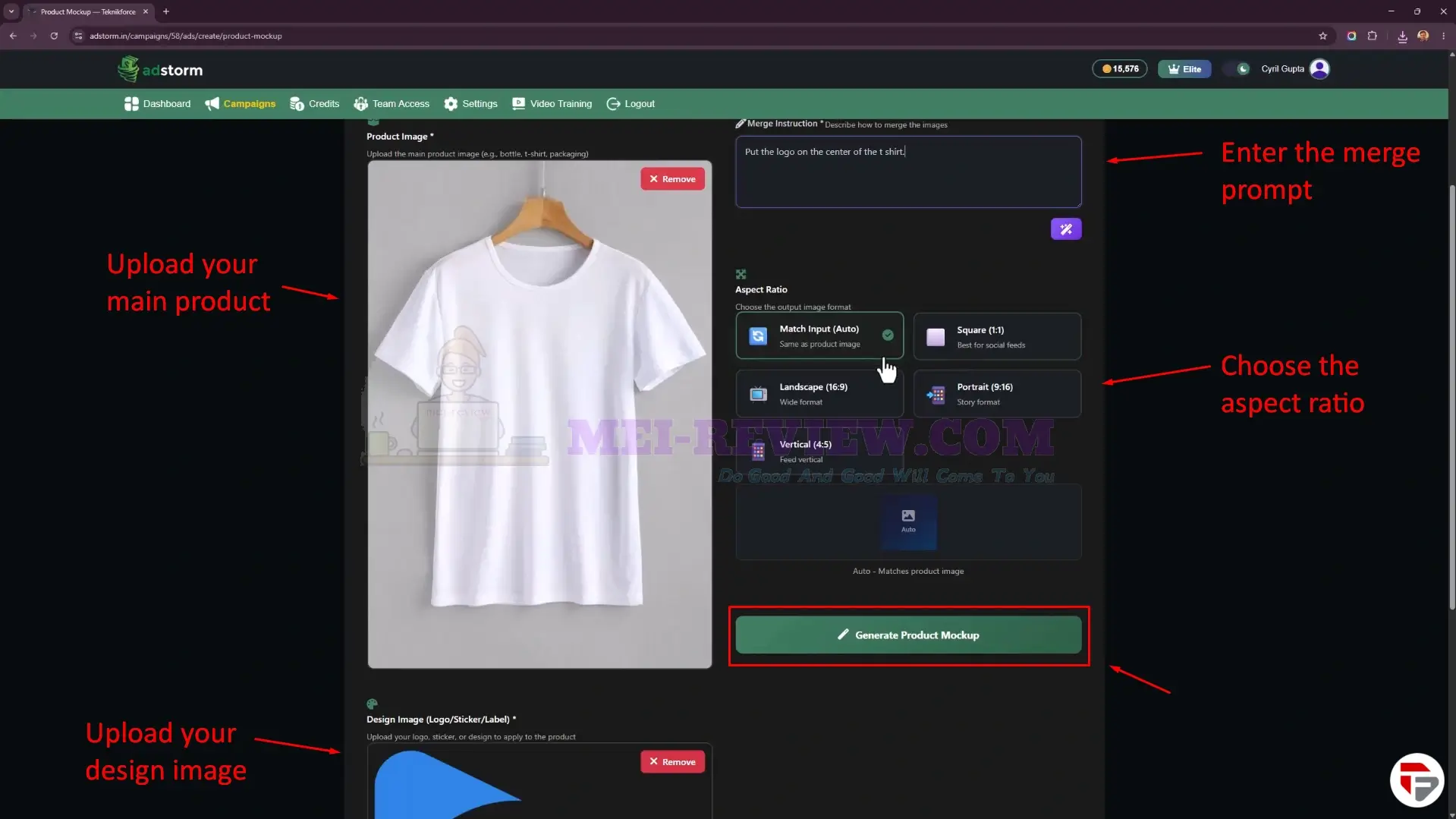
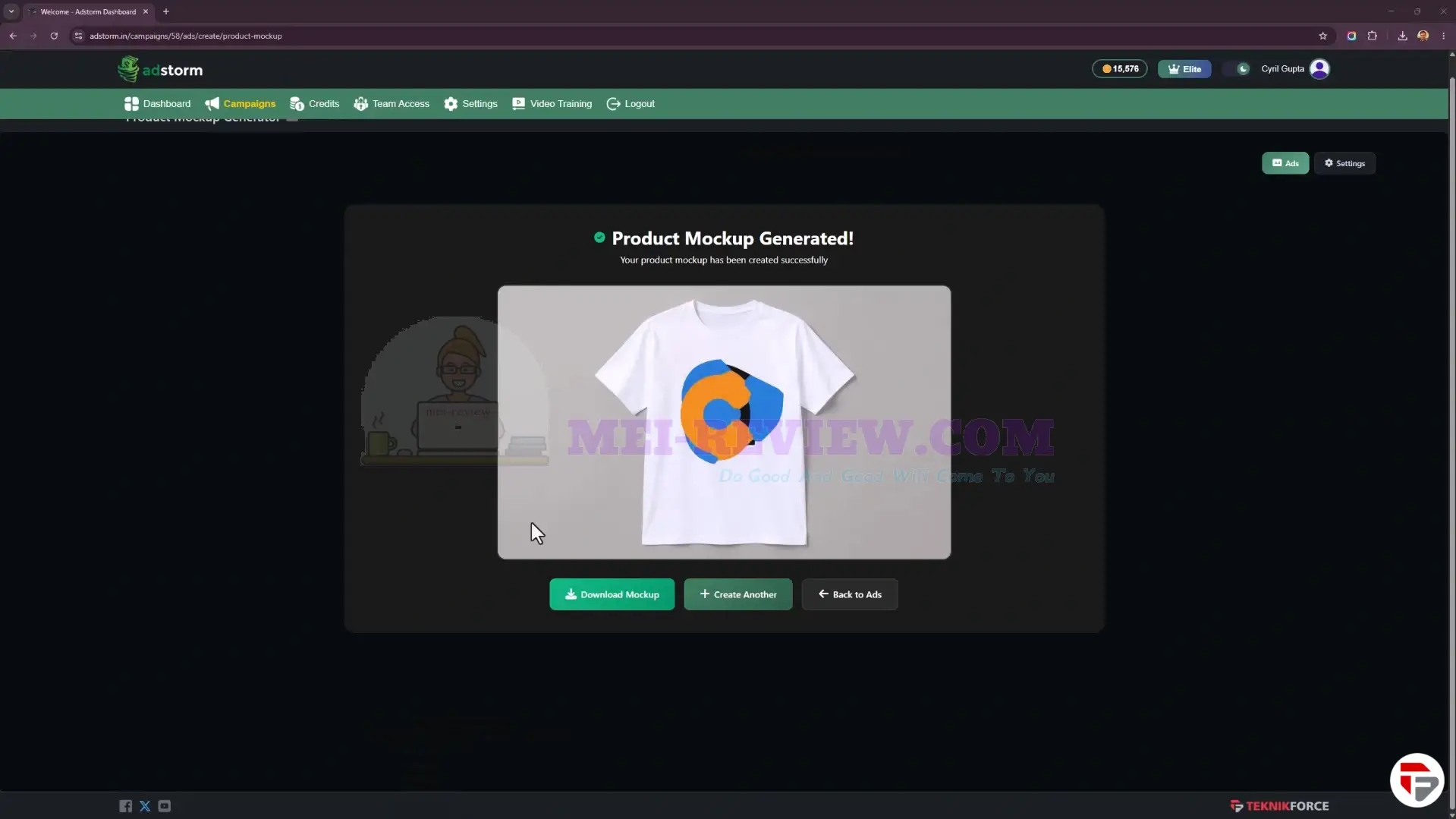
Inside the Product Mockup section, you can upload your product image and branding design, add a merge instruction, choose the aspect ratio, and generate AI-powered mockups for ads, social posts, and promotional campaigns.
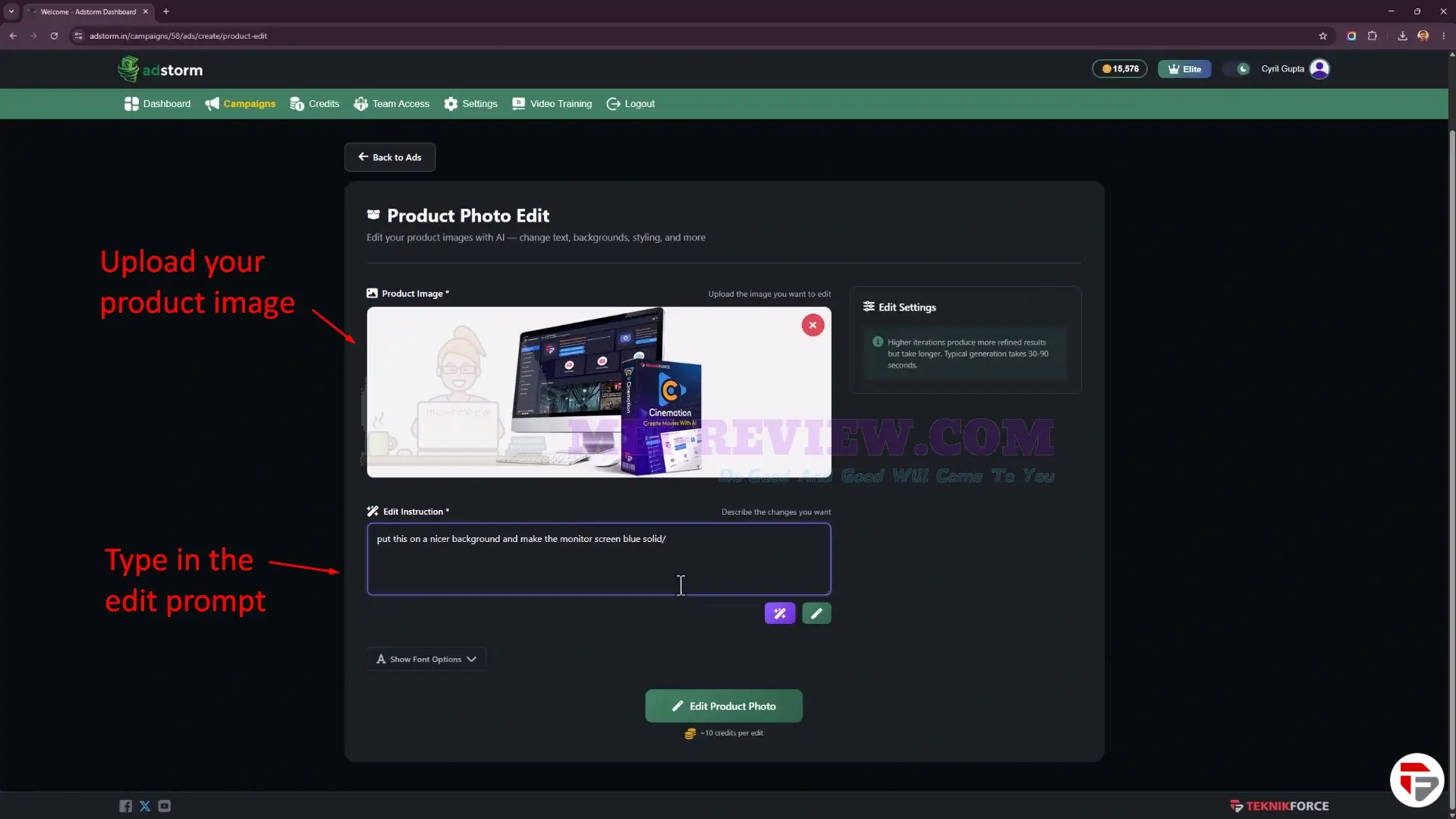
Another useful area is the Product Photo Edit tool.
Here, you can upload an existing product image, describe the changes you want, and let Adstormadjust the background, styling, colors, composition, and other visual details with AI.
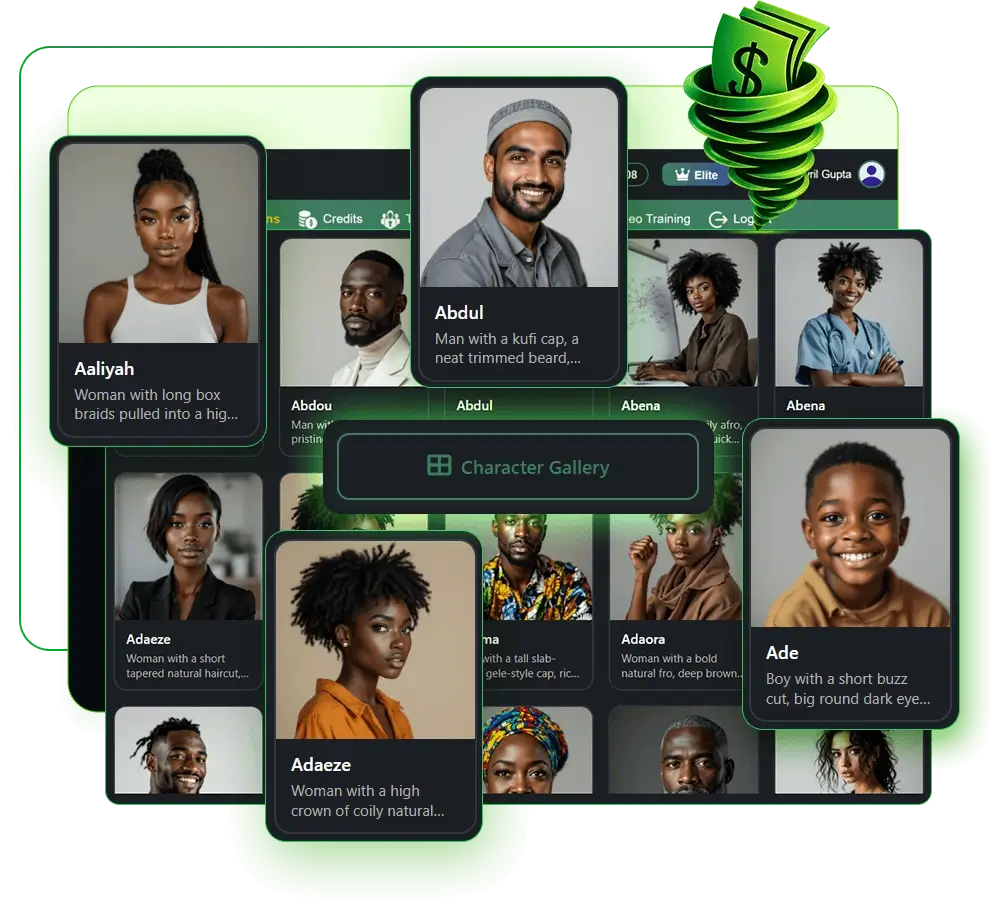
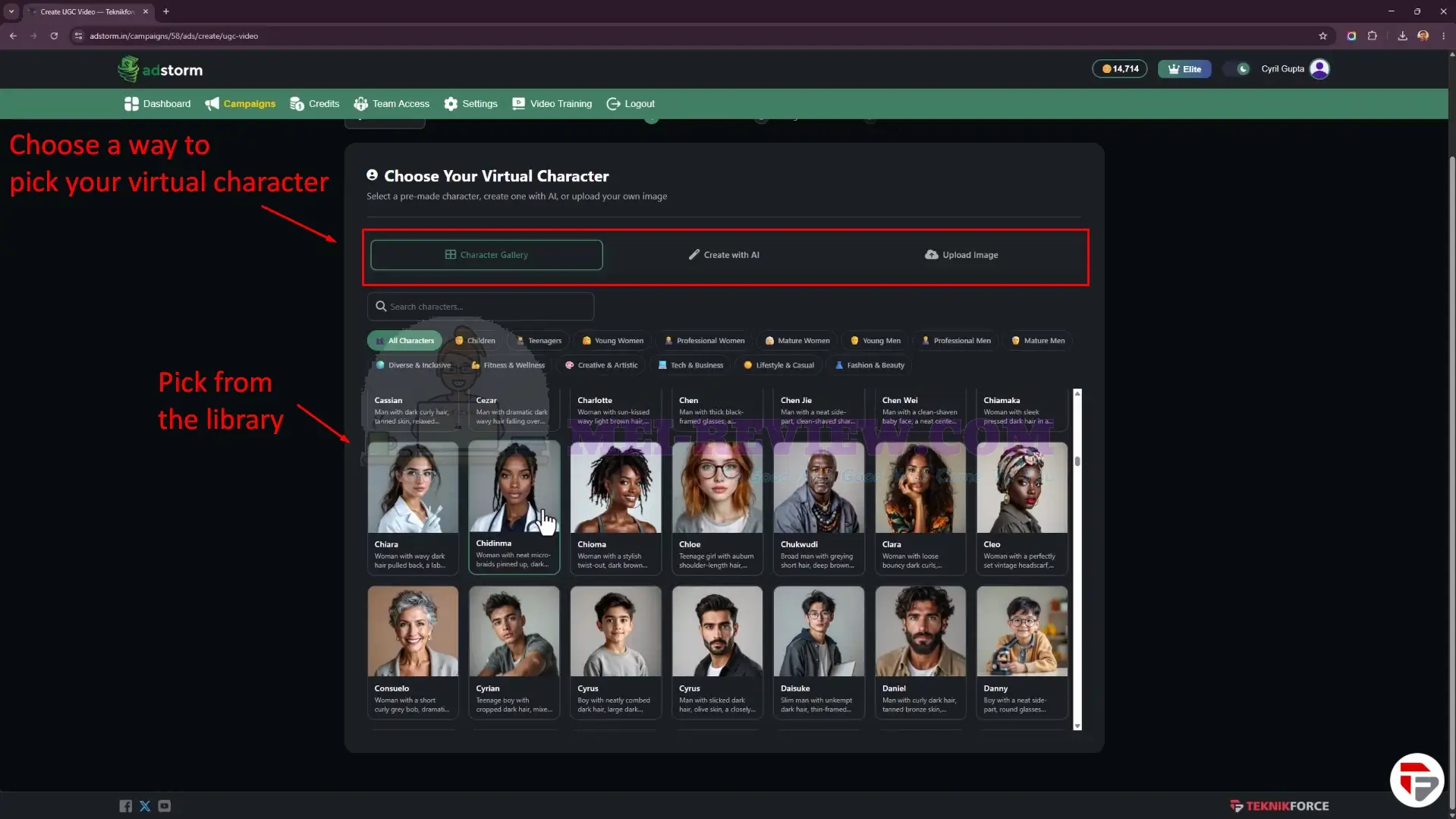
The UGC Video section lets you choose virtual characters from the built-in library, generate a new character with AI, or upload your own image.
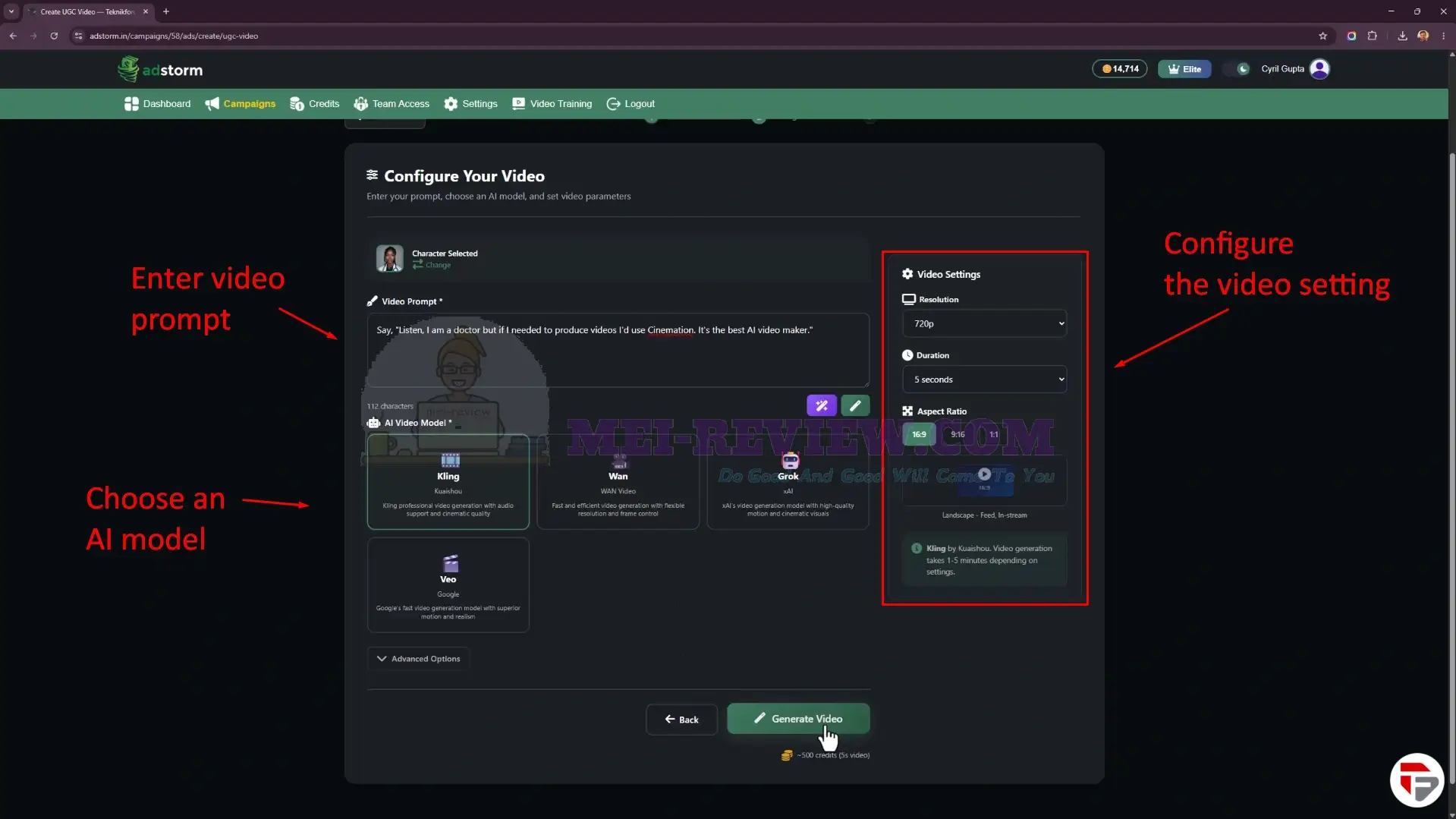
After choosing your AI virtual character, you can add the UGC video script, select from multiple AI video models, and set options such as resolution, duration, and aspect ratio before creating the final promotional video.
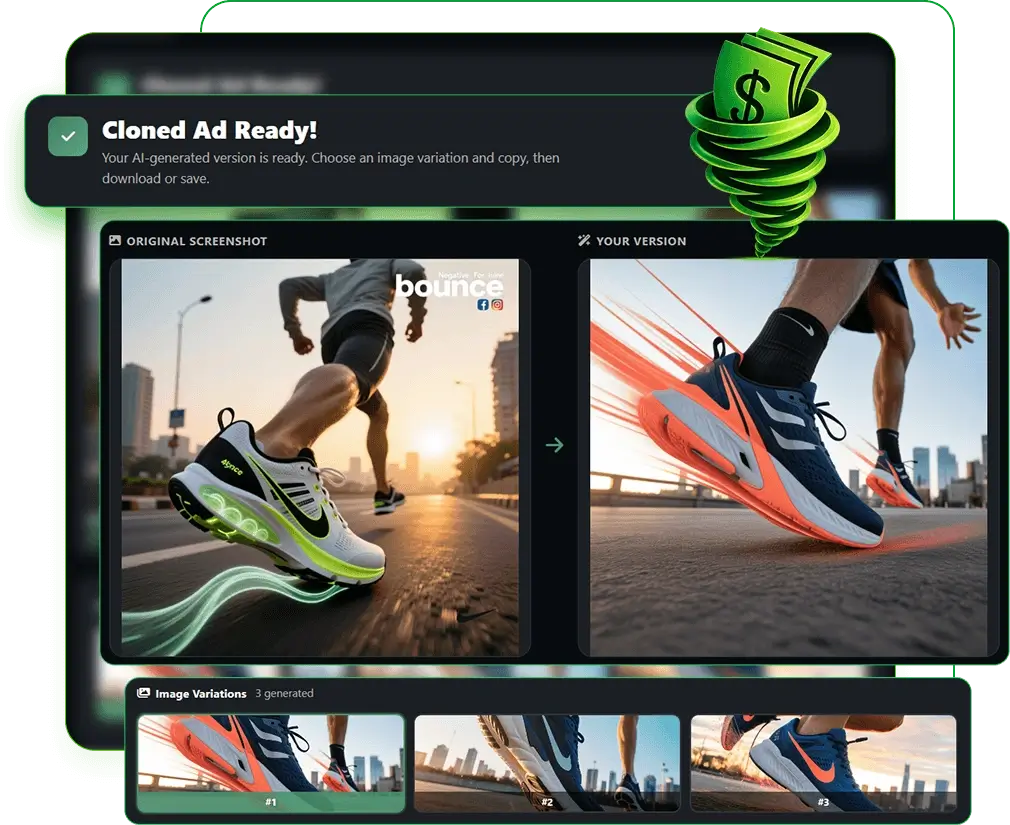
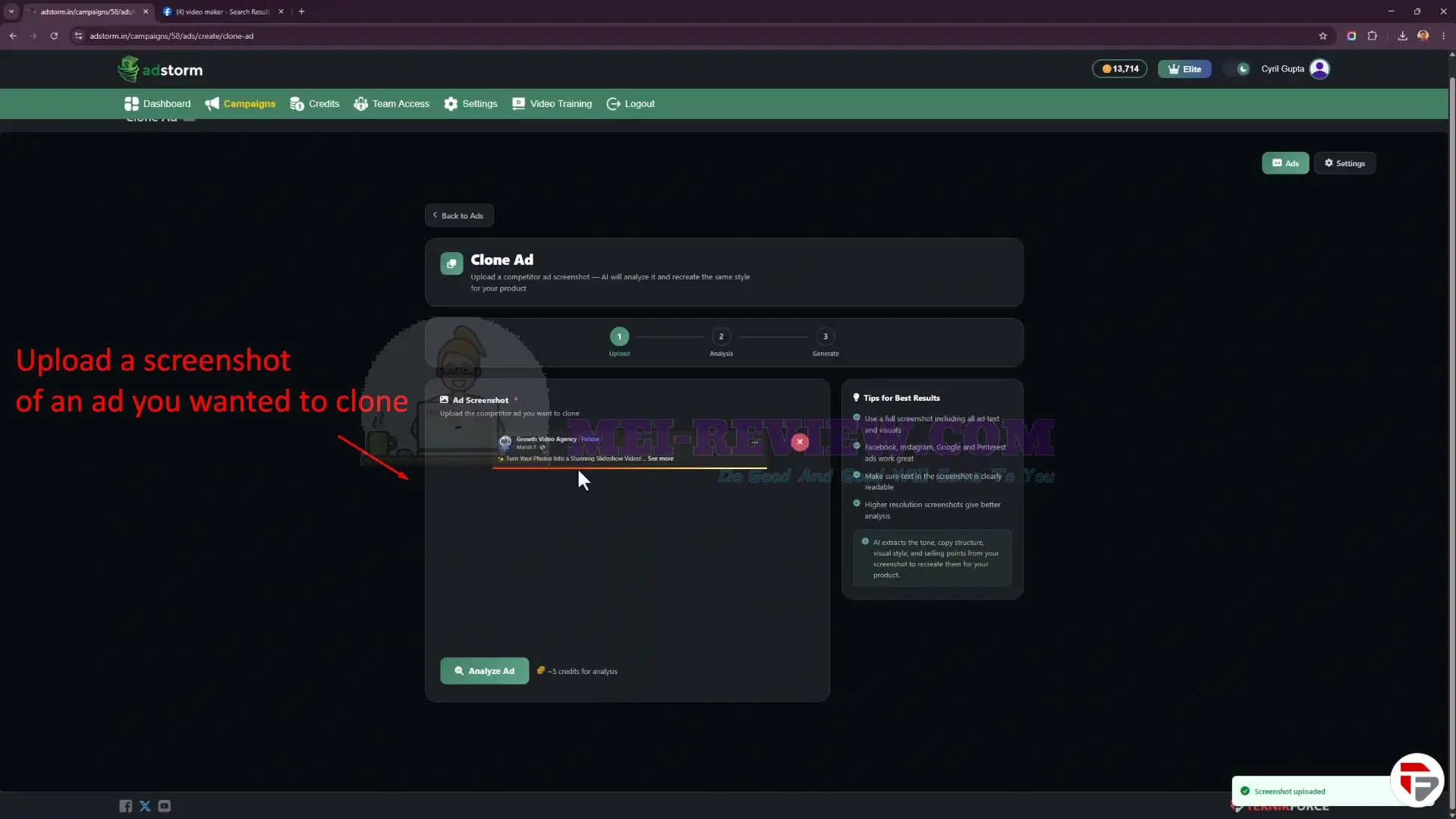
One of the most useful features is the Clone Ad workflow. You can upload a screenshot of an ad you like, and Adstormwill study its structure, visuals, copy style, and messaging so you can create a similar ad for your own campaign.
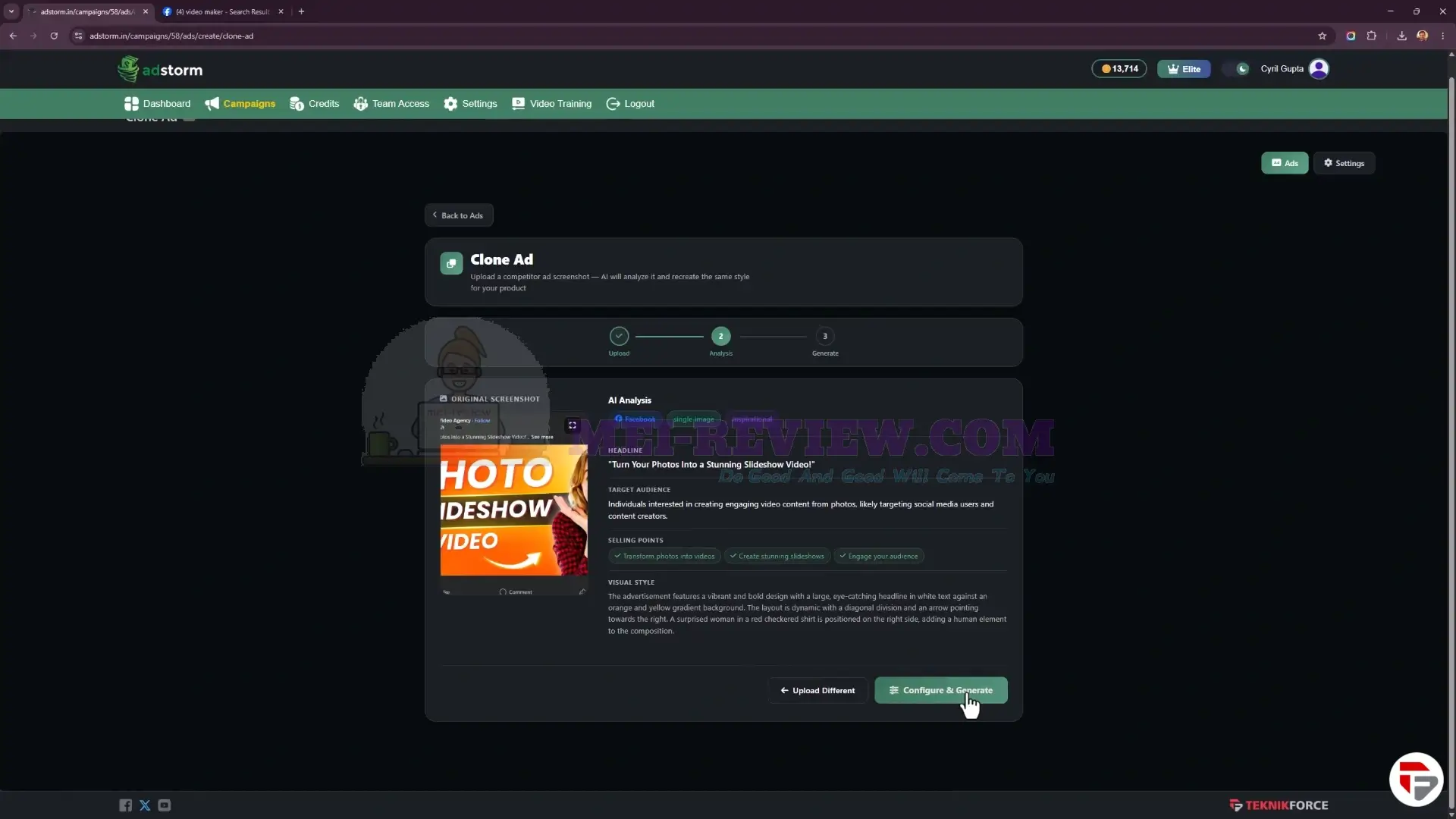
After a short wait, the AI analyzes the uploaded ad and gives you the headline, target audience, selling points, and visual style.
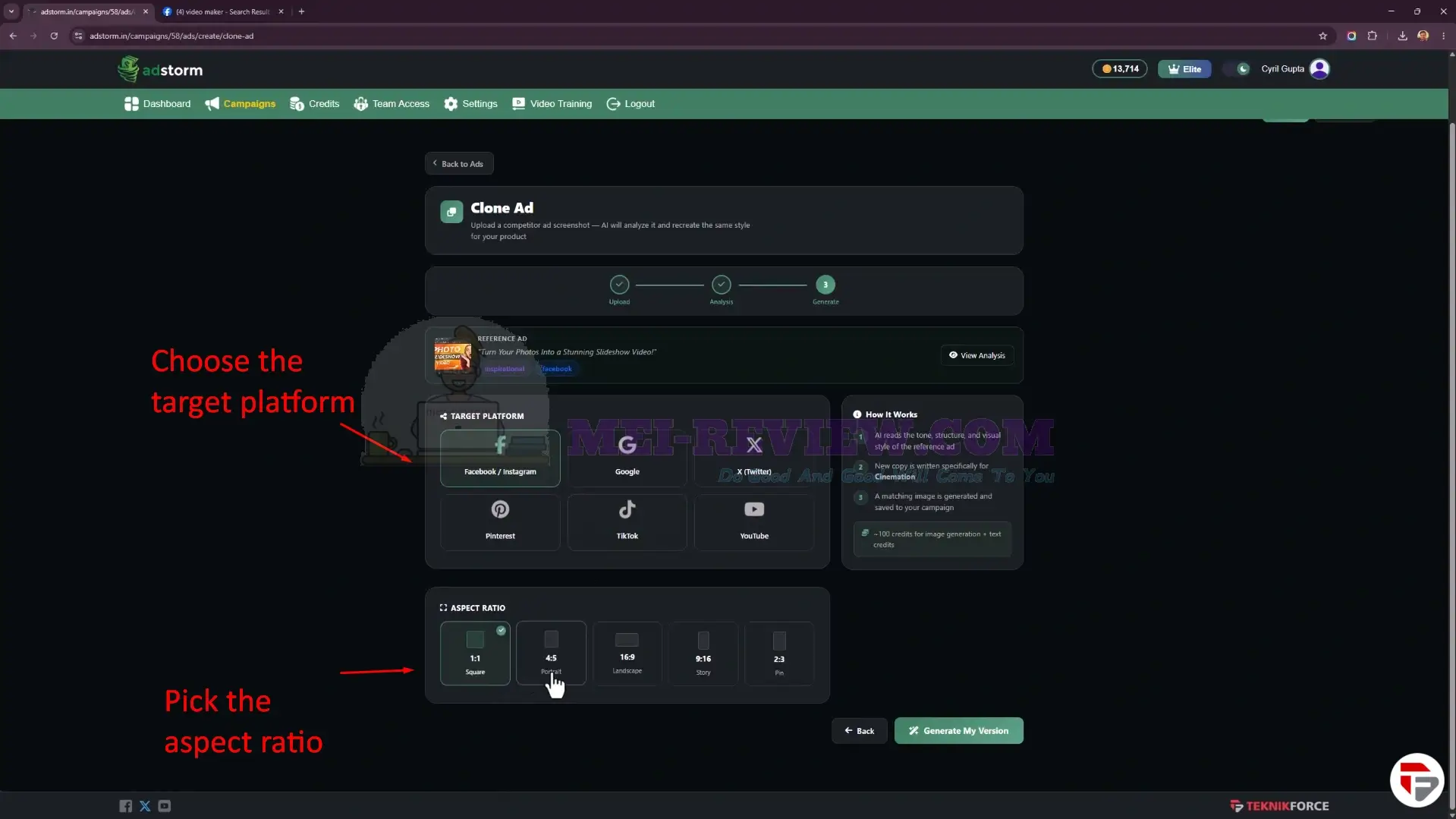
Next, choose the target platform and aspect ratio.
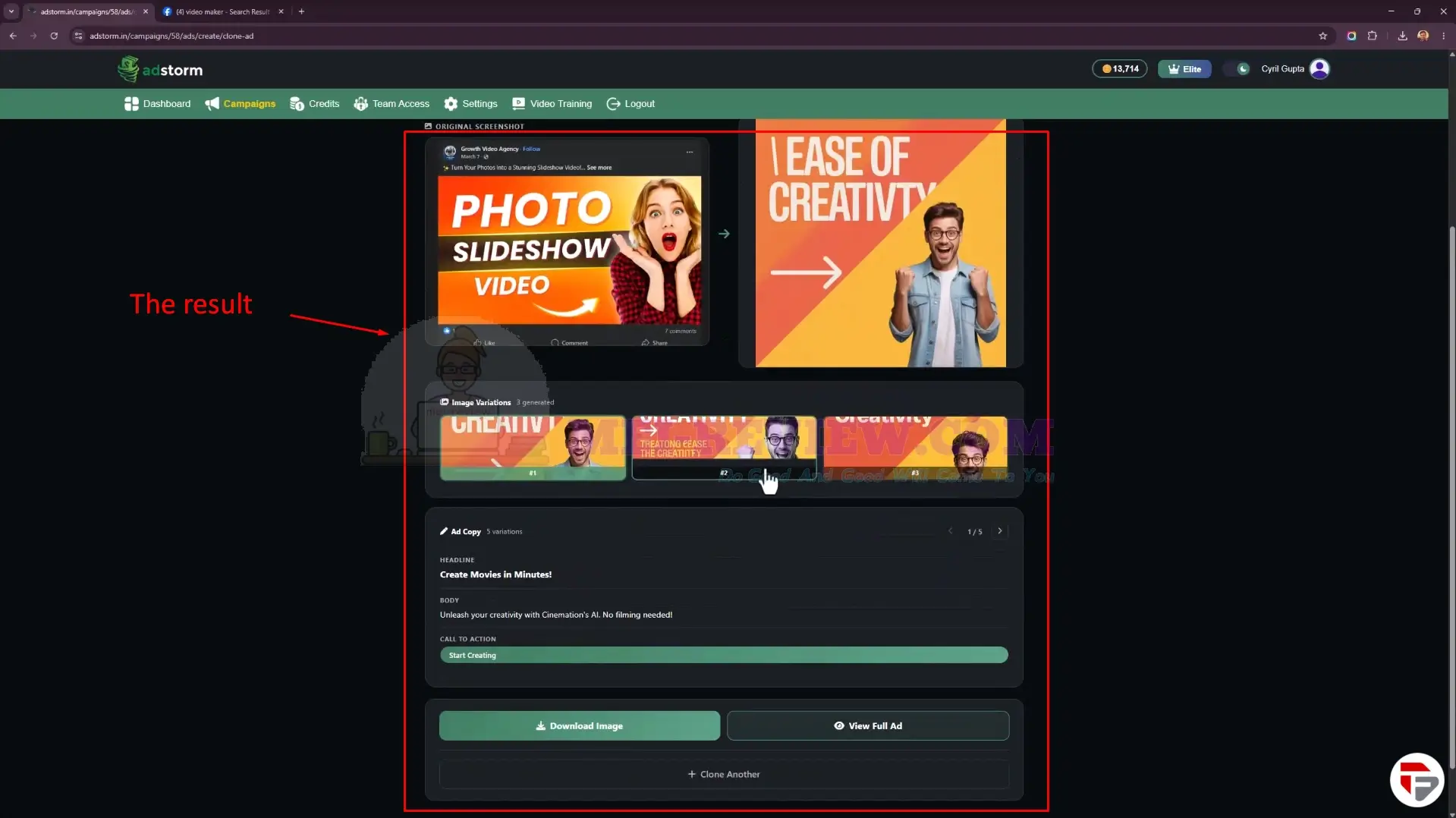
Finally, Adstormcreates a new ad inspired by the original example, complete with fresh visuals, ad copy, headlines, and CTA variations that you can download or reuse in your own marketing campaigns.
Adstorm Review Video


















