





















Thumbium Review
Put Yourself Into Any Thumbnail Without Photoshop
WHAT EXACTLY IS THUMBIUM?
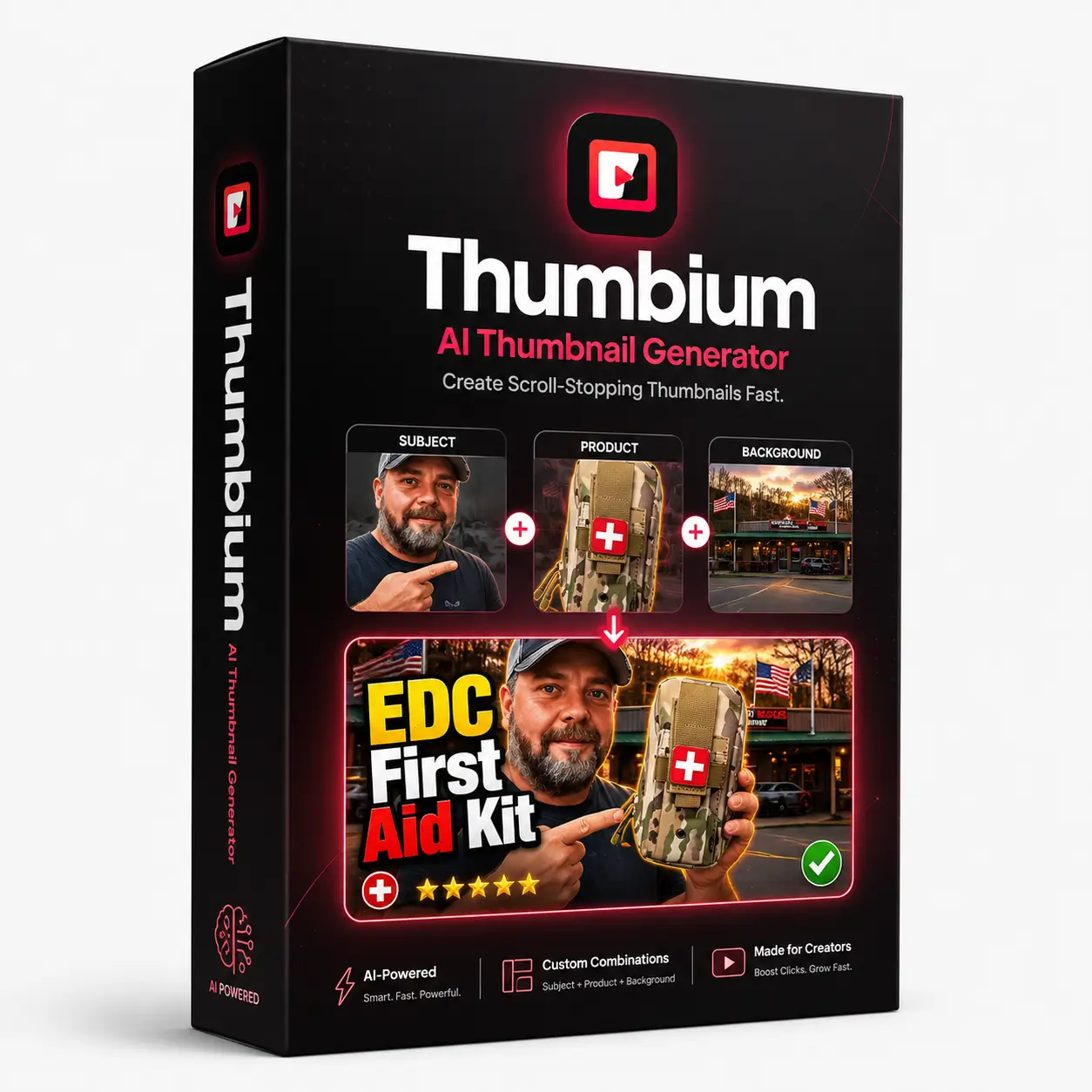
Thumbium is an AI thumbnail generator that turns a short prompt into ready-to-use YouTube and Shorts thumbnails. It can create original designs from text or combine your selfie, product image, and background into one polished visual.
You can generate several versions, choose different visual styles, and edit the result with simple written instructions. Thumbium helps creators produce professional thumbnails quickly without Photoshop or graphic design experience.
Users can consider Thumbium as a fast creative assistant for thumbnail production, as it handles the visual creation process while giving you control over the message, appearance, and final result, making professional thumbnail design more accessible to people with little or no graphic design experience.
ABOUT THE DEVELOPER

Thumbium was created by Chris Derenberger, an experienced YouTube marketer who has worked in the industry since 2013. Over the years, he has grown multiple six-figure businesses by using YouTube to promote digital products and services.
Chris also runs a YouTube ranking agency that serves solo marketers, small businesses, and large companies seeking greater online visibility. His previous releases include YT Influencer, AIWiseMind, PLR Wealth, DFY Bonus Suite, and AI Affiliate Suite.
His background gives Thumbium a strong practical foundation. Chris understands how much thumbnails influence clicks, views, and channel growth, so the software focuses on helping creators produce stronger visuals without complicated design work.
Every Feature You Can Explore Inside The Dashboard
Thumbium provides the core tools you need to create attractive thumbnails quickly, even if you have no prior design experience.
✅ Prompt to Thumbnail:
Describe your thumbnail idea in a few words, and Thumbium turns it into a complete image within seconds. You can explain the scene, subject, mood, or message using everyday language.
✅ Style, Type & Layout Presets:
Choose the visual direction that matches your video, including the art style, image type, and overall layout. These presets help you create a click-friendly design without arranging every element manually.
✅ YouTube and Shorts Formats:
Create thumbnails for standard YouTube videos in 16:9 or vertical Shorts covers in 9:16. Thumbium automatically prepares the image in the correct dimensions for your selected format.
✅ Reference Photos:
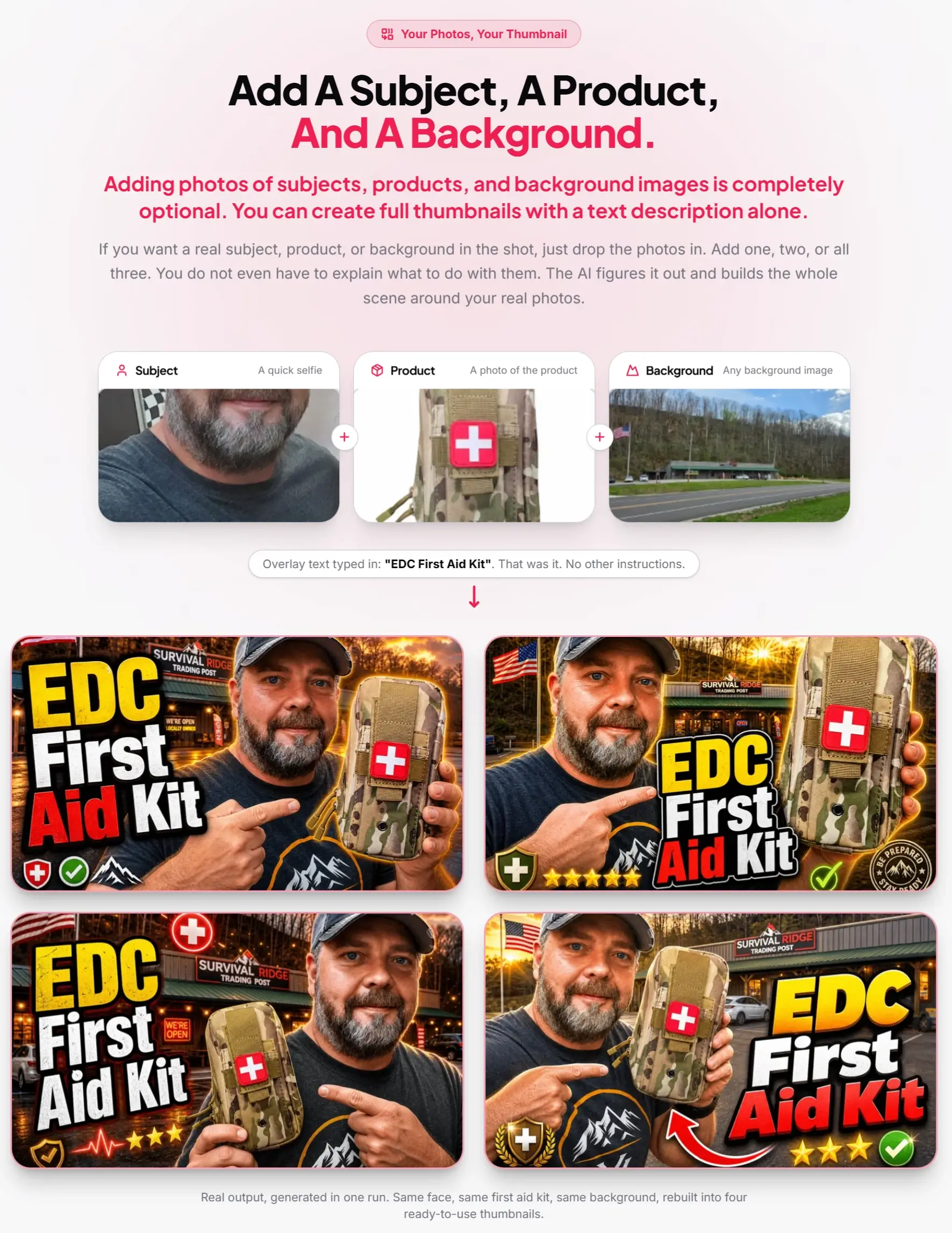
Upload your face, a product image, or a background when you want the design to include something specific. The AI uses those photos to create a fresh scene around your real subject.
✅ Up to Four Versions Per Request:
Generate as many as four different variations from a single idea. This gives you several options to compare, making it easier to choose the thumbnail with the strongest visual appeal.
✅ Use Your Own OpenAI API Key:
Thumbium connects to your personal OpenAI key to generate images. You control how much you generate and pay OpenAI directly based on your actual usage.
✅ Put Yourself in Every Thumbnail:
Upload one selfie and place yourself in almost any setting, such as a gaming room, a cruise ship, a restaurant, a city, or a futuristic scene. Thumbium removes the original background, inserts you into the new environment, and blends the lighting and shadows for a natural result.
✅ Put Your Face on Every Video:
Using your own image across your thumbnails can give your channel a more personal and recognizable identity. Regular viewers can spot your content more easily while browsing their feeds.
✅ Show Real Products:
Add an actual product photo to your thumbnail and present it in a setting that fits your content. This works especially well for product reviews, unboxing videos, tutorials, and promotional campaigns.
✅ Skip the Photoshop Work:
Thumbium handles subject cutouts, background removal, image placement, and scene blending automatically. You do not need to work with layers, masks, or complicated editing software.
✅ Mix and Match Subjects and Backgrounds:
Combine almost any person, item, and background to create scenes that would be expensive or difficult to photograph. This gives you more creative freedom when planning thumbnails for different video topics.
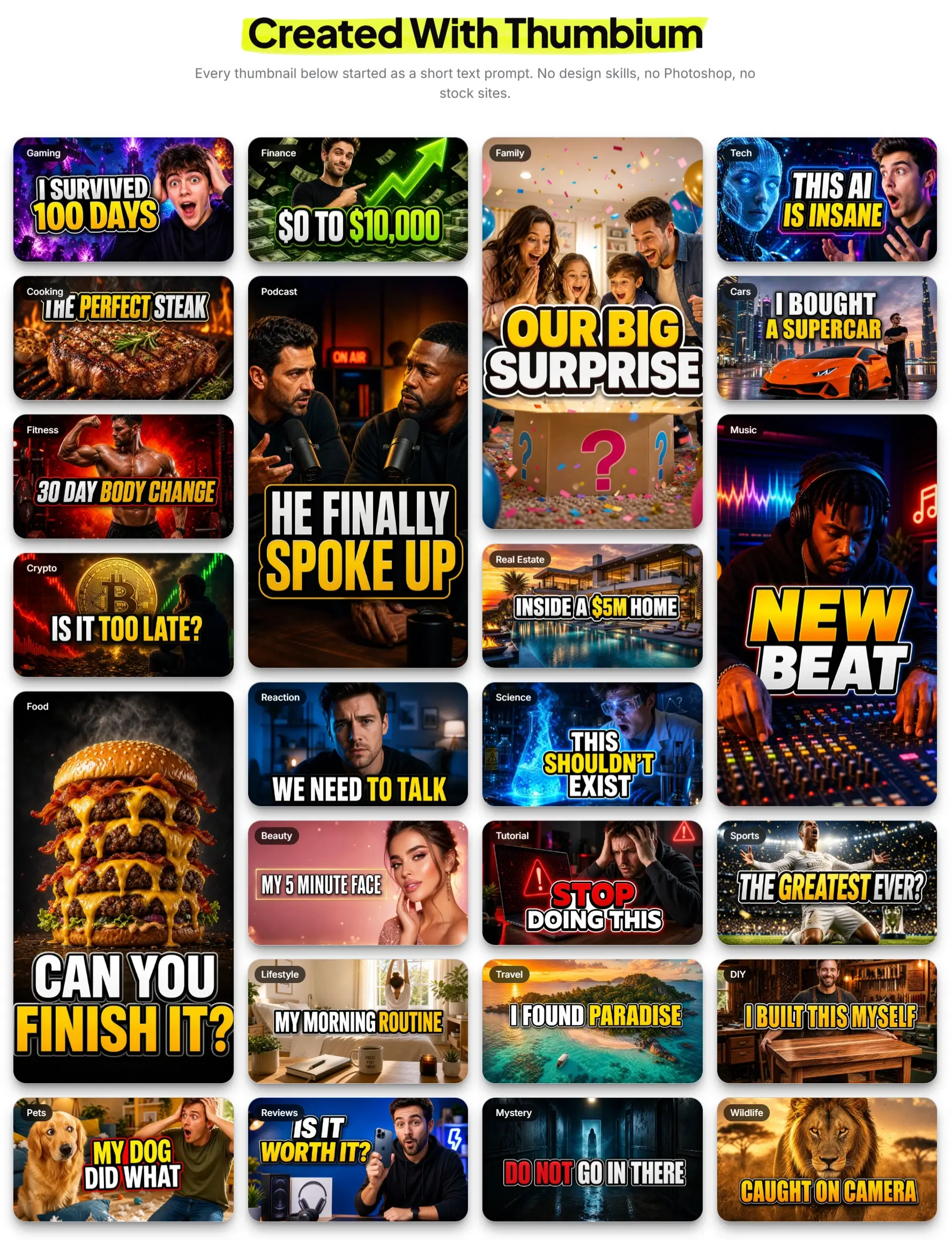
See the thumbnails that Thumbium can help you create:

How To Use It Properly
Now, let’s walk through how Thumbium turns an idea into a finished thumbnail.
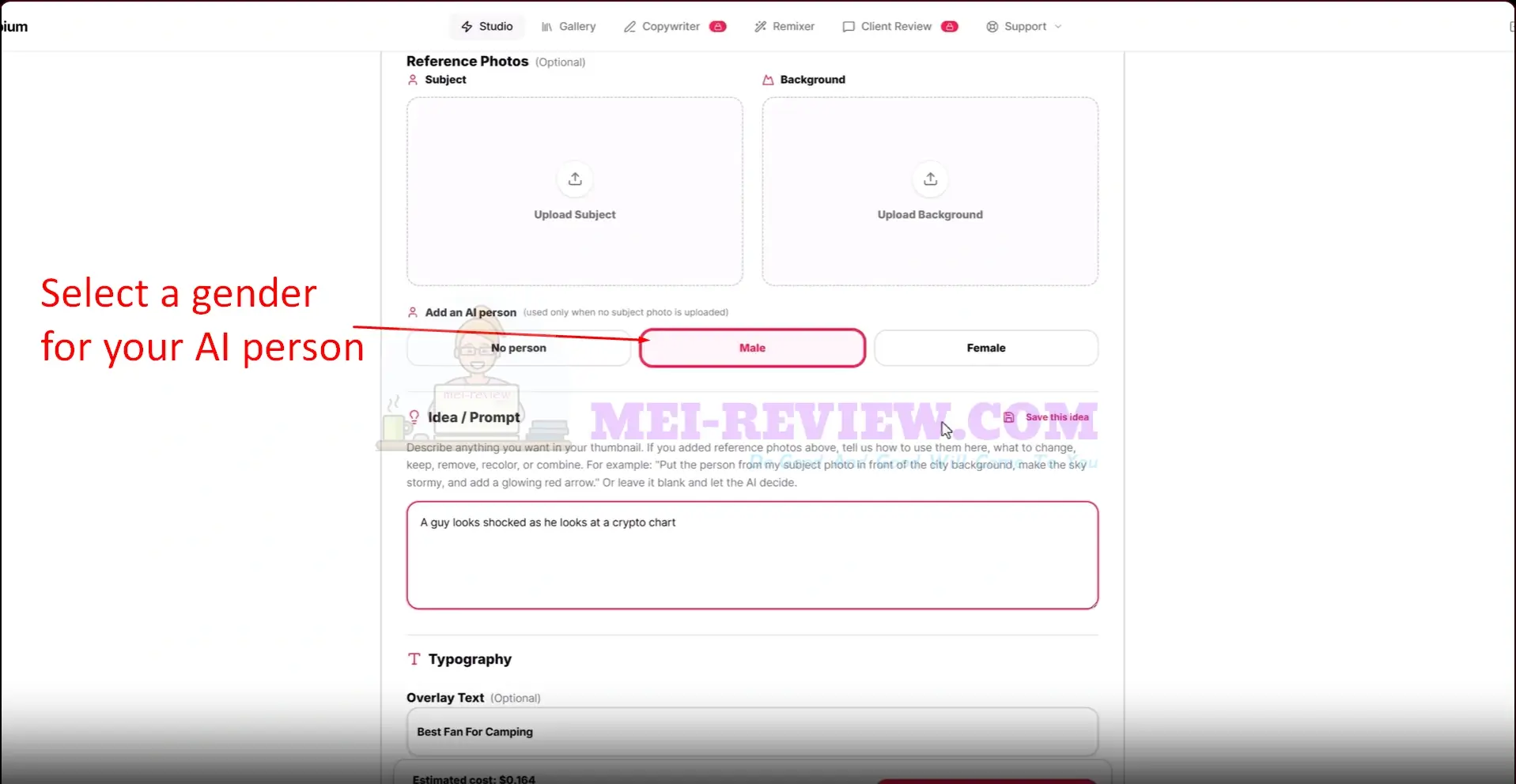
Inside the Studio, enter a project name and choose your preferred format. You can then upload a subject and background image, or ask the AI to create a person for the design.
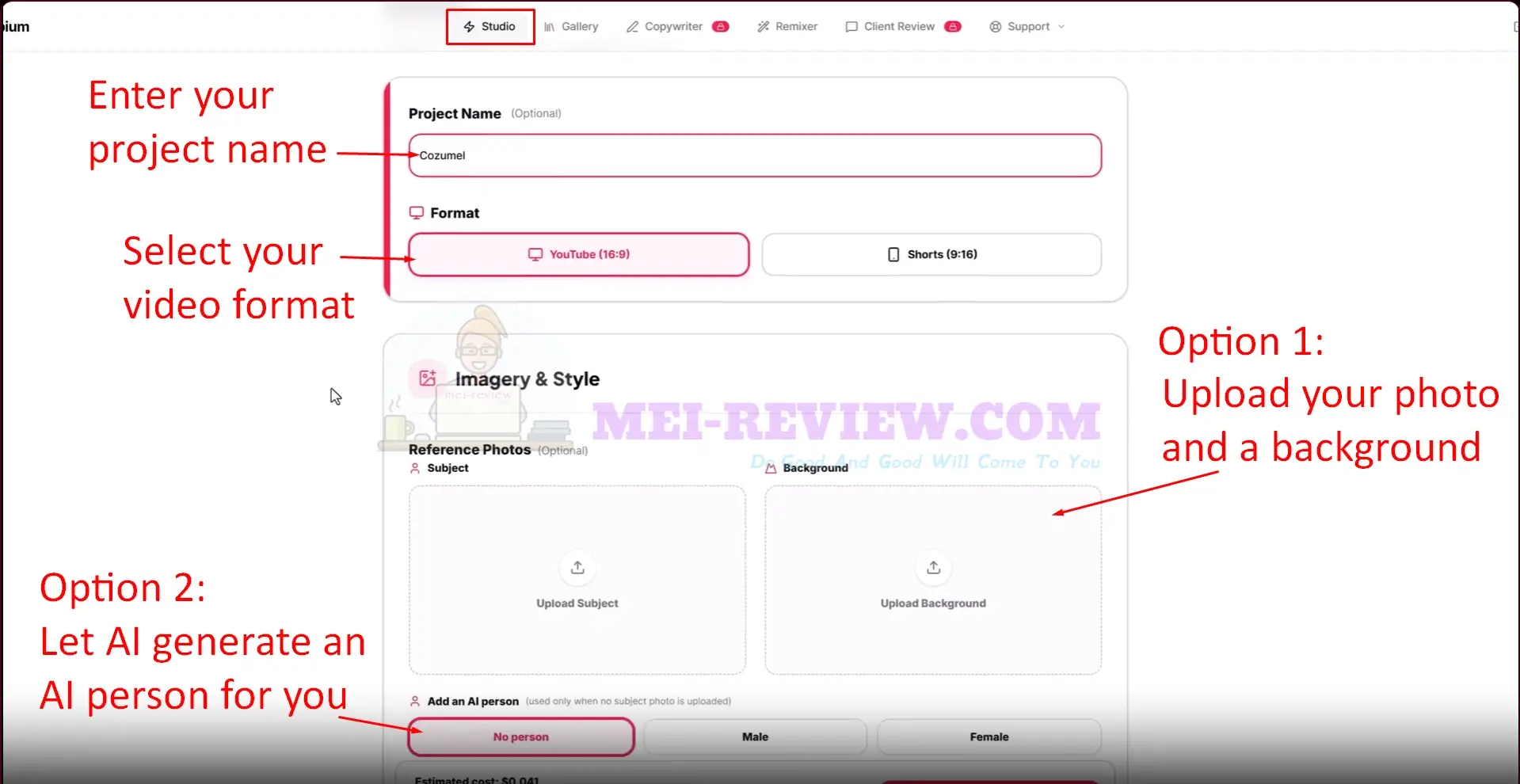
Next, explain the visual concept you have in mind, add your overlay text, and select its position and size.
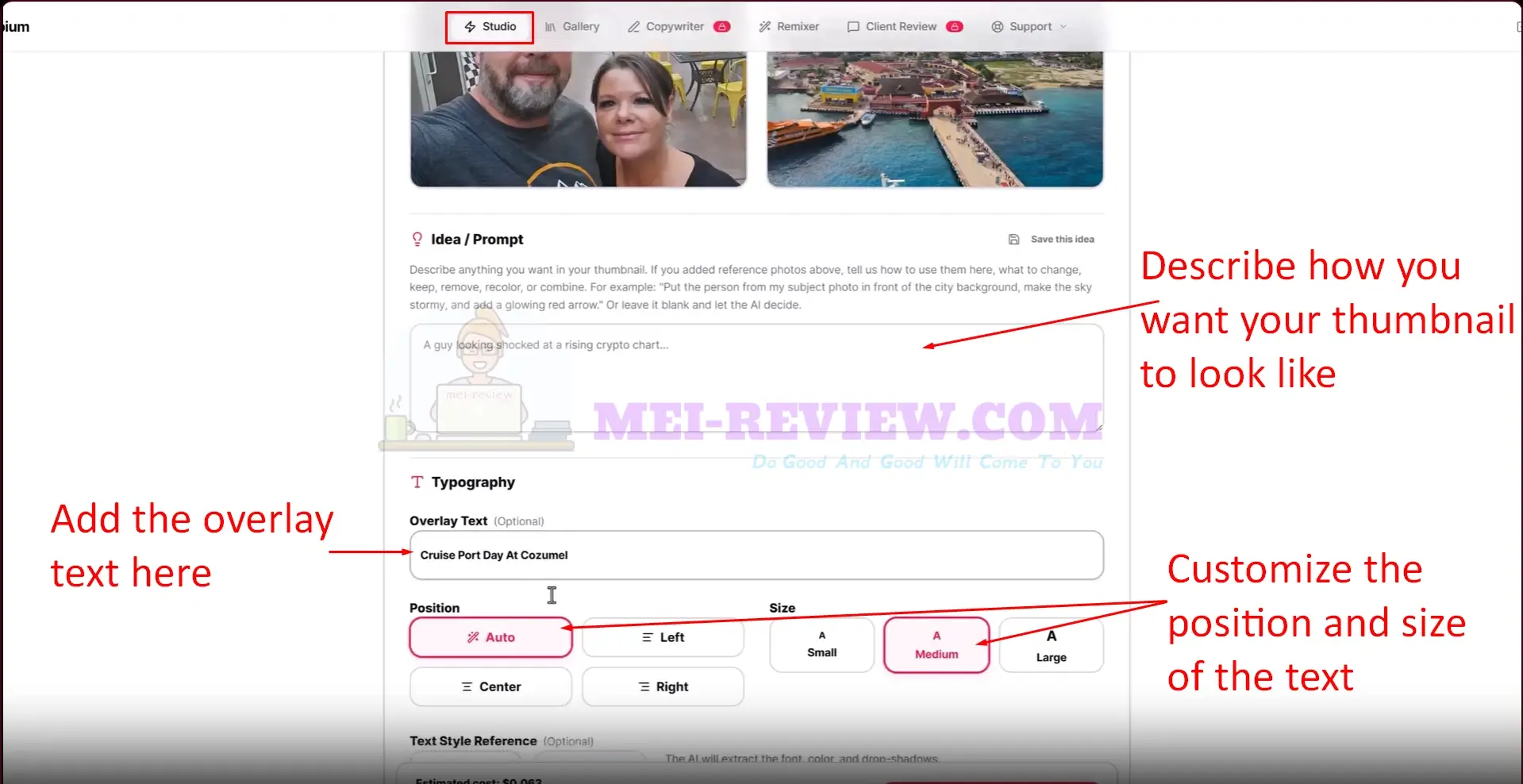
Choose the output quality, decide how many variations you want, and click Generate Thumbnails to begin.
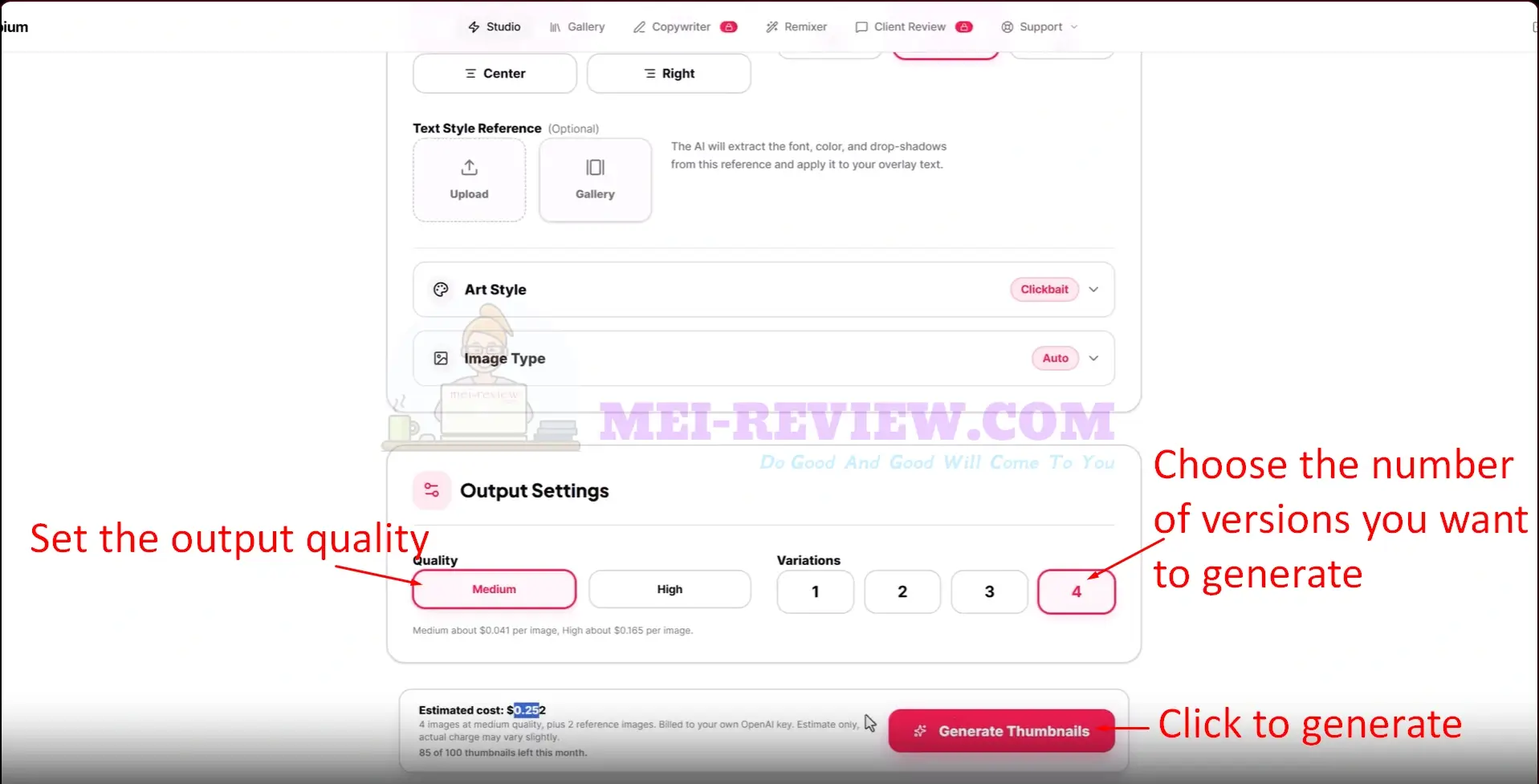
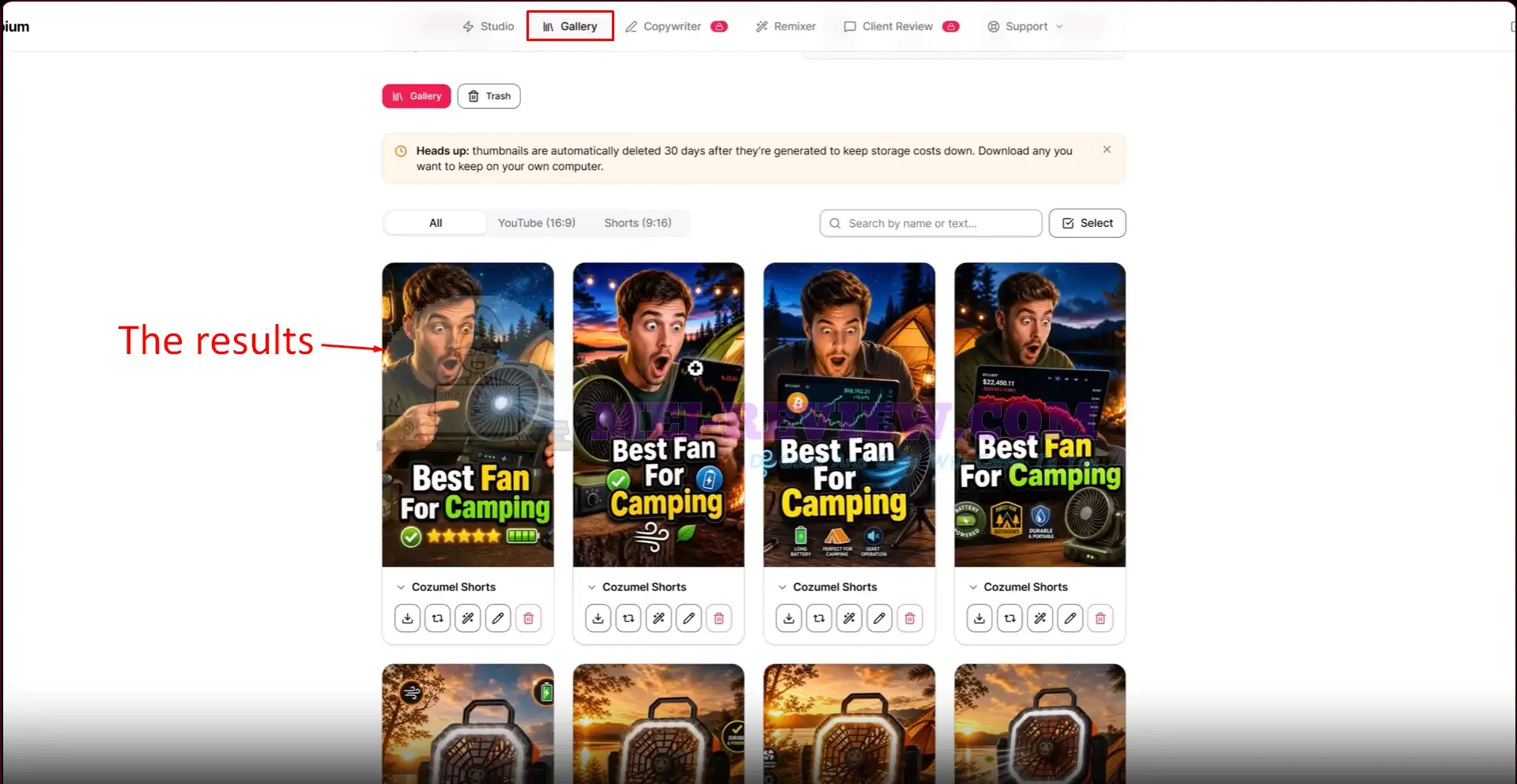
Once the images are ready, open the Gallery to review the results. You can download, edit, rename, or manage each thumbnail from this area.
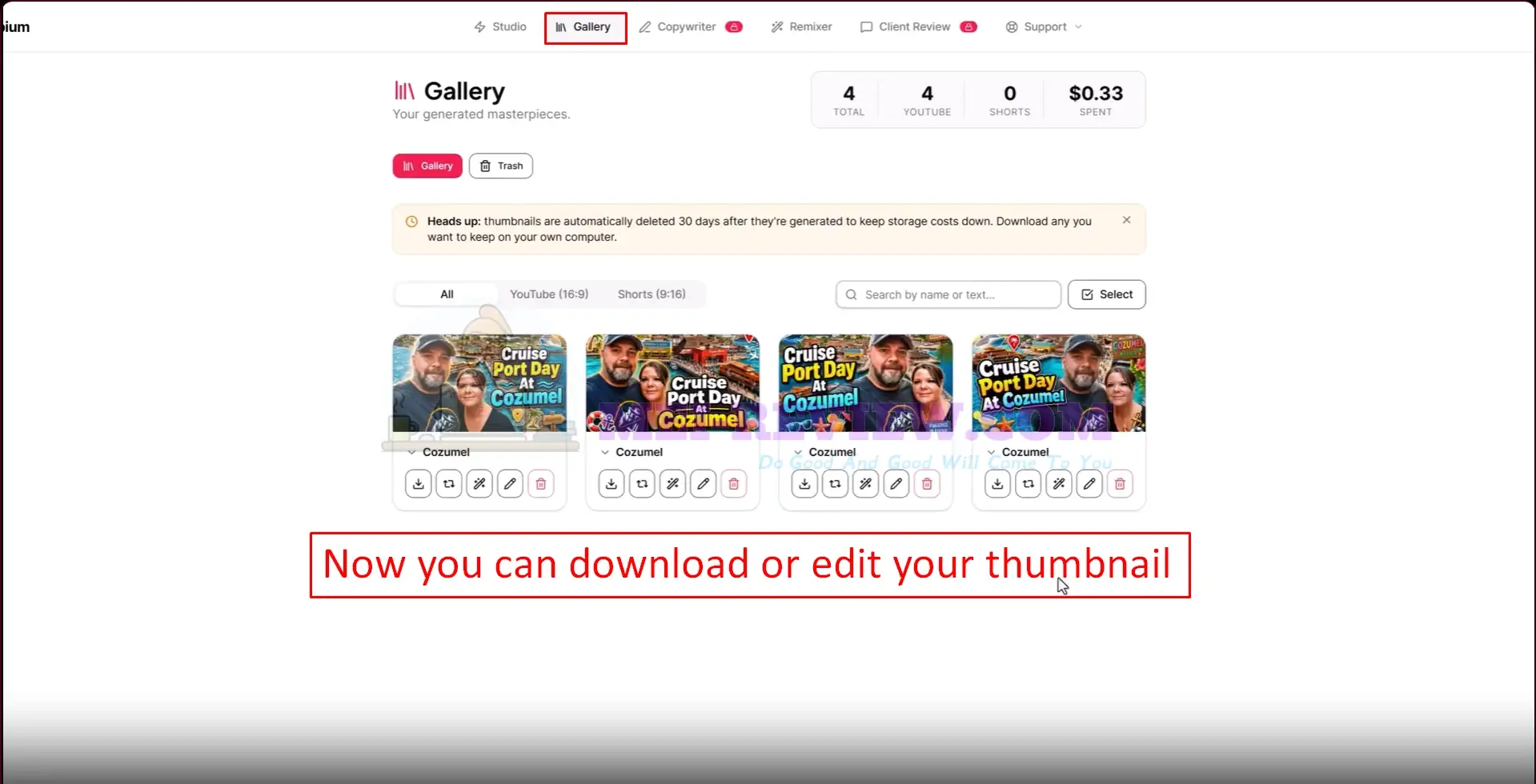
Here is an example of the results Thumbium can produce with an AI-generated person.
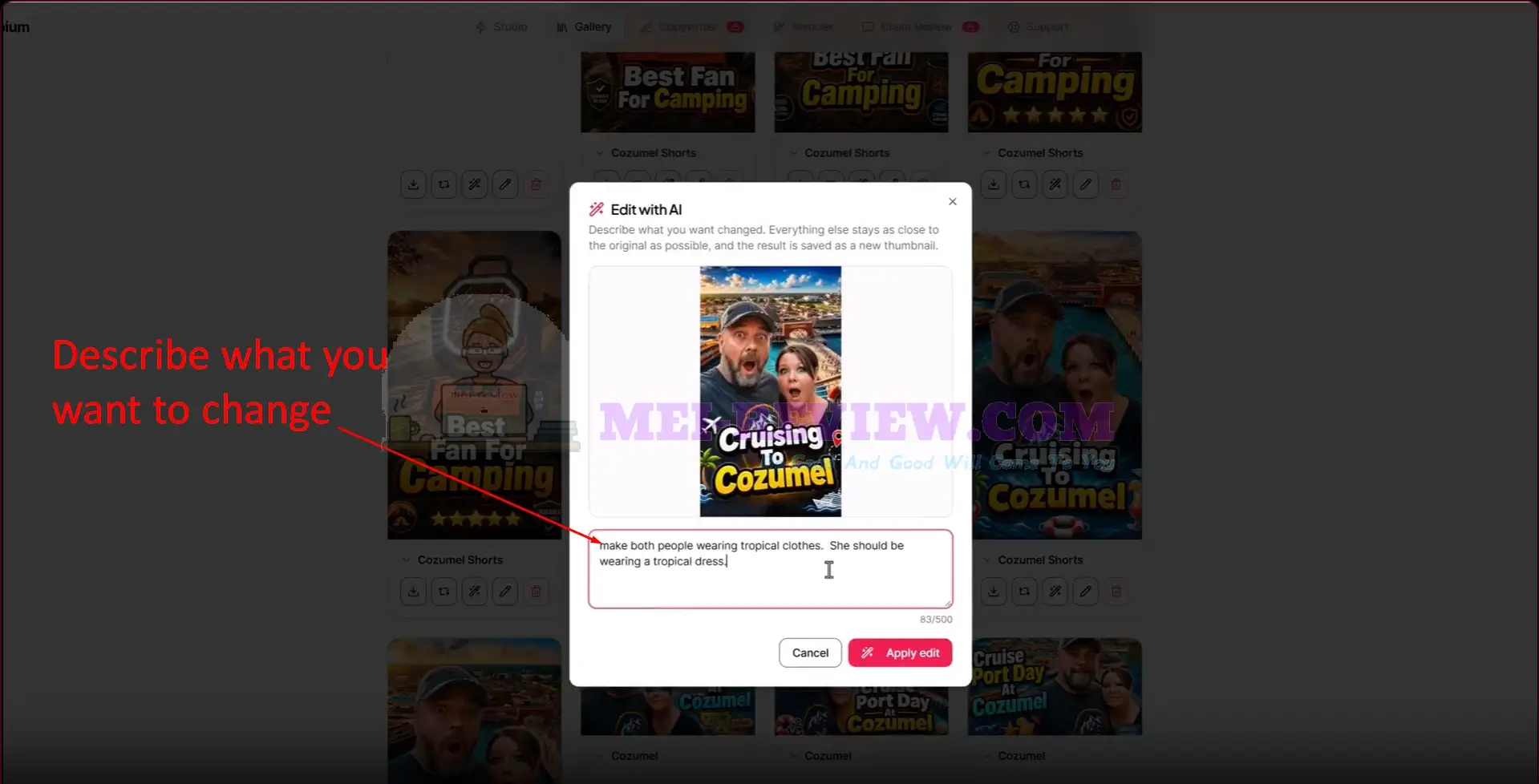
To make changes, type a clear instruction describing what you want adjusted. The AI updates those details while keeping the remaining layout and visual elements intact.
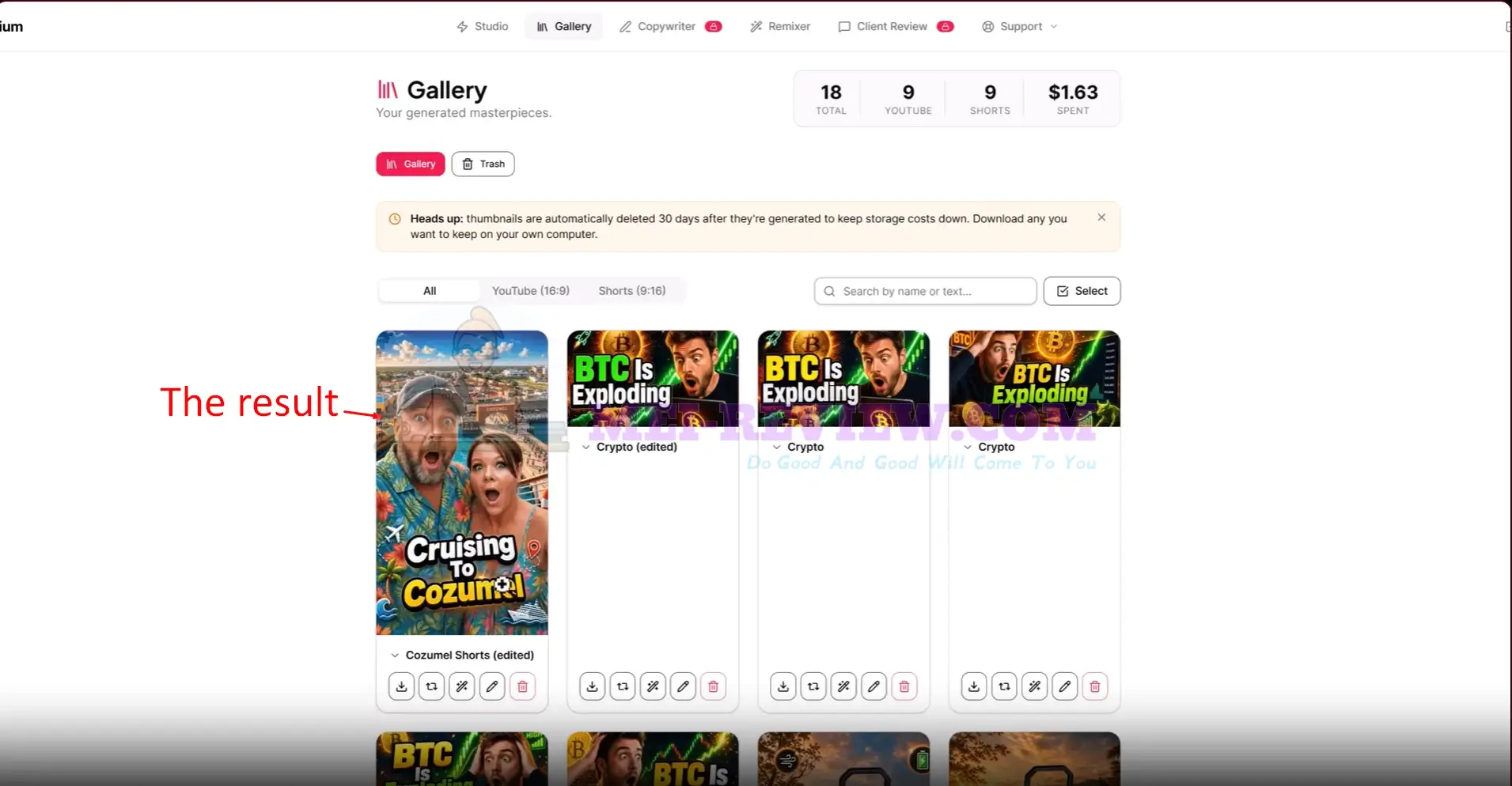
Thumbium saves the edited result as a separate version in your Gallery, so the original thumbnail remains available.
DEMO VIDEO:


















